Resetting a Honda tire pressure light works only after you fix the reason it came on. Start by checking the cold pressure in all four regular tires against the PSI label on the driver’s doorjamb. Then start TPMS calibration through your Honda’s touchscreen, driver display menu, or TPMS button, depending on your model.
Quick Answer
To reset a Honda tire pressure light, set all four regular tires to the recommended cold PSI first. Then use Home or Settings > Vehicle Settings > TPMS Calibration > Calibrate, or hold the TPMS button until the light blinks twice. Drive normally for about 30 minutes so calibration can finish.
At a Glance
| Time Required | 5 minutes to check and start calibration, plus about 30 minutes of cumulative driving |
| Difficulty | Easy |
| Tools Needed | Tire pressure gauge and air compressor or tire inflator |
| Cost | Usually free if you already have a gauge and access to air |
Key Takeaways
- Do not reset the TPMS light until you check and correct tire pressure first.
- Use the PSI on the driver’s doorjamb label, not the maximum pressure printed on the tire sidewall.
- Many Honda models calibrate through the Vehicle Settings or TPMS Calibration menu.
- Button-equipped Honda models usually start calibration when the TPMS light blinks twice.
- Honda calibration often needs about 30 minutes of cumulative driving, but your owner’s manual has the final model-specific rule.
Understand What the TPMS Light Means
When your TPMS light comes on, your Honda is warning you that one or more tires may be significantly underinflated, or that the system needs attention. Low pressure can hurt handling, fuel economy, tread life, and braking control.
Many newer Honda models use an indirect TPMS. Instead of showing exact PSI at each wheel, the system compares tire rotation and rolling behavior while you drive. When tire pressure changes, the tire’s rolling pattern can change enough to trigger the warning.
A steady tire pressure light usually means you should stop safely and check the tires. A light that flashes for about a minute and then stays on can point to a TPMS malfunction. Depending on the Honda model and system type, that may involve calibration, a system fault, or a direct TPMS sensor issue.
Warning: Never reset the TPMS light just to clear the dashboard. Check tire pressure first. Driving on a significantly underinflated tire can overheat the tire and may lead to tire failure.
Check Tire Pressure Before Resetting
Before you reset the Honda TPMS, check all four regular tires with a tire pressure gauge. Measure pressure when the tires are cold, which means the vehicle has been parked for at least three hours or driven less than 1 mile.
Find the recommended PSI on the driver’s doorjamb tire label or in your owner’s manual. Do not use the maximum PSI printed on the tire sidewall as your target pressure. That sidewall number is not the vehicle’s normal recommended inflation pressure.
- Park on level ground and let the tires cool.
- Remove the valve cap from each tire.
- Press the gauge firmly onto the valve stem.
- Add or release air until each regular tire matches the doorjamb PSI.
- Reinstall the valve caps.
- Check the spare monthly if your Honda has one, but do not use a compact spare during TPMS calibration unless your owner’s manual allows it.
Pro Tip: Check tire pressure at least once a month and before long trips. TPMS is a backup warning system, not a replacement for regular pressure checks.
[Products Worth Considering]

The VEHLIVE SU-50448 II TPMS relearn tool provides a fast activation reset to restore accurate tire pressure monitoring after sensor replacement or tire rotation. It supports 315 MHz and 433 MHz GM series sensors and helps clear dashboard pressure warnings. With simple two-button operation and horn-confirmed relearning order, you can reprogram sensors conveniently at home.

This TPMS relearn tool helps you quickly activate, match, and reset GM tire pressure sensors to keep the vehicle monitoring system working properly. It clears tire pressure alarms and dashboard warning lights after sensor replacement or tire rotation, and supports learning for common 315/433 MHz TPMS sensors. Designed for simple one-button operation, it can help you avoid unnecessary trips to repair shops.

The UYYE TPMS relearn tool helps activate and relearn tire pressure monitor sensors quickly, typically in minutes. It supports TPMS learn mode resetting using a simple three-step process: enter learn mode, position the tool near the valve stem, and press the learn button. Designed for specific GM models, it streamlines sensor programming and reduces trips to dealers or tire shops.
Reset the TPMS Light on Honda Models
Once all four regular tires are set to the recommended cold PSI, choose the reset method that matches your Honda. Menu names vary by model year, but most Hondas use one of three methods: touchscreen calibration, driver-display calibration, or a physical TPMS button.
Before you start, make sure the vehicle is stopped, the transmission is in Park, and the power mode or ignition is set to ON. On push-button-start models, that usually means pressing the start button without pressing the brake pedal until the vehicle enters ON mode.
Use the TPMS Button to Recalibrate
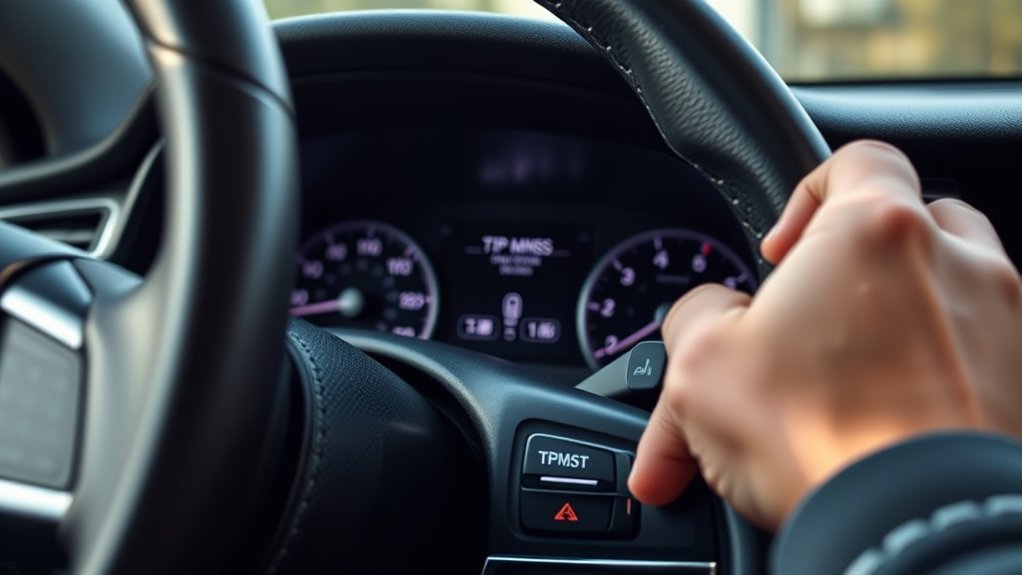
Some Honda models have a physical TPMS reset button under the dashboard or near the steering column. Use this method only after you set the cold tire pressure correctly.
Locate the Reset Button
Look below the steering wheel, near the lower dashboard trim, or near the driver-side knee panel. The button may be marked “TPMS” or may use the tire pressure warning symbol. If you do not see it, check your owner’s manual because some Hondas use the touchscreen or driver display instead of a button.
Hold Until the Indicator Blinks Twice
Set the ignition or power mode to ON without starting the engine. Press and hold the TPMS reset button until the low tire pressure/TPMS indicator blinks twice. That blink sequence means calibration has started on button-equipped Honda models.
Release the button, start the vehicle, and drive as your owner’s manual directs. Many Honda procedures require about 30 minutes of cumulative driving at normal road speeds before calibration finishes automatically.
Calibrate Honda TPMS With a Touchscreen
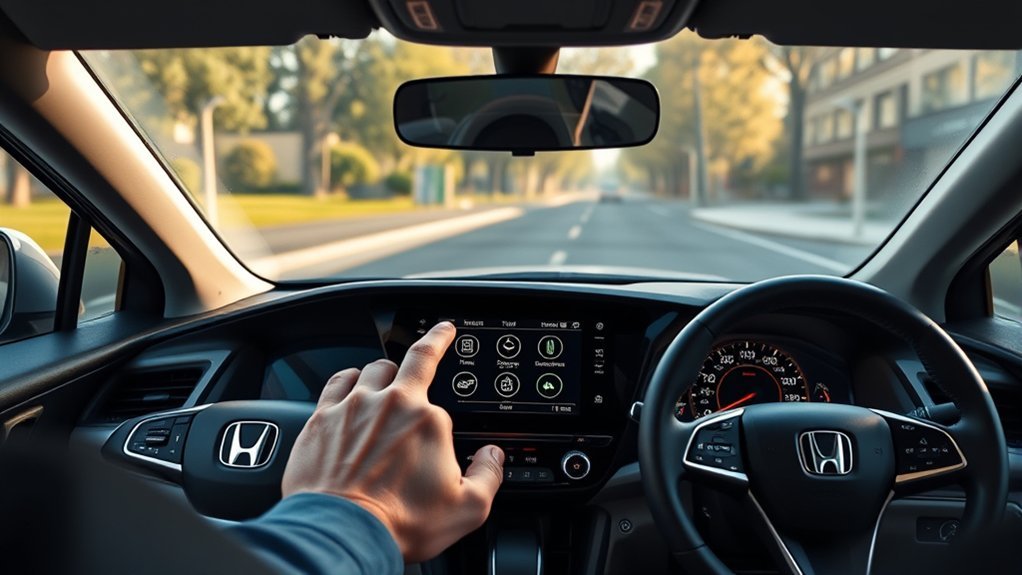
If your Honda has a touchscreen or audio/information display, you can usually start TPMS calibration from the vehicle settings menu. The exact wording can vary, but the most common path is:
- Set the power mode to ON.
- Select Home or Settings.
- Select Vehicle or Vehicle Settings.
- Select TPMS Calibration.
- Select Calibrate.
If a “Calibration Failed to Start” message appears, confirm that the vehicle is stopped, the transmission is in Park, and the tire pressures have already been set. Then repeat the calibration command.
Reset Honda TPMS Without a Touchscreen
Some Honda models without a touchscreen use steering wheel buttons, a selector knob, or a driver information display menu. The menu path often looks like this:
- Set the ignition or power mode to ON.
- Open the vehicle settings menu using the steering wheel buttons, selector knob, or MENU button.
- Select TPMS Calibration.
- Select Calibrate, Initialize, or Yes, depending on the model.
- Exit the menu after calibration starts.
Turn the Ignition On
Keep the engine off while you start calibration. The cluster or display should be powered, and the vehicle should remain stopped. On automatic models, keep the transmission in Park.
- Confirm the tire pressures are already corrected.
- Keep the vehicle stopped while starting calibration.
- Use the menu or TPMS button that matches your Honda model.
Confirm Calibration Started
After you select Calibrate or hold the TPMS button until the light blinks twice, the system should begin relearning the tire baseline. On many Honda models, calibration finishes automatically while you drive.
Drive to Complete Recalibration
Honda calibration usually does not finish the moment you press the button or select Calibrate. Many Honda owner guides call for about 30 minutes of cumulative driving. Some models list 30–60 mph, while others list 30–65 mph, so your owner’s manual should be the final reference.
- Drive on clear roads at normal steady speeds.
- Avoid aggressive acceleration, hard braking, and sharp turns during calibration.
- Remove snow chains before calibrating if your manual says to do so.
- Do not calibrate with a compact spare installed on models where Honda warns against it.
- Recheck pressure if the warning light returns after calibration.
If the light turns off after driving, the reset worked. If it stays on, the pressure may still be wrong, calibration may not have completed, or the system may have a fault.
Why the TPMS Light Stays On
If the TPMS light stays on after you add air and start calibration, work through the issue in order. Most problems come from pressure, calibration conditions, tire changes, or system faults.
| Possible Cause | What to Do |
| One tire is still low | Check all four tires cold and adjust to the doorjamb PSI. |
| Calibration did not finish | Drive for the full model-specific calibration time. |
| Tires were rotated or replaced | Start TPMS calibration again after setting cold pressure. |
| Compact spare, chains, or mixed tires | Return to matching regular tires and remove chains before calibration if required. |
| System malfunction | Have a Honda dealer or qualified technician scan the system. |
Check for Faulty Sensors or a Weak Battery
Not every Honda uses wheel-mounted pressure sensors. Many modern Honda models use indirect TPMS through wheel-speed data. However, direct TPMS systems do use sensors inside the wheels, and those sensor batteries can eventually fail.
A flashing TPMS light that flashes for about one minute and then stays on usually means the system has detected a malfunction, not just low tire pressure.
- Recheck cold tire pressure before assuming a sensor has failed.
- Look at your owner’s manual to see whether your Honda uses direct or indirect TPMS.
- Have a shop scan the system if the warning keeps flashing or returns after proper calibration.
- On direct TPMS systems, sensor battery life often falls in the five-to-10-year range.
[Products Worth Considering]

The AICEL TPMS relearn tool helps you quickly reset or relearn tire pressure sensors after replacement, tire rotation, or resolving tire pressure alarms. It provides an activation reset function so your vehicle’s TPMS can operate optimally, saving time and money on frequent visits to an auto shop. Designed for easy use on most vehicles, it works by placing the tool near the valve stem and using the learn button.

Replace your worn or missing TPMS sensors with pre-programmed, direct-fit sensors for compatible Ford, Lincoln, and select Mazda models. Each sensor comes ready to activate with a scan tool, helping restore accurate tire pressure monitoring and trouble-free installation. Built with a long-life CR2032 battery and tested before factory release, this set provides dependable performance with a one-year warranty.

This TPMS sensor training and relearn reset tool is customized for Ford, Lincoln, and Mercury vehicles to help activate tire pressure programming after sensor replacement or tire rotation. It can activate individual tire pressure sensors with one-button operation, helping prevent TPMS warning light illumination. It is not a sensor programming tool and cannot program replacement sensors—use it to trigger/activate sensors only.
Get Help for Persistent TPMS Warnings
Get professional help if the TPMS warning stays on after you confirm tire pressure, start calibration correctly, and complete the required driving time. A technician can check stored codes, inspect tire condition, verify sensor function where applicable, and confirm whether the warning is pressure-related or system-related.
| Action | Result |
| Diagnostic scan | Finds TPMS or vehicle system fault codes |
| Pressure verification | Confirms the tires match the doorjamb PSI |
| Tire inspection | Finds leaks, damage, uneven wear, or mismatched tires |
| Sensor test, if equipped | Identifies a weak or failed direct TPMS sensor |
| Dealer service | Applies model-specific repair and calibration procedures |
If the light keeps flashing, do not keep repeating the reset. Repeated resets will not fix a leak, mismatched tire, damaged wheel, sensor fault, or calibration condition the system cannot accept.
[Products Worth Considering]

This tire inflator with pressure gauge delivers long-lasting performance with a durable rubber-protected gauge and sturdy build. The longer hose and 360 swivel air chuck help you seal the valve securely and keep your hands free while measuring, inflating, or deflating. It’s battery-free for reliable use and provides ±2 PSI accuracy in the mid-range for most typical tires, with universal compatibility for 1/4 NPT compressor outputs.

Keep your tires properly inflated with this analog VONDIOR tire pressure gauge, designed for fast, easy readings without batteries. The swiveling, two-axis hose and large glow dial help you measure at any tire angle with instant visibility. Built with a protective rubber shield, it supports durable, low-maintenance use for cars and trucks.

This digital tire pressure gauge with built-in inflator helps you accurately check and adjust tire pressure for safer driving and better fuel efficiency. It supports multiple units (PSI, KPA, BAR, KG/CM²) and reads within 1% for reliable results. The 3-in-1 design inflates, deflates, and measures, with a quick-connect air chuck and compatible hose setup for cars, trucks, SUVs, RVs, and motorcycles.
Frequently Asked Questions
How do I manually reset my Honda tire pressure light?
Set all four regular tires to the recommended cold PSI first. Then start TPMS calibration through the touchscreen, driver display, or TPMS button. On button-equipped Honda models, hold the TPMS button until the warning light blinks twice, then drive until calibration finishes.
Where is the TPMS reset button on a Honda?
If your Honda has a physical TPMS reset button, it is usually under the dashboard, near the steering column, or near the lower driver-side trim. Many newer Honda models do not use a physical button and instead use the Vehicle Settings or TPMS Calibration menu.
How long does Honda TPMS calibration take?
Many Honda owner guides call for about 30 minutes of cumulative driving after you start calibration. The speed range varies by model, often around 30–60 mph or 30–65 mph. Check your owner’s manual for your exact Honda model.
Can I reset the TPMS light without a scan tool?
Yes, you can usually reset or calibrate a Honda TPMS light without a scan tool if the tires are properly inflated and the system has no fault. Use the TPMS Calibration menu or the TPMS reset button. If the light keeps flashing or returns, a scan tool may be needed for diagnosis.
Why did my Honda tire pressure light come back on after reset?
The light may return if a tire is still low, calibration did not finish, tire pressure changed with temperature, a compact spare is installed, the tires are mismatched, or the TPMS has a fault. Recheck cold pressure first, then repeat calibration only if the tires are correct.
Should I check the spare tire before resetting Honda TPMS?
You should check the spare tire monthly if your Honda has one, but most Honda TPMS calibration steps focus on the four regular tires. Some Honda manuals warn that TPMS cannot be calibrated with a compact spare installed, so reinstall a properly inflated regular tire before calibration.
Conclusion
Resetting your Honda tire pressure light is simple, but only after you correct tire pressure first. Check all four regular tires cold, use the PSI on the driver’s doorjamb label, then start TPMS calibration