
You can book a Discount Tire appointment online or get scheduling help by phone or from a local store. The online scheduler lets you choose a store, select your service, pick an available date and time, enter your contact information, and review the request before submitting it. Adding your vehicle information can make the visit easier, but Discount Tire currently lets you continue without entering a vehicle.
Quick Answer
To book a Discount Tire appointment, open the online scheduler, optionally add your vehicle, choose your store and service, select an available date and time, enter your contact details, and review the appointment. Discount Tire then sends confirmation by email and text. Walk-ins are also accepted, but an appointment can reduce your wait.
Key Takeaways
- You can schedule a Discount Tire appointment online, contact a local store, or call for help.
- Entering your vehicle is optional in the online scheduler, although year, make, model, trim, tire size, or license-plate information can help identify the right fitment.
- Choose your store, service, date and time, then enter contact details and review the appointment before submitting it.
- Discount Tire accepts walk-ins, but it recommends appointments when possible for faster service.
- Some services, including wheel alignment, are available only at participating locations, so check your selected store before booking.
- Save your email and text confirmation because they can help you check in, reschedule, or cancel later.
How to Book a Tire Appointment at Discount Tire

At a Glance
| Time Required | Usually only a few minutes to submit online when your service and preferred store are known |
| Difficulty | Easy |
| Tools Needed | Phone, computer, or tablet; contact information; vehicle details if you choose to add them |
| Cost | Depends on the selected product or service; confirm pricing for paid work before service begins |
Discount Tire’s current appointment instructions follow a straightforward sequence. You can add a vehicle, select or change your store, choose the services you need, add notes, pick an available day and time, enter your contact information, and review the request before selecting Schedule Your Appointment.
- Add your vehicle or continue without one. Vehicle information is optional. If you add it, you can enter year, make, model, trim, and tire size or use the license-plate lookup when supported.
- Choose your Discount Tire store. Select the location you want to visit and check its hours and listed services.
- Select the service. Pick installation, repair, rotation and balancing, inspection, TPMS service, or another available option.
- Add useful notes. Mention a wheel-lock key, TPMS concern, unusual vibration, seasonal changeover, or other detail that may affect the work.
- Pick an available date and time. Appointment availability depends on the selected store and service.
- Enter your contact information. Use accurate information so Discount Tire can send your confirmation and appointment updates.
- Review and submit. Check the store, service, date, time, vehicle, and contact information before scheduling.
After scheduling, Discount Tire says it sends appointment details by email and text. Keep those messages because they can also provide access to appointment-management and check-in options.
Pro Tip: If your wheels use locking lug nuts, bring the wheel-lock key and note it during scheduling. A missing key can delay work that requires wheel removal.
What to Have Ready Before Booking
You do not have to enter a vehicle to start Discount Tire’s online appointment process, but having accurate vehicle information can make fitment and service preparation easier. If you choose to add a vehicle, keep its year, make, model, trim, and tire size available.
The online scheduler also provides a license-plate lookup as an alternative way to identify many vehicles. If the lookup does not recognize a custom plate or newer vehicle, you can enter the vehicle details manually instead.
Vehicle information is optional when scheduling online, but accurate fitment details can make product selection and check-in easier.
- Vehicle year, make, model, and trim, if you choose to add the vehicle
- Tire size from the tire sidewall or vehicle tire-information placard
- Preferred Discount Tire location
- Service you want performed
- A few suitable appointment times
- Email address and phone number for confirmation
- Notes about TPMS warnings, vibration, wheel locks, seasonal tires, or other service concerns
If you are booking service for more than one vehicle, keep the information for each vehicle separate. If you are ordering tires or wheels, also verify the selected product and store availability before assuming it will be ready for the appointment.
Choose Your Tire Service
Choose the tire or wheel service that best matches what you need. Discount Tire’s current service menu includes tire pressure checks, flat-tire repair, rotation and balancing, tire inspections, TPMS service, and windshield-wiper service. Other offerings vary by location.
If you are replacing worn tires, select the appropriate tire installation or replacement option available for your store. For a puncture or air-loss problem, choose flat-tire repair. Discount Tire states that repair depends on an inspection and whether the tire meets applicable repair criteria.
If your vehicle pulls to one side, the steering wheel is off-center, or the tires show irregular wear, an alignment inspection may be appropriate. However, wheel alignment is available only at participating Discount Tire locations. Check the selected store’s services or contact it before assuming an alignment can be included.
Other location-dependent services can include mobile installation, commercial tire installation, winter tire changeovers, seasonal tire storage, tire studding, Road Force balancing, and rim repair or refinishing. The Discount Tire services page and individual store pages are the best places to confirm availability.
Note: The same service menu is not available at every location. Confirm store-specific services before choosing a location solely because it is closest to you.
[Products Worth Considering]

Upgrade your wheels with MIKKUPPA M12x1.5 mag seat lug nuts built for secure, corrosion-resistant performance. These closed-end chrome lug nuts are a direct replacement for select Toyota models, including Camry, Corolla, RAV4, Sienna, Avalon, Highlander, Matrix, Venza, and Prius. Triple-chromium plating and cold-forged, heat-treated steel help deliver strength for daily driving and replacement needs.

Steelman white tire marking crayons provide high-contrast, semi-permanent marks for repairing and inspecting tires and equipment. They write on wet or dry, smooth or coarse surfaces including rubber, metal, glass, and wood, making them ideal for puncture location and damage outlining. The lead- and zinc-free crayons resist weather and fading yet wipe away when you no longer need the marks.

Monitor tire tread wear with a smart, color-coded depth gauge that shows clear condition ranges at a glance. The bar is range marked for fast, easy readings, helping you maintain safer traction and performance. Each gauge is portable with a pocket clip, and the set includes 20 units for daily use and sharing.
Book a Tire Appointment Online
For the most direct option, use Discount Tire’s online appointment scheduler. The scheduler currently moves through vehicle, store, services, appointment date/time, customer information, and final review.
- Vehicle: Add your vehicle or continue without one.
- Store: Confirm the selected location or choose another.
- Services: Select the work you want and add relevant notes.
- Date and time: Choose from the available appointment slots.
- Your information: Enter the requested contact details.
- Review: Check everything before submitting the appointment.
If you are purchasing new tires or wheels, check fitment and availability before finalizing your plans. Discount Tire explains that an item may be listed as in stock, available by an estimated date, or out of stock. Product availability can therefore affect when installation can actually take place.
Once the appointment is submitted, save the email and text confirmation. Those messages are useful if your schedule changes or you need to verify the appointment later.
[Products Worth Considering]

The Kurgo Seasonal Tire Tote helps protect your car interior, clothes, and garage from tire grime, brake dust, and residue during seasonal tire changes. Its universal design fits most passenger tires between 22" and 31" in diameter, making storage and transport simpler with less mess. Built for rugged, repeated use, it’s machine washable for easy care and comes with a lifetime warranty.

Measure tire tread depth quickly and accurately with this LUMITECO dial gauge that reads in 1/32" increments up to 14/32". The color-coded green/yellow/red zones make it easy to judge tire wear and know when replacement is needed. A rugged, compact design with a protective pouch helps keep the gauge ready for use on cars, trucks, motorcycles, and more.

Make hard-to-reach areas easier to access with the MAXXHAUL truck tire service step featuring an adjustable width and height. The foldable design stores compactly, while the serrated non-slip platform provides secure footing for tire-related maintenance. It fits most stock tire sizes up to 31-inch diameter with a 300-lb capacity.
Schedule by Phone
If you prefer live assistance, contact your selected Discount Tire store or use the help number shown by Discount Tire’s appointment system. The current online scheduler lists 888-458-5988 for help.
Calling the local store is especially useful when you need to confirm a location-specific service, product availability, unusual fitment, or an appointment change. Have your preferred store, vehicle information if relevant, requested service, and possible appointment times ready.
[Products Worth Considering]

These M14x1.5 closed-end chrome lug nuts are a one-piece replacement designed for secure fitment on compatible GM, Ford, and select Chrysler/Dodge models. Featuring a 60-degree conical seat and anti-rust chrome plating, they help resist corrosion and maintain a bright look for everyday driving. Built for long-term durability, they include OEM-style part references and are backed by 12 months of support.

The Park Tool TL-1.2 tire lever set is narrow, strong, smooth, and versatile for easy tire removal and reliable work on bike tires. It includes a spoke hook design to help when multiple levers are needed. With Park Tool’s industry-standard reputation, this set is ideal for fast flat-fix repairs.
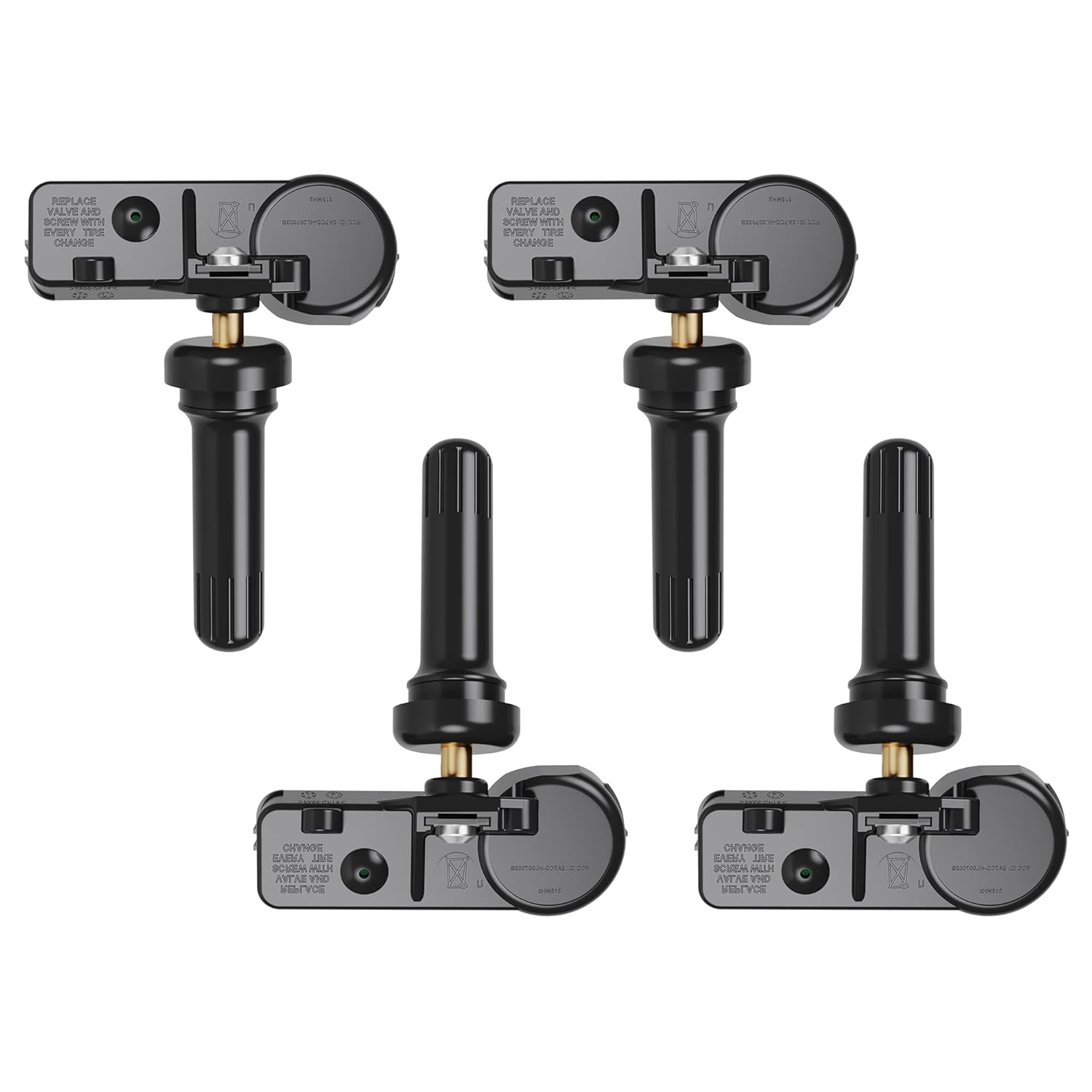
Replace worn or faulty TPMS sensors with this brand new 315MHz GM-compatible replacement set for select Chevy, GMC, Buick, Cadillac, and similar vehicles. These sensors are pre-programmed for your make/model/year and typically only require activation with a scan tool. Built for long service life with a high-temperature battery, they help maintain reliable tire pressure monitoring for safer driving.
Discount Tire Scheduling Help Number
Discount Tire’s current online appointment scheduler lists 888-458-5988 for assistance. For questions tied to one specific location, use Discount Tire’s store locator to find that store’s direct number.
- Have your vehicle information available if it affects fitment.
- Explain the service you need.
- Ask about the next suitable appointment time.
- Confirm whether any tires, wheels, sensors, or other parts must be sourced first.
- Repeat the store, date, time, and service before ending the call.
Phone Scheduling Steps
Phone scheduling is easiest when you can describe the request clearly. Start with your preferred location and service. Then provide vehicle details when needed, ask about available times, and give the contact information required for the booking.
| Step | What to Do |
|---|---|
| 1 | Identify your preferred store and requested service. |
| 2 | Share vehicle or tire details when they affect the work. |
| 3 | Ask about available dates and times. |
| 4 | Confirm your contact information and appointment details. |
Before ending the call, ask whether the store needs anything from you before arrival. If your service requires a specific tire, wheel, TPMS sensor, or another part, confirming availability can prevent a wasted trip.
Do You Need an Appointment at Discount Tire?
No. Discount Tire’s current customer FAQs say that walk-ins are accepted. The company recommends scheduling an appointment when possible because it can make the visit faster.
A walk-in can be useful for an unexpected flat, tire damage, inspection, or another urgent tire concern during store hours. A scheduled appointment is usually the better choice when you are planning installation or want a more predictable arrival time.
For a simple air-pressure check, Discount Tire says no appointment is required. You can use the store’s designated air-check area during applicable hours.
Warning: Discount Tire states that it does not provide emergency towing or roadside service. If tire damage makes the vehicle unsafe to drive, do not drive it just to keep an appointment. Arrange safe roadside assistance or a third-party tow instead.
How to Reschedule or Cancel a Discount Tire Appointment
If your plans change, Discount Tire provides several ways to manage an existing appointment.
Reschedule an Appointment
According to Discount Tire’s appointment-management instructions, you may be able to reschedule through your confirmation email, appointment text, or online account. When rescheduling, select a new date and time and update available preferences such as waiting in the store or dropping off the vehicle.
If you cannot find the email or text and do not have the appointment available in an account, contact the store where the appointment was made.
Cancel an Appointment
You can also cancel from the confirmation email, the appointment text link, or your Discount Tire account when those options are available. Discount Tire says customers who cannot locate their appointment messages can call the store for help canceling.
Do not simply ignore an appointment you no longer need. Canceling it makes the time available for another customer and gives you a clear record that the booking was changed.
What to Expect During Your Visit
When you arrive for your tire appointment, check the confirmation text for an arrival or check-in link. Discount Tire says appointment customers can use the link sent by text to let the store know they have arrived.
You can then enter the lobby or use the store’s outside check-in area when one is operating. A tire expert may walk to the vehicle with you, inspect the tires, and discuss the requested service or replacement options before work begins.
- Appointment or walk-in check-in
- Confirmation of the requested service
- Inspection of tire condition when relevant
- Review of repair or replacement needs
- Rotation, balancing, installation, repair, or another approved service
- Completion and pickup information
A Discount Tire tire inspection can include tread depth, wear patterns, sidewall condition, air pressure, leaks or punctures, and other visible tire concerns. If the inspection changes what is needed, ask the store to explain the recommendation and any added cost before approving additional paid work.
If you notice pulling, vibration, an off-center steering wheel, or unusual tire wear, describe the symptom rather than trying to diagnose it yourself. That gives the technician useful context while keeping the service decision tied to an actual inspection.
How to Speed Up Your Appointment
Good preparation can reduce avoidable delays. Save your confirmation, arrive around the scheduled time, and make sure the store has the information or hardware needed to work on your wheels.
| What to Bring or Know | Why It Helps |
|---|---|
| Appointment confirmation | Makes it easier to verify the store, time, and requested service. |
| Vehicle and tire information | Helps confirm fitment and service details when needed. |
| Wheel-lock key, if equipped | Allows technicians to remove wheels fitted with locking lug nuts. |
| Clear description of the problem | Helps the team focus its inspection on your actual concern. |
| Relevant warranty or purchase records | Can help the store determine what coverage or included services apply. |
| Payment method for paid work | Avoids delays when payment is required. |
If you are purchasing new tires or wheels, confirm product availability before your visit. An appointment time does not necessarily mean a particular out-of-stock product will arrive by then. Discount Tire advises customers to review the availability shown for their selected store and contact the store when timing is uncertain.
Frequently Asked Questions
Does Discount Tire Offer Same-Day Tire Appointments?
Same-day openings may be available, but availability depends on the store, service, workload, and any products required. Check the online scheduler or contact your selected store for the current openings rather than assuming same-day service is guaranteed.
Can I Reschedule My Discount Tire Appointment Online?
Yes. Discount Tire says appointments can be rescheduled through the confirmation email, the link associated with the appointment text, or an online account. If you cannot access those options, call the store where the appointment was made.
Are Tire Rotations Available Without an Appointment?
Discount Tire accepts walk-ins, so an appointment is not required for every visit. However, scheduling ahead is recommended when you want a more predictable wait. Service timing still depends on store traffic.
Do I Need a Discount Tire Account to Book?
No. Discount Tire’s scheduler allows you to make an appointment without first creating an account. An account can still be useful because it can store vehicles and provide access to appointment, order, and purchase information.
Which Payment Methods Are Accepted at Discount Tire?
Discount Tire’s current payment page lists cash, personal checks, debit cards, Visa, Mastercard, American Express, Discover, the Discount Tire credit card, PayPal, Apple Pay, Google Pay, postal money orders, and travelers checks. Financing through the Discount Tire credit card and Affirm is also available subject to the applicable terms and approval. Check the official payment page for current details.
Can I Go to Discount Tire Without an Appointment?
Yes. Discount Tire says it accepts walk-ins. Appointments are recommended when possible because they can shorten the visit, while walk-ins remain useful for unexpected tire problems and other service needs.
Can I Cancel a Discount Tire Appointment?
Yes. Discount Tire says you can cancel through your confirmation email, appointment text link, or online account. If you cannot locate those options, contact the store where you scheduled the appointment.
Conclusion
Booking a Discount Tire appointment is straightforward once you know the current process. Use the online scheduler to choose a store, service, date, and time, or contact Discount Tire if you prefer live assistance. Vehicle information is helpful but optional when scheduling online, and walk-ins are accepted as well.
Before your visit, save the confirmation, verify that your selected store offers any location-dependent service you need, check product availability when buying tires or wheels, and bring your wheel-lock key if your vehicle uses one. If plans change, use the confirmation email, appointment text, online account, or local store to reschedule or cancel.
Sources
- Discount Tire — Manage Your Appointment — official booking, rescheduling, cancellation, confirmation, and product-availability guidance.
- Discount Tire — Schedule Appointment — current online scheduling flow and optional vehicle-entry process.
- Discount Tire — Frequently Asked Questions — walk-in, arrival, store-visit, and roadside-service policies.
- Discount Tire — Tire and Wheel Services — services available broadly and services limited to participating locations.
- Discount Tire — Payment Methods — accepted payment methods and financing options.