
Booking a Sam’s Club tire appointment is easiest when you first know whether you’re buying new tires or scheduling maintenance on tires already on your vehicle. For a new-tire purchase, you can shop for compatible tires online, add installation, and choose an available appointment during checkout. You can also call or visit your local Sam’s Club Tire & Battery Center. Have your active membership, vehicle information, tire size, and order details ready before you schedule.
Quick Answer
To book a Sam’s Club tire appointment, choose compatible tires online and select installation and an available time during checkout, or call or visit your local Tire & Battery Center. An active membership is required. Walk-ins are also accepted, although scheduling ahead can reduce waiting for larger jobs.
Key Takeaways
- You need an active Sam’s Club membership to use Tire & Battery Center services.
- When buying tires online, choose your tires and installation package first; you can then select an available installation time during checkout.
- You can also call or visit your local Tire & Battery Center to schedule service, and walk-ins are accepted.
- Sam’s Club currently lists its Premium Tire Installation Package at $20 per wheel for most vehicles, although prices and promotions can change.
- Verify tire size and other fitment information against your vehicle’s tire placard or owner’s manual before ordering.
- Sam’s Club does not install brand-new tires purchased from another retailer, so confirm eligibility before bringing outside tires for installation.
At a Glance
| Time Required | Usually a few minutes to book once you have your vehicle information; actual service time varies by club and job. |
| Difficulty | Easy |
| Tools Needed | Sam’s Club membership, vehicle year/make/model/trim, tire size, phone or internet access, and order information if already purchased. |
| Cost | Booking itself has no separately listed appointment charge. Sam’s Club currently lists its Premium Tire Installation Package at $20 per wheel for most vehicles; specialty services and parts can cost more. |
Book Your Sam’s Club Tire Appointment
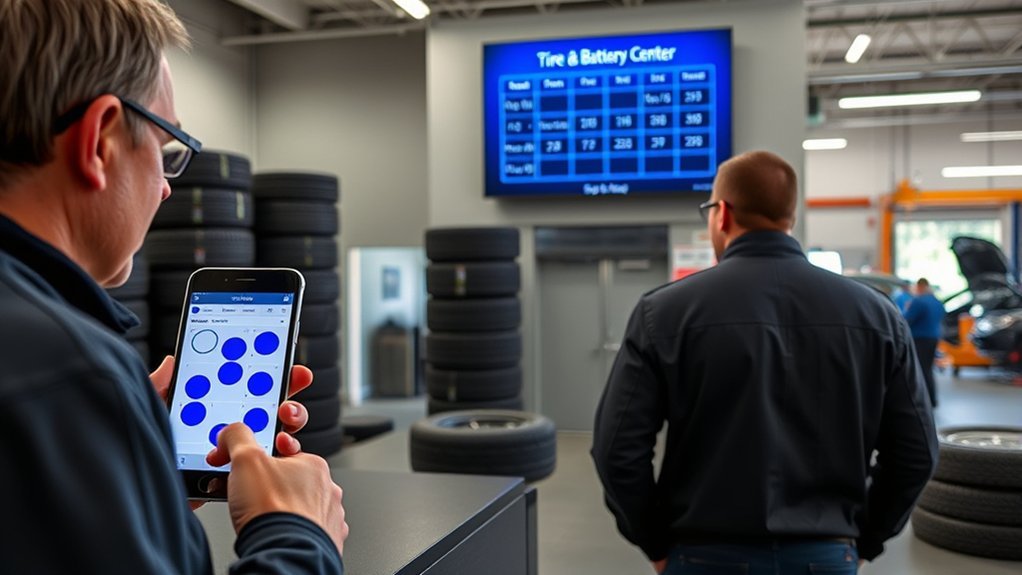
There are three practical ways to arrange Sam’s Club tire service: schedule installation while buying tires online, call your local Tire & Battery Center, or visit the center in person.
If you’re buying new tires online, start with the Sam’s Club Tire Finder. Enter your vehicle information, choose compatible tires, add the installation package, select your preferred club, and review the available installation dates and times during checkout.
If you already have Sam’s Club tires and need maintenance such as rotation, balancing, flat repair, or TPMS service, call or visit the local club to confirm availability and scheduling.
For new tires, Sam’s Club’s current online process lets you choose an installation appointment during checkout after you select the tires and installation package.
Before you confirm anything, verify the club location, service type, contact details, and tire order. This is especially important if you have several Sam’s Club locations nearby.
Check Membership and Service Eligibility
Sam’s Club requires an active membership to use its Tire & Battery Center services. Both regular Club and Plus memberships can access the center, while Plus memberships can include additional tire benefits.
Service eligibility also depends on what you need. Sam’s Club performs new-tire installation for qualifying tires purchased through Sam’s Club and provides maintenance services such as balancing, rotation, flat repair, seasonal changeover, and TPMS work under applicable service terms.
Warning: Sam’s Club says it does not mount or install brand-new tires purchased from another retailer or online seller. If your tires came from somewhere else, contact the local Tire & Battery Center before making the trip. Some maintenance services for tires already on your vehicle may still be available.
Availability can differ by club, vehicle, wheel type, tire type, staffing, and inventory. If your vehicle has unusual wheels, dual rear wheels, specialty tires, modified suspension, or other nonstandard equipment, call the club before ordering or scheduling.
Sign In to Your Sam’s Club Account
If you plan to buy tires online, sign in to your Sam’s Club account before checkout so your membership, selected club, purchase, and installation details can be connected to the order.
You can browse tire options before signing in, but having your account ready makes checkout easier. Confirm that your contact information is current so you can receive order or appointment communications.
If you forgot your password, use the account-recovery option before placing the order. After signing in, keep your order confirmation available because it can help with check-in and questions about your tires later.
Find the Sam’s Club Tire Center Page
Use Sam’s Club’s tire section or local club finder to locate the Tire & Battery Center you want to use. Local Tire Center pages show the club address, telephone number, hours, tire-finder tools, and services available at that location.
Locate Tire Center
Choose the location where you actually want the work completed. Before ordering, check:
- The club name, city, and address.
- Tire & Battery Center hours.
- The phone number for the selected club.
- Whether your required service is listed.
- Whether the tires you want are available for your vehicle.
Club and service hours can change for holidays or local operating conditions, so use the current local-club page rather than relying on a general hours estimate.
Open Appointment Page
For a new-tire purchase, you may not need a separate standalone appointment page. Sam’s Club currently directs online shoppers to choose their tires, add the installation package, and then select an appointment time during checkout.
If you are scheduling maintenance rather than buying new tires, call or visit the Tire & Battery Center to arrange the service. The exact scheduling options shown online can change, so follow the choices offered with your order or local club.
Verify Club Location
Before you submit an order or appointment request, confirm that the selected club is correct. Check:
- Club city and address.
- Phone number.
- Service availability.
- Tire inventory or order destination.
- Appointment date and time.
If the wrong location appears, change the selected club before checkout when possible. Correcting it before purchase is easier than discovering on appointment day that your tires or service reservation are tied to another location.
Select Tire Services and Store Location
Choose the service that matches your actual need. Sam’s Club Tire & Battery Centers offer services that can include new-tire installation, rotation, balancing, flat repair, seasonal tire changeover, and Tire Pressure Monitoring System (TPMS) work.
If you’re purchasing new tires, use the Tire Finder to match products to your vehicle. Sam’s Club’s local tire pages generally ask for information such as year, make, model or submodel, and tire size.
For safety, verify replacement-tire information against the vehicle tire placard or owner’s manual guidance described by NHTSA. The placard is commonly located on the driver-side door area and includes manufacturer-recommended tire information.
Pro Tip: Do not choose a replacement tire only because the size printed on your current tire appears to fit. Check the vehicle placard or owner’s manual, particularly if the vehicle has aftermarket wheels or tires.
After selecting the tires and installation package, choose the club where you want the tires delivered and installed. Check the order carefully before payment.
Pick an Appointment Date and Time
When available during online checkout, choose the appointment date and time that best fits your schedule. If you’re arranging service directly with the club, ask the Tire & Battery Center associate which slots are open.
Keep these scheduling tips in mind:
- Allow time to check in before the scheduled service.
- Do not assume the vehicle will be finished within one hour.
- Ask about the expected completion time if you have another commitment.
- If your first choice is full, compare nearby dates or another convenient club.
- If your tires are being shipped to the club, make sure they are available before relying on the installation date.
Walk-ins are accepted at Sam’s Club Tire & Battery Centers, but an appointment can make the visit more predictable, especially for installation of a full set of tires. A walk-in may involve a longer wait when the center is busy.
Enter Your Vehicle and Tire Details
Accurate vehicle information helps Sam’s Club identify tires that fit. Be ready with your vehicle’s:
- Year
- Make
- Model
- Trim or submodel
- Current or manufacturer-recommended tire size
You can usually find the recommended tire size on the vehicle’s tire-information placard and in the owner’s manual. The tire sidewall also shows the size of the tire currently installed, but that does not prove it is the original manufacturer-specified size.
If you are comparing replacement tires, also pay attention to load-carrying capability, speed rating, vehicle use, and any manufacturer requirements. Do not substitute a tire solely because its width and wheel diameter appear similar.
If the online Tire Finder and your vehicle placard appear to disagree, contact the Tire & Battery Center or your vehicle manufacturer before purchasing.
[Products Worth Considering]
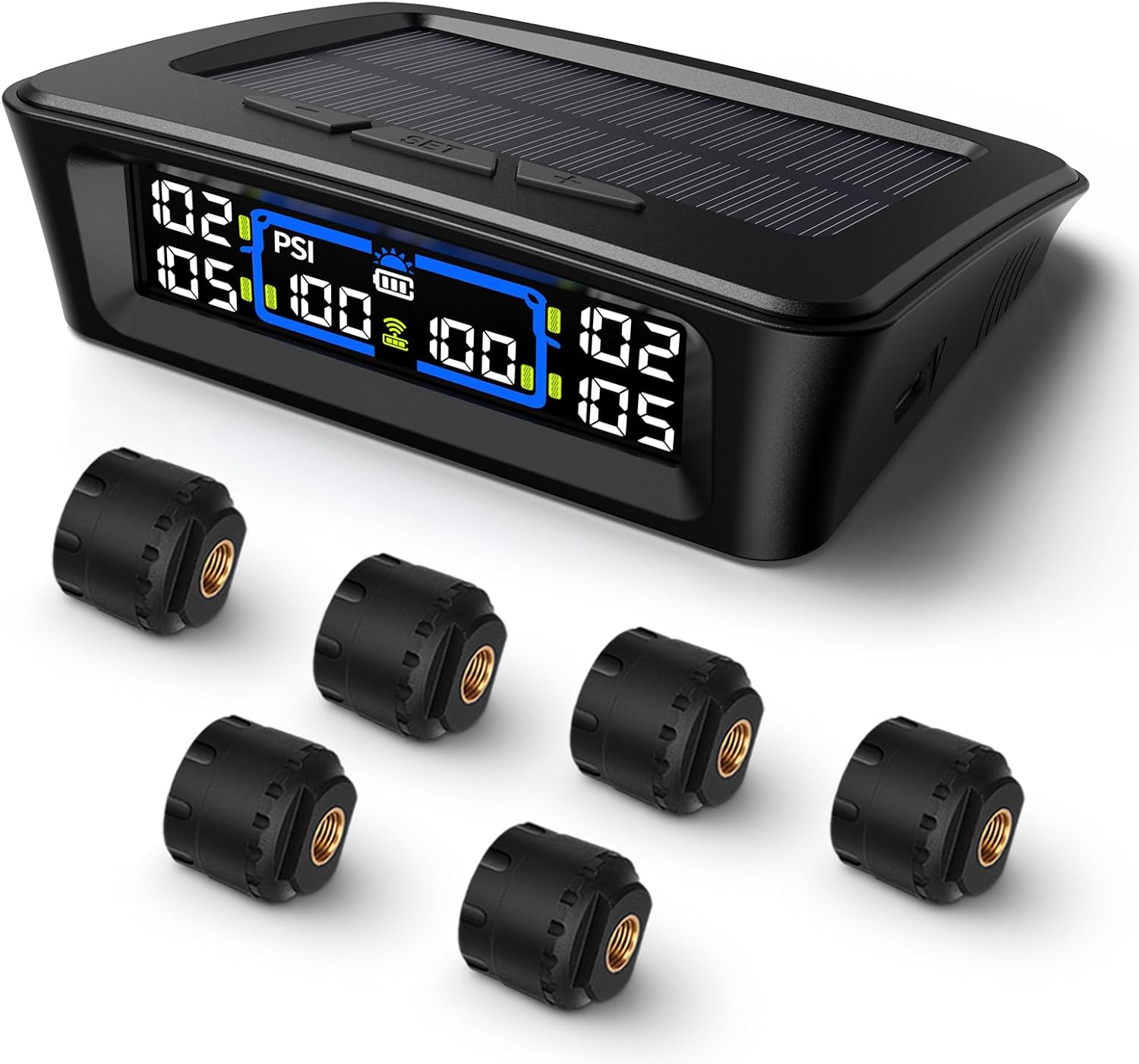
The Tymate TM12 RV TPMS delivers real-time tire pressure and temperature monitoring with a stable 433Hz display for safer long-distance driving. It supports simultaneous monitoring across vehicle and trailer zones, includes six alarm modes for pressure, temperature, leakage, battery, and signal loss, and features easy DIY installation with auto calibration. Power is supplied via USB-C charging or solar recharging, with a wide 0–144 PSI range and up to 50 ft signal coverage for RVs and towable trailers.

This TPMS relearn tool helps you quickly activate, match, and reset GM tire pressure sensors to keep the vehicle monitoring system working properly. It clears tire pressure alarms and dashboard warning lights after sensor replacement or tire rotation, and supports learning for common 315/433 MHz TPMS sensors. Designed for simple one-button operation, it can help you avoid unnecessary trips to repair shops.

The TYAMATE TM8 solar-powered wireless TPMS delivers real-time tire pressure and temperature monitoring with six alarm modes for safer driving. A vibrant color LCD display shows readings clearly while windshield mounting keeps it hands-free and easy to read. With a wide 0–87 PSI range, strong 433.92 MHz signal transmission, and quick sensor pairing, it’s ideal for RV, sedan, SUV, MPV, and truck use.
Check Requirements and Fees
Review the service price and package details before you finalize the appointment. As of September 2026, Sam’s Club’s published Tire & Battery Center pricing lists the Premium Tire Installation Package at $20 per wheel for most vehicles. Prices for specialty tires and stand-alone services can differ, and current checkout or local-club pricing should control if it changes.
The Sam’s Club Premium Tire Installation Package lists benefits that can include mounting, a standard valve stem where applicable, lifetime balancing, lifetime rotation, repair of qualifying repairable flats, road-hazard protection, TPMS reset when necessary on a properly functioning system, tire disposal, and four years of emergency roadside assistance under the program terms.
Before paying, check:
- The installation charge for your vehicle and tires.
- Whether the tires qualify for the Premium Tire Installation Package.
- Whether specialty-wheel or tire charges apply.
- Whether TPMS replacement parts or service kits are needed.
- Whether any seasonal or promotional discount applies.
- Whether road-hazard coverage has a state-specific restriction.
Note: A TPMS reset associated with covered installation is not the same thing as replacing a damaged sensor, valve, stem, or service kit. Sam’s Club states that replacement parts can be sold separately, and stand-alone TPMS services can have their own charges.
Plus members may qualify for an additional installation benefit. Sam’s Club currently advertises 50% off tire installation when purchasing four qualifying passenger or light-truck tires on select brands. Check the current offer terms at the time of purchase because eligible brands and promotions can change.
[Products Worth Considering]

Replace worn or malfunctioning GM TPMS sensors with this 433MHz pre-programmed sensor set designed for compatibility with many Chevrolet, Buick, GMC, and Cadillac models. It includes guidance for proper OBDII relearning/pairing after installation and supports reliable long-term operation with a high-performance CR2032 battery. Quality tested for durability and performance to help restore accurate tire pressure monitoring.

AstroAI’s calibrated digital tire pressure gauge delivers precise readings across a 0–150 PSI range, with high clarity from a backlit LCD. Built for everyday road use, it features one-button operation, an anti-slip ergonomic grip, and support for multiple pressure units plus auto shutoff. Powered by AAA batteries, it’s an all-weather essential for checking tire health and TPMS warnings.

Replace your worn or missing TPMS sensors with pre-programmed, direct-fit sensors for compatible Ford, Lincoln, and select Mazda models. Each sensor comes ready to activate with a scan tool, helping restore accurate tire pressure monitoring and trouble-free installation. Built with a long-life CR2032 battery and tested before factory release, this set provides dependable performance with a one-year warranty.
Bring These Items to Your Tire Service
Gather your appointment information before leaving for the club. You do not need an elaborate checklist, but having the right information can make check-in faster.
| Item | Why It Helps |
| Membership information | Lets the center verify your active membership and purchase. |
| Vehicle keys | Staff need them to move and service the vehicle. |
| Order or appointment confirmation | Helps identify the tire order and scheduled service. |
| Vehicle/tire information | Useful if the center needs to verify size or fitment. |
| Notes about tire problems | Helps explain a slow leak, vibration, uneven wear, TPMS warning, or other concern. |
If you are arranging a seasonal tire change, confirm with the club which tires and wheels you should bring and what service is available. Do not bring brand-new tires purchased from another retailer expecting Sam’s Club to install them.
[Products Worth Considering]

This manual duck head tire changer kit makes tire installation and removal simpler by letting you embed the duck head into the tire with applied pressure. The integrated design and durable steel construction help reduce friction and improve efficiency and safety during use. Suitable for 16–21 inch wheels, it’s convenient for cars, trucks, SUVs, and ATV tires, with 24-hour after-sales support.

Replace worn or missing TPMS sensors with a pre-programmed 4-pack designed for compatible GM vehicles. These 315MHz sensors provide real-time tire pressure monitoring and alert you if pressure is too high, too low, or if a rapid air leak occurs. Most installations are ready with minimal relearn effort after mounting, helping improve safety and driving confidence.

Upgrade your wheels with MIKKUPPA closed-end lug nuts designed for reliable fit and corrosion resistance. The one-piece, cold-forged and heat-treated steel construction helps resist rust and stripping, while the integrated finish delivers a durable black appearance. Built to OEM standards with a conical 60-degree seat, these nuts provide a secure solution for compatible Ford, Honda, Jeep, and Chevrolet models.
What Happens After Your Tire Installation?
Before leaving, review any paperwork or coverage information provided with your tire purchase. Make sure the vehicle feels normal and that any tire-pressure warning light has been addressed appropriately.
Sam’s Club’s Tire & Battery Center guidance also recommends having the lug nuts re-checked after approximately 50 miles following wheel removal and reinstallation. Sam’s Club lists a free re-torque service for this purpose.
For covered Sam’s Club tires, keep your membership active and retain your purchase information. Depending on the package and applicable terms, benefits can include lifetime rotation, balancing and repairable-flat service, road-hazard protection, and emergency roadside assistance.
Frequently Asked Questions
Can I reschedule my Sam’s Club tire appointment online?
Use any appointment-management option provided with your order or confirmation if one is available. Because Sam’s Club does not publish one universal online rescheduling process for every Tire & Battery Center appointment, the reliable alternative is to contact the club where the service is scheduled.
Does Sam’s Club offer same-day tire installation?
Same-day service may be possible in some situations, especially because walk-ins are accepted, but it is not guaranteed. Tire availability, existing appointments, staffing, vehicle type, and the work required can affect whether the job can be completed that day. Call the local center if you need same-day service.
Are walk-ins accepted at the Sam’s Club Tire & Battery Center?
Yes. Sam’s Club currently states that members can walk in for tire service. An appointment is still useful for a full tire installation or whenever you want a more predictable service time because walk-in waits depend on the club’s workload.
How long does a typical Sam’s Club tire installation take?
There is no reliable universal installation time. The number of tires, vehicle and wheel design, TPMS requirements, wheel condition, staffing, and other scheduled jobs can affect completion time. Ask the Tire & Battery Center for an estimate when you check in.
Can I cancel my Sam’s Club tire appointment without a fee?
Sam’s Club does not publish a universal tire-appointment no-fee cancellation rule in the current tire-service information reviewed here. Check any cancellation option or terms in your confirmation, or contact the Tire & Battery Center directly before the appointment.
Can Sam’s Club install tires I bought somewhere else?
Sam’s Club says it does not mount or install brand-new tires purchased from another retailer. It may provide certain maintenance services for tires already on your vehicle, so call your local center if you need rotation, balancing, flat repair, or another service on outside-purchased tires.
Do I need a Sam’s Club membership for tire service?
Yes. An active Sam’s Club membership is required to use Tire & Battery Center services. Both Club and Plus members are eligible, although Plus members can receive additional qualifying tire-installation benefits.
Conclusion
Booking a Sam’s Club tire appointment is straightforward once you choose the right service path. If you’re buying tires online, select compatible tires, add installation, choose your club, and pick an available time during checkout. For maintenance or direct scheduling, call or visit the local Tire & Battery Center. Verify your tire size, review current service costs, keep your membership and order details handy, and remember that walk-ins are accepted when your schedule is flexible.
Sources
- Sam’s Club Tire & Battery Center Services — membership requirements, walk-ins, service pricing, outside-tire policy, and tire-service information.
- Sam’s Club Premium Tire Installation Package — installation-package price, included maintenance, TPMS reset, road-hazard terms, and roadside assistance.
- Sam’s Club Membership Benefits — current qualifying Plus tire-installation benefit.
- Sam’s Club Tires — tire shopping, fitment, local-club and appointment access.
- National Highway Traffic Safety Administration TireWise — authoritative tire fitment, placard, inflation, and TPMS safety guidance.