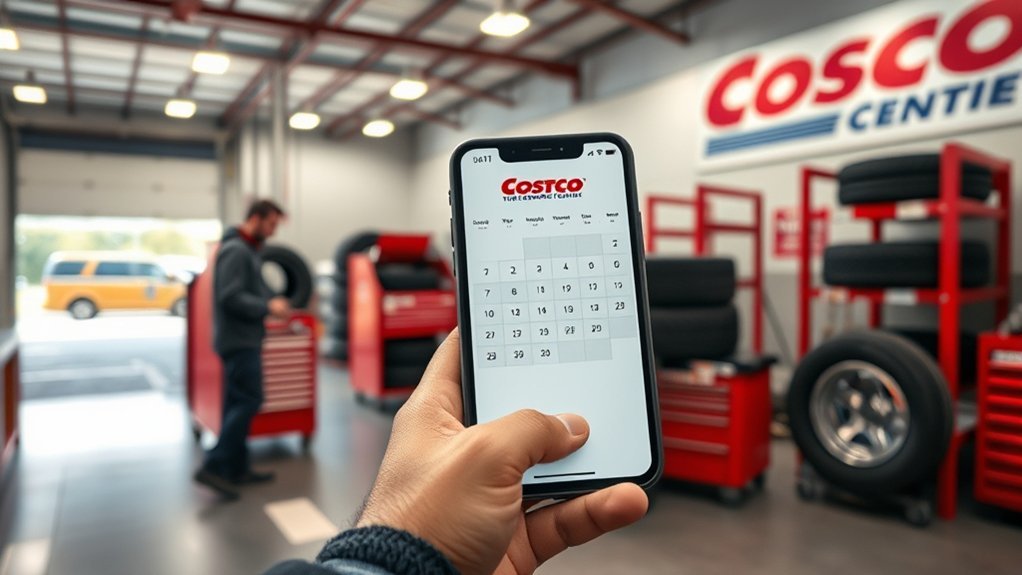
Booking a Costco Tire Center appointment is normally a simple online process: sign in, choose your Tire Center and vehicle, select the service you need, then pick an available date and time. However, Costco’s online appointment page currently says scheduling is temporarily unavailable, so you may need to contact or visit your local Tire Center until online booking returns.
Quick Answer
To book a Costco tire appointment, use Costco’s Tire Center appointment page, choose your warehouse, vehicle and service, then select an available time and enter your contact information. As of September 3, 2026, Costco says online scheduling is temporarily unavailable, so contact your local warehouse if you need service now.
Key Takeaways
- Costco normally lets members schedule Tire Center appointments online or in the warehouse.
- Have your Costco login, vehicle details, contact information and service choice ready.
- For a Costco-purchased new-tire installation, the scheduler may ask for the tire purchase date.
- Costco installs Costco-purchased tires only and follows vehicle fitment requirements.
- Appointments are recommended, although participating warehouse pages say walk-ins are accepted when bay capacity permits.
- Costco currently tells members to call their warehouse to modify an existing appointment.
At a Glance
| Time Required | About 5–10 minutes when online scheduling is available; contacting a warehouse may take longer. |
| Difficulty | Easy |
| Tools Needed | Costco account, vehicle information, phone/email and tire purchase details when applicable |
| Cost | Scheduling itself has no separate booking fee. Tire and service costs vary; qualifying Costco tire purchases include installation, while some components such as TPMS service packs may cost extra. |
Current status: Costco’s U.S. Tire site states that online appointment scheduling is temporarily unavailable as of September 3, 2026. If you need service while the scheduler is offline, use Costco’s warehouse locator to contact your local Tire Center.
What You Need to Book

Before you start a Costco tire appointment, gather the information the scheduler uses to identify your vehicle, service and preferred Tire Center.
- Your Costco.com login information
- Your preferred Costco Tire Center
- Your vehicle type and identifying details
- The service you need, such as installation, rotation, balance or flat repair
- Your preferred appointment date and time
- Your phone number and email address
- Your tire purchase date if you are scheduling a Costco-purchased new-tire installation
If you ordered tires from Costco.com, choose the same Tire Center where the tires are being delivered. Costco’s published scheduling instructions specifically tell online tire customers to use that location for installation.
You do not need to guess your tire fitment. Costco says its Tire Centers install authorized fitments based on the vehicle manufacturer’s specifications, including approved tire size, the required load index and an equal or greater original-equipment speed rating when a speed-rating requirement applies.
Pro Tip: If your tires were ordered online, wait for Costco’s notification that they have arrived before planning your installation visit. Costco’s customer-service guidance says most U.S. online tire orders reach the selected warehouse in about 5–10 business days, while Alaska and Hawaii generally take longer.
[Products Worth Considering]

This AUTOWN flat tire repair kit is designed for quick, reliable puncture repairs using a plug kit and spiral probe tool to simplify installation. Built for durability and safe handling, it offers strong adhesion and flexibility to help maintain tire air tightness. With a portable storage case and a multi-vehicle approach, it’s suitable for cars, motorcycles, ATVs, tractors, lawn mowers, RVs, jeeps, and trucks.
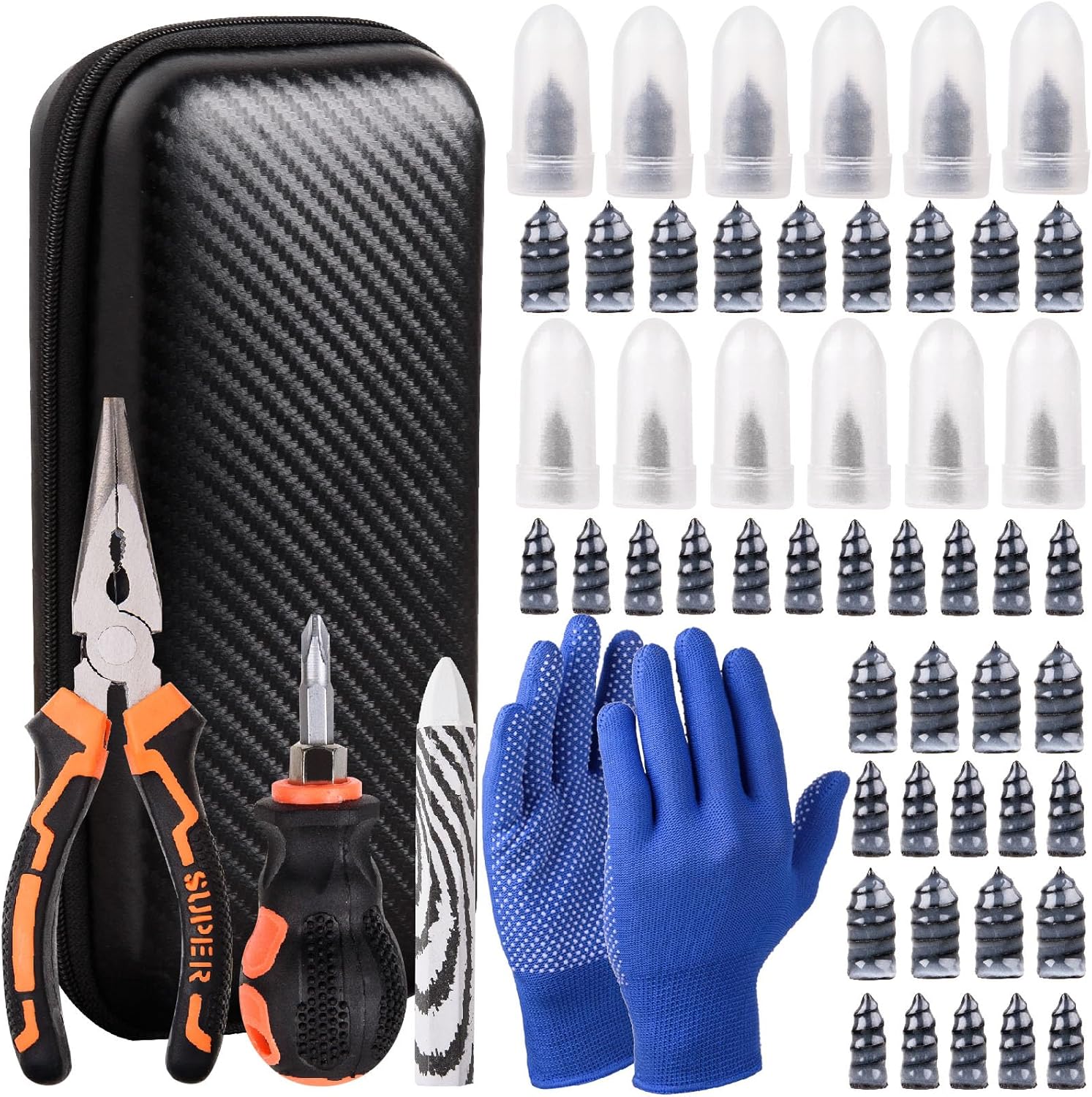
This tire sidewall puncture repair kit fixes flats fast without removing the tire, helping you get back on the road in minutes. It includes self-tapping repair nails, essential tools, gloves, and a portable storage bag for convenient roadside use. Designed for tubeless tires, it helps create a tight, leak-resistant seal for cars, motorcycles, trucks, SUVs, and ATVs.

AUTOWN’s 68-piece tire repair kit helps you fix punctures and plug flats quickly and effectively. It includes a T-handle and spiral probe tool for easy insertion, while the steel patch and plug materials are designed for strong adhesion and long-lasting airtight performance. The compact case makes it convenient for roadside repairs across a wide range of vehicles.
How to Book a Costco Tire Appointment
When Costco’s online scheduler is operating, its official Tire Center FAQ describes a seven-step booking process.
- Open the appointment page and sign in. Go to CostcoTireAppointments.com. If you already have a Costco.com account, use the email address and password connected to it.
- Confirm your Tire Center. The system may show a default location. Select “Change” if you need another warehouse. If you ordered tires online, use the warehouse receiving those tires.
- Select your vehicle. Choose the vehicle associated with the service and continue to “Schedule an Appointment.”
- Choose the service. Select the work you need. For new tires purchased from Costco, choose the Costco-purchased new-tire installation option and provide the purchase date when requested.
- Pick a date and time. Choose one of the appointment openings shown for that warehouse.
- Enter your contact information. Add the requested phone/email information and select any applicable additional services. Costco’s published instructions also mention an optional text-message reminder.
- Schedule the appointment. Review the information and submit it. Costco says an email confirmation is sent after scheduling, with another reminder email normally sent the day before the appointment.
If the appointment system is unavailable, as it is at the time of this update, find your local warehouse through Costco’s warehouse locator and contact its Tire Center.
Choose Your Tire Service
Select the tire service that matches the work your vehicle needs. Costco lists services including new-tire installation, rotation, balancing, nitrogen inflation, nitrogen conversion and eligible flat repair.
The exact options shown to you can depend on the tires, vehicle and warehouse, so choose the closest matching service rather than booking a different appointment type and expecting the Tire Center to change it after arrival.
[Products Worth Considering]

This tire repair kit provides fast emergency puncture repair without removing the tire from the rim, helping you get back on the road quickly. Its screw plug system is designed for punctures in both tread and sidewall and includes a complete patch plug tool set with essential accessories. A portable storage bag makes it easy to carry for cars, trucks, SUVs, motorcycles, and heavy-duty applications.

This 100-piece tire repair screw plug kit provides a fast, self-service solution for punctures on the road. Choose the correct plug size, insert it into the break, and screw it in to help seal the puncture and temporarily restore tire pressure. Thickened threads and rubber-wrapped plugs improve bite and sealing while remaining compact and easy to carry.

The AUTOWN tire repair kit is designed to quickly fix punctures and plug flats with professional-quality steel components. It includes a T-handle and spiral probe tool for easy tire access, plus a compact storage case for convenient carry. Suitable for many vehicles including cars, motorcycles, ATVs, RVs, trailers, and trucks, it helps restore airtight performance for reliable roadside repairs.
Tire Installation Options
Costco currently says eligible tire purchases include installation at no additional installation charge. Member values listed by Costco include:
- Installation
- Rotation
- Balancing
- Inflation checks
- Eligible flat repairs
- Nitrogen tire inflation
- A 5-year road-hazard warranty, subject to Costco’s warranty conditions and exclusions
Additional component charges may still apply. Costco specifically notes that items such as TPMS service-pack fees can cost extra, and some services are not available for every vehicle or tire.
Costco also states that its Tire Centers only install Costco-purchased tires. If you already own tires purchased from another retailer, contact another tire installer rather than booking Costco for that installation.
Repair and Rotation
For a rotation, Costco can move the tires to appropriate positions to help maintain more even tread wear, subject to your vehicle and tire configuration.
For a flat tire, the Tire Center must first determine whether the puncture can be repaired safely. Costco states that its flat repairs follow U.S. Tire Manufacturers Association repair standards.
Warning: A plug by itself or a patch by itself is not an acceptable USTMA puncture repair. An eligible repair requires the tire to be removed and inspected, with the injury filled and the inner liner properly sealed. Damage in the shoulder or sidewall area may make the tire non-repairable.
Tell the Tire Center about vibration, pressure loss, uneven wear, previous puncture repairs or visible damage. Those details can affect what service is safe and appropriate.
Choose Your Store and Appointment Time
Your appointment must be tied to a specific Costco warehouse Tire Center. If you ordered new tires online, select the warehouse where Costco is sending that order.
When scheduling is available:
- Confirm the correct Tire Center.
- Review its open appointment dates.
- Select a suitable time.
- Check the service type before submitting.
Appointment availability varies because each Tire Center has a limited number of service bays and technicians. If your preferred time is unavailable, check another date or contact the Tire Center to ask about options.
Current Costco warehouse pages state that appointments are recommended but that walk-in tire business is welcome and handled according to bay availability. A walk-in therefore does not guarantee immediate service.
Note: Tire Center hours and walk-in capacity vary by warehouse. Check the individual warehouse page before making a special trip.
[Products Worth Considering]

Wykodra tire plugs provide quick vulcanizing repairs for tubeless tires, helping you seal punctures and get back on the road. The industrial-strength rubber creates a long-lasting, leak-resistant bond and is designed for emergency fixes without removing the tire. Choose between two standard plug sizes with color-matched options for small to larger damage across many vehicles and off-road uses.

This manual duck head tire changer kit makes tire installation and removal simpler by letting you embed the duck head into the tire with applied pressure. The integrated design and durable steel construction help reduce friction and improve efficiency and safety during use. Suitable for 16–21 inch wheels, it’s convenient for cars, trucks, SUVs, and ATV tires, with 24-hour after-sales support.

This 4-in-1 tire valve core removal tool helps you deflate, unblock, and remove or install valve cores quickly for easier tire repair. The multifunction design also supports re-taping damaged threads and reaming inside the valve stem for smoother service. Included as a 2-pack, it’s compact for convenient carry and works for cars, bicycles, and motorcycles.
Confirm Your Appointment Details
Before submitting an appointment, review the information on the screen carefully. Check:
- The Costco warehouse and Tire Center
- Your vehicle
- The selected service
- The appointment date and time
- Your phone number and email address
- The tire purchase date, when requested
- Any applicable additional service selections
After scheduling, keep the confirmation email. Costco’s published instructions say members receive an email immediately after an appointment is scheduled and normally receive another reminder the day before the visit.
If you need to change an existing appointment, Costco’s current online Tire site instructs members to call the warehouse location. Do not rely on an old rescheduling link or instructions from an outdated confirmation screen.
Get Ready for Your Visit
Once your booking is confirmed, a little preparation can make check-in easier.
- Confirm the warehouse, appointment time and service type.
- Bring your Costco membership information and vehicle keys.
- Have your tire order or purchase information available if you are having new Costco tires installed.
- Make sure staff can access the wheels and any wheel-lock key required for removal.
- Tell the Tire Center about leaks, vibration, unusual noises, uneven tread wear or previous repairs.
If your vehicle uses locking lug nuts, know where the correct wheel-lock key is stored. A missing key can prevent the technician from removing the wheels.
For vehicles with unusual wheels, modified suspension, non-standard tire sizes or other special requirements, contact the Tire Center before the appointment. Costco limits installations to tire fitments it considers authorized for the vehicle.
Know Costco’s Tire Installation Restrictions
Costco’s Tire Center FAQ lists several service restrictions that are useful to know before you book:
- Costco only installs tires purchased from Costco.
- Costco does not install golf-cart or ATV tires.
- Costco does not install UTV tires intended for street applications.
- A loose trailer tire must match the size and load index of the tire already on the wheel.
- For trailer-tire installation on the trailer itself, Costco requires documentation showing the trailer manufacturer’s wheel-torque specification.
- Passenger-vehicle tire fitments must meet Costco’s vehicle-manufacturer-based size, load-index and applicable speed-rating requirements.
If your vehicle or tire falls outside standard passenger-car, SUV or light-truck service, call your local Tire Center before traveling there.
Fix Costco Tire Appointment Problems
The Online Scheduler Is Unavailable
If you see Costco’s “appointment scheduling is temporarily unavailable” message, use the warehouse locator to find your Tire Center’s phone number or visit the warehouse. Costco’s live site currently displays this message.
Your Appointment Does Not Appear
Check the email address used for the booking and search for Costco’s confirmation. If you still cannot confirm the appointment, call the selected Tire Center with your name, vehicle information and expected appointment date and time.
You Selected the Wrong Service or Time
Contact the warehouse Tire Center. Costco’s current website specifically tells members to call the warehouse to modify an existing appointment.
No Appointment Times Are Available
Try another date or ask the Tire Center about walk-in service. Current Costco warehouse pages say walk-ins may be accepted according to bay availability, but an immediate service slot is not guaranteed.
Your Costco.com Tires Have Not Arrived
Do not assume the appointment means your tires are already at the warehouse. Costco says U.S. online tire orders generally arrive at the selected warehouse in approximately 5–10 business days, and Costco notifies the member by phone or email when they arrive. Alaska and Hawaii orders generally have a longer estimated delivery window.
Frequently Asked Questions
Can I book a Costco tire appointment without a Costco membership?
Costco Tire Center installation services are member services, and Costco states that installation is available on Costco-purchased tires for Costco members. The online appointment process also uses a Costco account login.
Does Costco install tires purchased elsewhere?
No. Costco’s Tire Center FAQ states that Costco only installs Costco-purchased tires.
How long does a Costco tire installation take?
Costco does not publish a universal installation-time guarantee. The actual time can depend on the warehouse workload, service being performed, wheel condition and vehicle. Ask your Tire Center when checking in if you need a more useful estimate.
Are walk-in tire services available at Costco Tire Center?
Yes, walk-ins may be accepted. Current Costco warehouse pages say appointments are recommended and walk-in tire business is welcome according to bay availability. Calling ahead is sensible if you do not have an appointment.
Can I reschedule my Costco tire appointment online?
Do not assume online rescheduling is available. Costco’s current Tire site tells members who need to modify an existing appointment to call their warehouse location.
What services does Costco Tire Center provide?
Costco lists services including tire installation, rotation, balancing, nitrogen inflation, nitrogen conversion and eligible flat repair. Availability can depend on the vehicle, tires and warehouse.
How long do Costco.com tire orders take to reach the warehouse?
Costco’s customer-service guidance says tire orders normally arrive at the selected U.S. warehouse in approximately 5–10 business days. Alaska and Hawaii orders are estimated at approximately 10–20 business days. Costco says it will notify you by phone or email when the tires arrive.
Conclusion
A Costco Tire Center appointment is straightforward when the online scheduler is available: sign in, confirm your warehouse and vehicle, choose the correct service, select a time and save the confirmation. If you ordered tires online, use the warehouse receiving them and wait for Costco’s arrival notification. If the scheduler is unavailable or you need to change an existing appointment, contact your local Tire Center. Remember that appointments are recommended, while walk-in service depends on available bay capacity.
Sources
- Costco Tire Center FAQs — appointment steps, services, delivery timing, installation restrictions and vehicle fitment requirements.
- Costco Tires — current appointment-scheduling status, installation benefits and Tire Center information.
- Costco Tires & Auto — included installation, rotation, balancing, inflation checks, flat repairs, nitrogen inflation and road-hazard coverage.
- Costco Road Hazard Warranty — warranty term, eligibility, repair requirements and coverage conditions.
- U.S. Tire Manufacturers Association Tire Repair Basics — industry puncture-repair procedures and repairability limits.