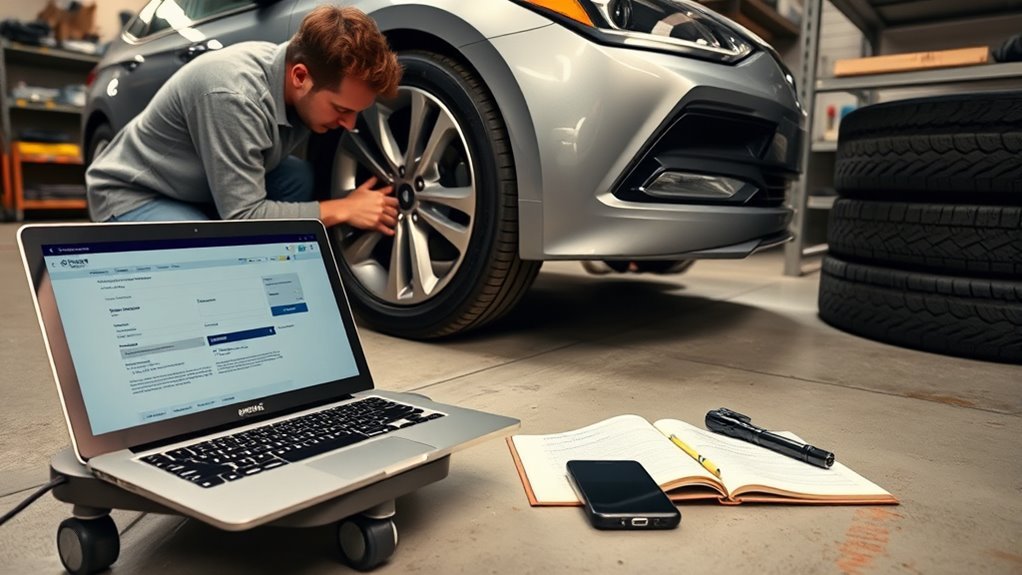
To get Hyundai Sonata tire recall alerts, start with your Sonata’s 17-character VIN, then check it through the official NHTSA recall lookup and Hyundai’s Safety Recalls and Service Campaigns tool. For ongoing alerts, use NHTSA’s SaferCar app, sign up for NHTSA recall email notifications, and register any replacement tires by their DOT Tire Identification Number.
Quick Answer
Find your Sonata’s 17-character VIN, check it at NHTSA.gov/Recalls and Hyundai’s recall lookup, then add the vehicle to NHTSA’s SaferCar app for push alerts. If a tire recall appears, contact an authorized Hyundai dealer and schedule the free recall repair.
Key Takeaways
- Use your 17-character VIN, not just the model name, to check for open Sonata recalls.
- Use NHTSA.gov/Recalls for federal recall lookup and Hyundai’s recall page for Hyundai-specific campaign details.
- Use the SaferCar app for phone alerts and NHTSA email notifications for future recall updates.
- If you replaced the original tires, also check each tire’s DOT Tire Identification Number because replacement tire recalls may not be tied to the Sonata VIN.
At a Glance
| Time Required | 10–20 minutes to check recalls and set alerts |
| Difficulty | Easy |
| Tools Needed | VIN, phone or computer, tire DOT/TIN if checking replacement tires |
| Cost | Recall lookup and safety recall repairs are free |
Find Your Hyundai Sonata VIN Fast

Your Sonata’s VIN is a 17-character vehicle identification code. It usually appears on the lower driver-side dashboard near the windshield and on the label inside the driver-side door jamb. You may also find it on your title, registration, insurance card, or Hyundai owner documents.
Write the VIN exactly as shown. A VIN contains letters and numbers, so do not call it a 17-digit number. Under federal VIN rules, the letters I, O, and Q are not used in standard VIN characters, which helps prevent confusion with 1 and 0.
Pro Tip: Save a clear photo of the VIN plate and door-jamb label in your phone. It makes recall checks and dealer scheduling faster, especially if you are away from the car.
Check Hyundai Sonata Tire Recalls on NHTSA.gov (Step-by-Step)
The official web lookup for U.S. vehicle safety recalls is NHTSA.gov/Recalls. SaferCar is still the name of NHTSA’s mobile app, but SaferCar.gov now points users to NHTSA.gov.
- Go to NHTSA.gov/Recalls.
- Choose the VIN lookup option and enter your Sonata’s 17-character VIN without spaces.
- Review any open safety recalls. Look for tire, wheel, tire-pressure monitoring, suspension, or equipment-related language.
- Open the recall details and write down the NHTSA campaign number, manufacturer recall number, remedy, and any owner instructions.
- If no open recall appears, save the date you checked and set alerts so you do not have to rely on memory.
Warning: If a recall notice says not to drive, to park outside, to limit vehicle use, or to follow a tire-specific restriction, follow that instruction immediately and call a Hyundai dealer for next steps.
Check Hyundai’s Official Recall Lookup Too
After checking NHTSA, also use Hyundai’s official Safety Recalls and Service Campaigns lookup. Hyundai’s tool can show safety recalls, service campaigns, repair remedy information, and dealer scheduling options for your specific VIN.
This second check matters because Hyundai may show manufacturer campaign details, dealer instructions, or service-campaign information that is easier to use when you call for an appointment. If Hyundai shows an open recall, contact an authorized Hyundai dealer and ask for recall service by VIN and campaign number.
Register for NHTSA Email Recall Notifications
NHTSA offers recall notification emails for vehicles and vehicle equipment. Sign up with the email address you actually check, then choose the recall notification options that match your vehicle and equipment needs.
Email alerts are useful, but do not rely on email alone. Messages can land in spam folders, and some tire recalls may depend on the exact tire brand and DOT Tire Identification Number. Use email alerts together with the SaferCar app, Hyundai’s VIN lookup, and tire registration.
Use the SaferCar App for Hyundai Sonata Recall Push Notifications

NHTSA’s SaferCar app lets you save vehicles and related equipment in a virtual garage. After you add your Sonata, the app can check for related safety recalls and alert you when a recall applies.
- Download the SaferCar app for iOS or Android from your device’s app store.
- Add your Hyundai Sonata to the app.
- Type or scan your 17-character VIN.
- Add related equipment, including tires, if the app prompts you to do so.
- Allow notifications so recall alerts can reach your phone.
Open the app a few times per year to confirm your Sonata and equipment details are still current, especially after buying new tires or changing vehicles.
Check Replacement Tires by DOT/TIN
A Sonata VIN check is the right first step for vehicle-specific recalls, but it may not catch every replacement tire issue. If you replaced the original tires, check each tire’s DOT Tire Identification Number, often called the TIN. The full TIN is molded into the tire sidewall and begins after the letters “DOT.”
Use the U.S. Tire Manufacturers Association tire recall lookup for tires made by USTMA member companies, and use NHTSA’s recall search for tire recalls by equipment type. You should also register your tires after purchase so the manufacturer can contact you if those specific tires are recalled.
Note: The full DOT/TIN may appear on only one side of the tire. If you cannot see the complete code safely, ask a tire shop or Hyundai dealer to read it during service.
If NHTSA or Hyundai Says the VIN Is Invalid: Quick Fixes
If a recall tool rejects the VIN or says the vehicle does not match Hyundai records, do not assume there is no recall. First, compare the VIN from three places: the dashboard plate, the driver-side door-jamb label, and your registration or insurance card.
- Check that the VIN has exactly 17 characters.
- Remove spaces, dashes, or extra punctuation before submitting it.
- Recheck visually similar characters, especially 0 and 1.
- Confirm you are entering the Sonata VIN, not a policy number, plate number, or tire DOT/TIN.
- If the VIN still fails, call a Hyundai dealer and ask the service department to verify it through Hyundai’s recall system.
If the VIN decodes to a different make or model, use the correct manufacturer’s recall tool. If the VIN appears altered, mismatched, or unreadable on the vehicle, have the issue inspected before relying on the car’s records.
Troubleshoot VIN Errors and Verify VIN Accuracy
Most VIN errors come from reading the plate at a poor angle, typing the wrong character, or copying the VIN from an outdated document. Use good lighting, stand outside the windshield on the driver side, and compare the dashboard VIN with the door-jamb label.
Check VIN Location
Look through the lower driver-side windshield for the dashboard VIN plate. Then open the driver door and look for the certification label on the door jamb. These two locations should match. If they do not, stop and ask a dealer, inspection station, or title office for help before scheduling recall service.
Resolve VIN Read Errors
If scanning fails in an app, enter the VIN manually. If manual entry fails, try a different official lookup, such as NHTSA first and Hyundai second. Persistent errors may mean the VIN was mistyped, the vehicle is outside the lookup tool’s coverage, or the records need dealer verification.
- Re-scan or retype the VIN in better light.
- Compare the VIN against registration and insurance documents.
- Ask a Hyundai dealer to verify the VIN and recall status.
What to Do If a Tire Recall Appears
If NHTSA, Hyundai, SaferCar, or a tire lookup shows a recall, save the recall details before calling for service. You want the campaign number, affected part or tire description, remedy, and any warnings about driving or tire use.
Then call your preferred authorized Hyundai dealer if the recall is tied to the Sonata. If the recall is for replacement tires, contact the tire manufacturer, tire retailer, or the dealer named in the recall instructions. Ask whether the remedy is inspection, repair, replacement, refund, or another approved fix.
[Products Worth Considering]
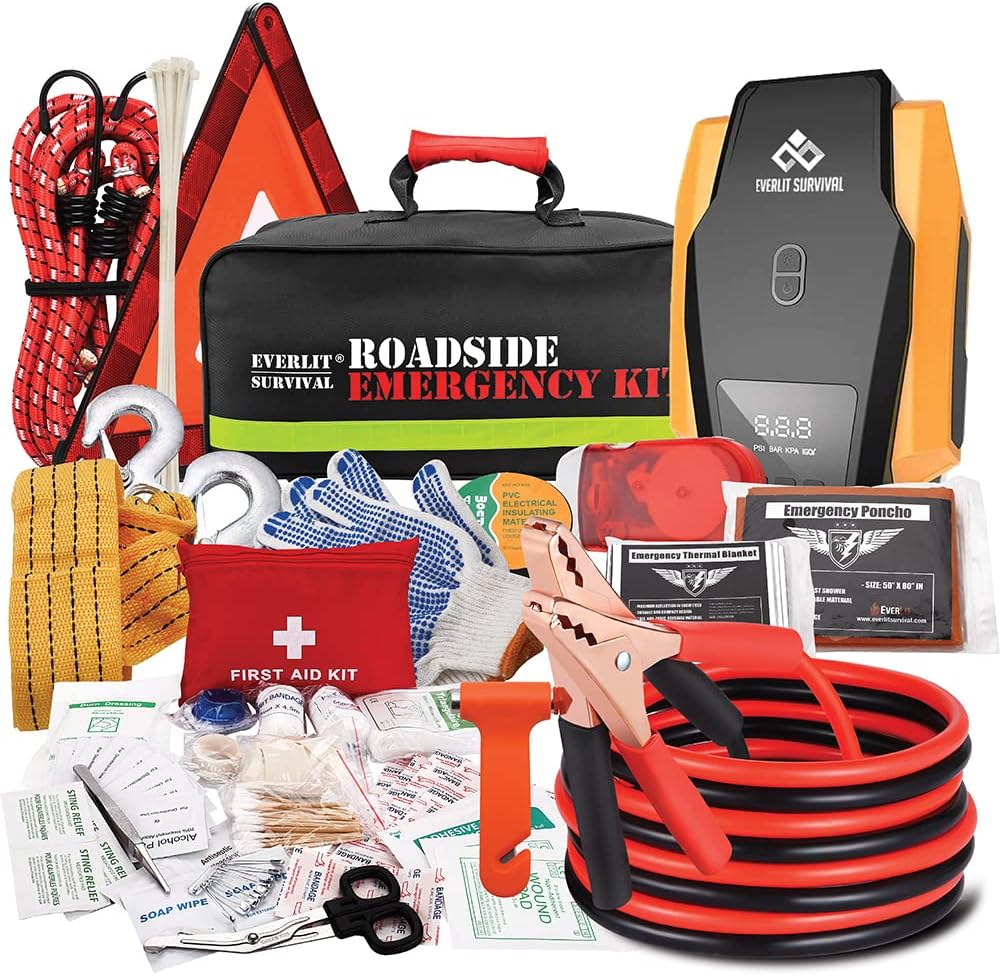
The Everlit Road Guardian emergency kit is designed for roadside breakdowns, combining essential safety gear and roadside tools in one compact bag. It includes a digital 12V auto tire inflator with preset and auto shutoff, plus 12-foot 8-gauge jumper cables to get you moving again. You also get a full 108-piece first aid kit, reflective warning tools, safety gloves, and emergency convenience items for safer travel.
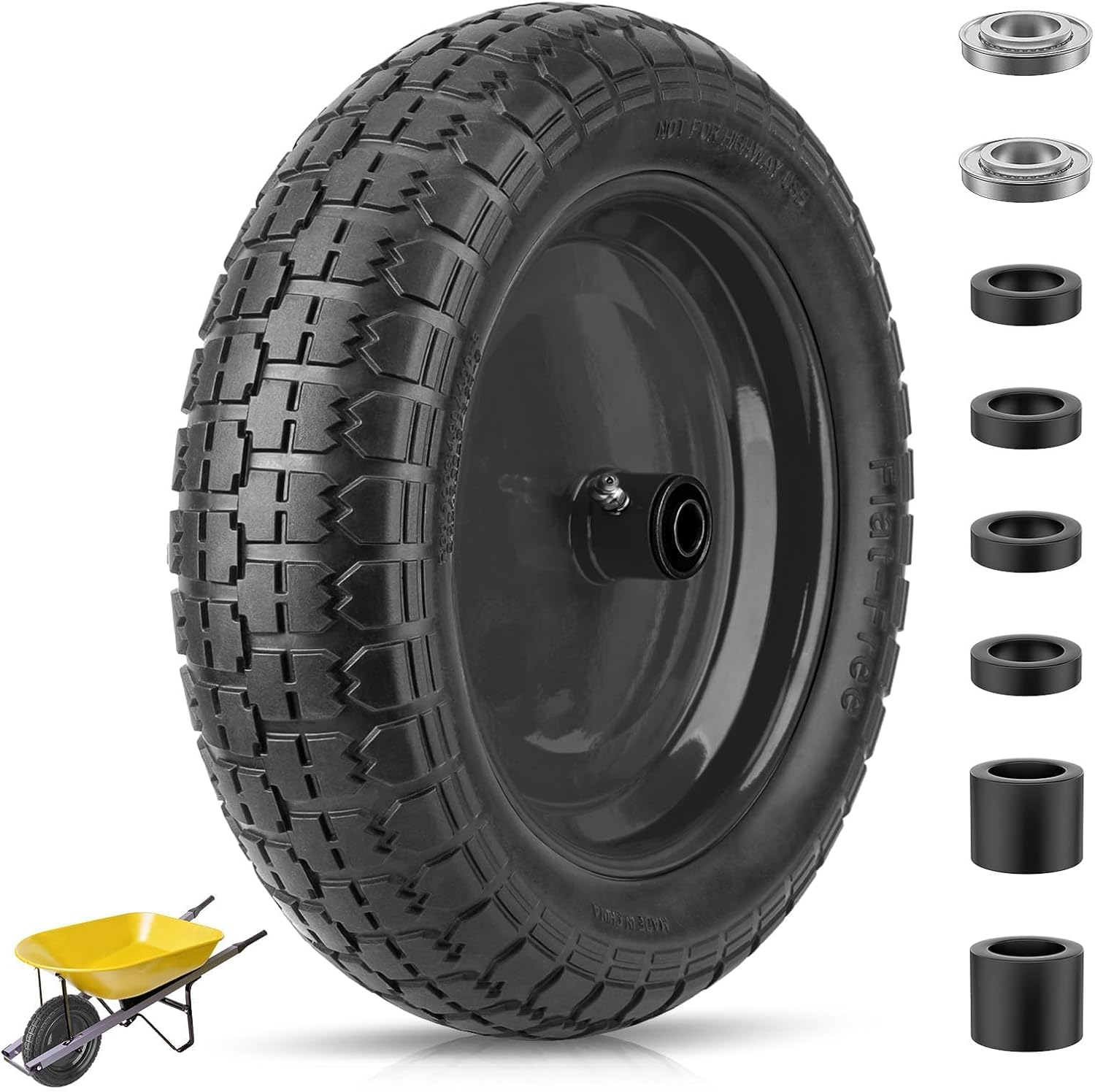
This flat-free TICONN wheelbarrow tire features durable polyurethane foam construction that never needs inflation, helping prevent punctures and reducing maintenance on rough outdoor terrain. With a 300 lb max load capacity and stable steel rim design, it supports safer transport for yard work and hauling tasks. An adapter kit with ball bearings and nylon spacers is included for easier fit and customization across common wheelbarrow and cart axle setups.

The 22800 wheel stud installer makes replacing wheel studs quick and secure, saving time and effort during tire service. It uses a ratchet or impact wrench to pull new studs firmly into place, helping when existing studs are too long. Compatible with most automotive wheels and light-duty truck wheel studs, it’s designed for easy, tool-assisted installation.
How Dealers Verify VINs and Do Free Recall Tire Repairs
A Hyundai dealer will use your VIN to check Hyundai’s recall and campaign records. If your Sonata is eligible, the dealer can confirm the remedy, order parts if needed, schedule service, and document the completed repair.
[Products Worth Considering]

This TPMS relearn tool helps you quickly activate, match, and reset GM tire pressure sensors to keep the vehicle monitoring system working properly. It clears tire pressure alarms and dashboard warning lights after sensor replacement or tire rotation, and supports learning for common 315/433 MHz TPMS sensors. Designed for simple one-button operation, it can help you avoid unnecessary trips to repair shops.
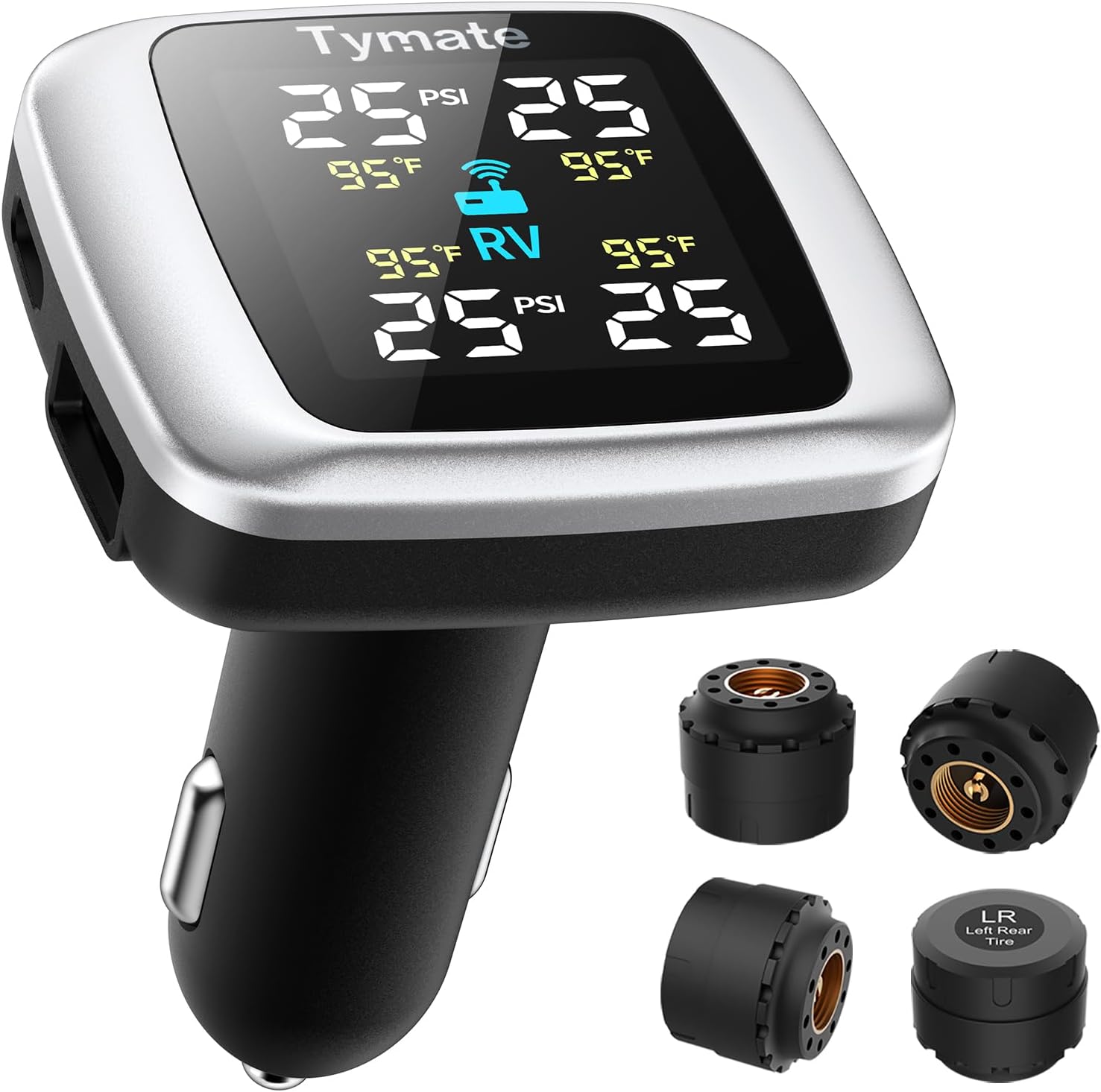
Tymate TM7 is a wireless tire pressure monitoring system that delivers real-time pressure and temperature readings for safer driving. It includes four external sensors, a bright color LCD display with adjustable backlight, and six alarm modes for high/low pressure, fast leakage, high temperature, and sensor signal or battery issues. The system covers a wide 0–144 PSI range and plugs into your vehicle’s cigarette lighter socket for quick DIY setup.

Slip the Powerbuilt tire step over your vehicle’s tire to reach roof racks, engine bays, truck boxes, and more without overreaching. Its adjustable, universal design fits tires with a cross tread width up to 13 inches, including car, truck, RV, and semi tires. The non-slip cheesegrater surface and anti-slip tape provide secure grip while the open design lets mud and debris pass through. Fold-flat storage with rubber bumpers helps keep your tire and the step protected between uses.
VIN Verification Steps
- Give the dealer the 17-character VIN from the dashboard or door-jamb label.
- Ask the service advisor to check open safety recalls and service campaigns.
- Provide the NHTSA or Hyundai campaign number if you have it.
- If tires are involved, provide tire brand, size, and DOT/TIN when available.
- Ask whether there are any driving restrictions before your appointment.
Free Dealer Tire Repairs
Safety recall repairs are completed at no charge when your vehicle is covered by the recall and the remedy is available. Hyundai’s recall lookup states that preferred Hyundai dealers complete recall repairs free of charge. If the issue is a replacement-tire recall, the remedy may come through the tire manufacturer or tire retailer instead of Hyundai, so follow the recall notice carefully.
| Step | Action |
|---|---|
| 1 | Confirm VIN or tire DOT/TIN |
| 2 | Save campaign number and remedy |
| 3 | Call the correct dealer, retailer, or manufacturer |
| 4 | Complete the free approved recall remedy |
Schedule a Dealer Appointment for Your Tire Recall Service
Schedule the recall appointment through Hyundai’s website, your dealer’s service page, or a phone call to the service department. Have your VIN ready before you call. If the recall involves tires, also have the tire brand, size, and DOT/TIN available.
- Tell the service advisor you are calling about a safety recall.
- Provide the VIN and campaign number.
- Ask whether parts are available now or must be ordered.
- Ask how long the repair is expected to take.
- Ask whether the vehicle is safe to drive until the appointment.
- Save the appointment confirmation and the name of the person you spoke with.
If the dealer cannot schedule you promptly and the recall has urgent safety instructions, ask Hyundai customer service or another authorized Hyundai dealer for the fastest available option.
[Products Worth Considering]

Vigorder rubber cement glue delivers superior adhesion and cures quickly within about 30 seconds for seamless rubber bonding. Once cured, it helps provide a strong, durable, waterproof seal that holds up to vehicle weight, pressure, and heat. Suitable for cars, motorcycles, trucks, bicycles, and off-road tires, it’s designed for emergency patch and maintenance repairs.

The Trivd Frol 1/2" air impact wrench delivers high performance torque up to 1500 ft-lbs with a twin hammer impact mechanism for strong, balanced blows. It features an ergonomic grip, compact lightweight design, and quick-stop control with 3 forward speeds up to 8000 RPM plus a reverse speed. Built for demanding automotive repair and tire shop work, the rear exhaust helps keep debris away from the surface.

Monitor tire tread wear with a smart, color-coded depth gauge that shows clear condition ranges at a glance. The bar is range marked for fast, easy readings, helping you maintain safer traction and performance. Each gauge is portable with a pocket clip, and the set includes 20 units for daily use and sharing.
Confirm Your Recall Repair and Get It Documented
After the recall service is finished, review the repair order before you leave. Make sure the VIN, recall campaign number, service date, and completed remedy match the recall notice.
Verify Repair Order
Ask the service advisor to confirm that the recall completion was entered into Hyundai’s system. If the recall involved tires, confirm whether the old tires were inspected, replaced, or otherwise handled according to the recall remedy.
- Check that your 17-character VIN is correct.
- Check that the campaign number matches the recall notice.
- Confirm what repair, replacement, inspection, or update was completed.
- Ask when the recall should show as completed in Hyundai’s records.
Obtain Written Proof
Keep a printed or digital copy of the repair order. It should include the VIN, mileage, campaign number, repair date, remedy performed, and parts or tire details if applicable.
| Item | Required Field | Why It Matters |
|---|---|---|
| VIN | 17-character number | Connects the repair to your Sonata |
| Service | Repair, replacement, or inspection details | Shows what was fixed |
| Campaign | Recall number and date | Verifies recall completion |
| Tire info | Brand, size, DOT/TIN when relevant | Documents tire-specific work |
Update Vehicle Records
Store the repair order with your maintenance records. Then recheck Hyundai’s recall lookup or ask the dealer to confirm the campaign is closed. Keep the paperwork for resale, warranty questions, and future service visits.
- Save the repair order as a PDF or photo.
- Keep a paper copy in your vehicle records folder.
- Recheck recall status after the dealer says the system has updated.
- Continue checking for recalls at least twice a year.
Other Ways to Get Hyundai Sonata Recall Notices
Use more than one notification path so a missed email or old mailing address does not leave you uninformed. Manufacturers notify registered owners about safety recalls, so keep your vehicle registration address current with your state motor vehicle agency and update Hyundai if your owner contact information changes.
You can also ask your insurer or vehicle service app whether it provides recall notices, but treat those as extra reminders, not official replacements. Your strongest recall-check routine is: NHTSA.gov/Recalls, Hyundai’s VIN lookup, SaferCar app alerts, NHTSA email notifications, and tire DOT/TIN registration for replacement tires.
A recall alert is only useful if you act on it. Check the notice, follow any safety instructions, and schedule the approved repair as soon as possible.
Frequently Asked Questions
Will Hyundai fix recalls for free?
Yes, covered Hyundai safety recall repairs are completed free of charge through authorized Hyundai dealers. Use Hyundai’s official recall lookup with your VIN, then schedule service with a dealer if an open recall appears.
How do I use my VIN to check for Hyundai Sonata tire recalls?
Find the 17-character VIN on the dashboard or driver-side door jamb, then enter it at NHTSA.gov/Recalls and Hyundai’s official recall lookup. Review any open campaigns and save the campaign number before calling the dealer.
Does a Hyundai VIN check cover replacement tires?
Not always. A VIN check is best for vehicle-specific recalls. If you bought replacement tires, also check each tire’s DOT Tire Identification Number and register the tires with the tire manufacturer so you can receive tire-specific recall notices.
How often should I check my Hyundai Sonata for recalls?
Check at least twice a year and any time you buy a used Sonata, move, change tires, or receive a recall notice. Also keep the SaferCar app and email notifications active for future alerts.
What should I do if the recall tool says my VIN is invalid?
Compare the VIN from the dashboard, driver-side door jamb, registration, and insurance card. Make sure it has 17 characters and no spaces. If it still fails, ask a Hyundai dealer to verify the VIN in Hyundai’s recall system.
How do I check a Hyundai settlement by VIN number?
A settlement is different from a safety recall. Start with Hyundai’s official recall and campaign lookup for recall status. For settlement eligibility, use only the official settlement administrator website or Hyundai customer support information tied to that specific settlement.
Conclusion
Getting Hyundai Sonata tire recall alerts is simple when you use the right identifiers and official tools. Check your 17-character VIN at NHTSA.gov/Recalls and Hyundai’s recall lookup, add the vehicle to the SaferCar app, sign up for NHTSA email notifications, and register replacement tires by DOT/TIN. If a recall appears, follow the safety instructions, schedule the free approved remedy, and keep written proof of the completed repair.
Sources
- NHTSA Recalls — official vehicle, tire, car seat, and equipment recall lookup.
- Hyundai Safety Recalls and Service Campaigns — Hyundai VIN recall lookup and free dealer repair information.
- NHTSA SaferCar App — official app for vehicle and equipment recall alerts.
- NHTSA Recall Notification Email System — email notifications for vehicle and equipment recalls.
- NHTSA VIN Decoder — official VIN information and decoding resource.
- U.S. Tire Manufacturers Association Tire Registration — tire registration and DOT/TIN recall notification guidance.