
How to Check the Year of a Tire: Reading the DOT Code Guide

Check a tire’s year by finding the DOT Tire Identification Number (TIN) on the sidewall. On modern tires, the date code is the final four digits of the TIN: the first two digits show the production week, and the last two digits show the production year. For example, 1023 means the tire was made in the 10th week of 2023.
Quick Answer
To check a tire’s year, find the DOT code on the sidewall and read the last four numbers. The first two numbers are the week of manufacture, and the last two are the year. A code ending in 1023 means week 10 of 2023.
Key Takeaways
- Look for the letters DOT on the tire sidewall, then find the Tire Identification Number that follows.
- For tires made in 2000 or later, the final four digits show the date in WWYY format: week first, year second.
- A three-digit date code means the tire was made before 2000 and is far beyond normal service life.
- Check both sidewalls because the full DOT/TIN may appear on only one side of the tire.
- Tire age is only one safety factor. Replace tires with cracks, bulges, exposed cords, repeated air loss, severe wear, or recall coverage, even if the date code looks acceptable.
At a Glance
| Time Required | 1–3 minutes per tire |
| Difficulty | Easy |
| Tools Needed | Flashlight, clean cloth, phone camera or notepad |
| Cost | Free, unless a shop inspection is needed |
What the Tire Date Code Means
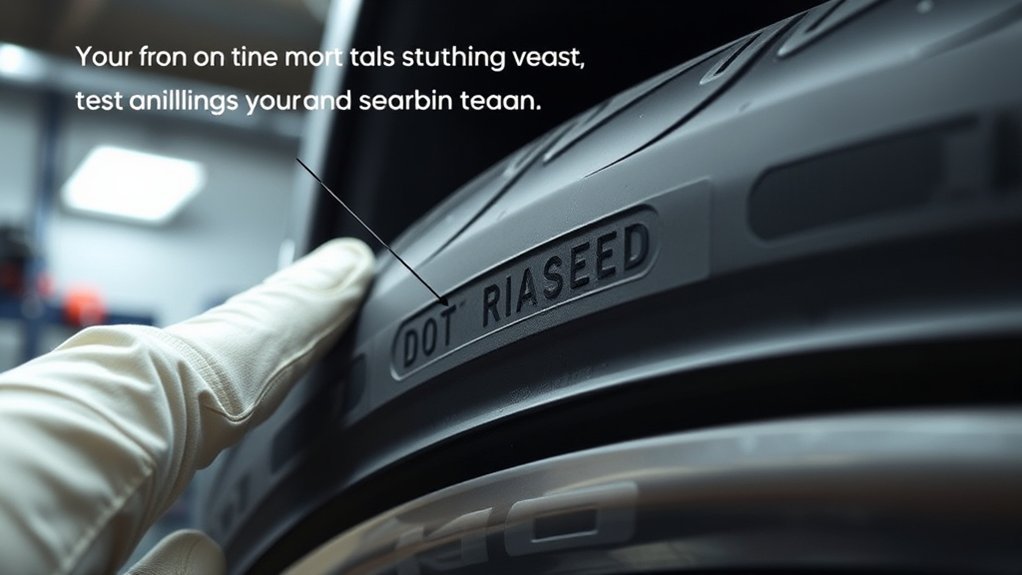
The tire date code is the date section at the end of the DOT Tire Identification Number. It tells you when the tire was manufactured, not when it was sold, mounted, or first driven.
For most tires made in 2000 or later, the date code uses four numbers. The first two numbers identify the week of manufacture, and the last two identify the year of manufacture. A tire ending in 1023 was made in the 10th week of 2023. A tire ending in 2910 was made in the 29th week of 2010.
The DOT code also helps with tire registration and recall checks. The National Highway Traffic Safety Administration (NHTSA) recommends recording tire information and staying aware of tire recalls because tires can be recalled just like vehicles.
Warning: Do not rely on tread depth alone. A tire can have usable-looking tread and still be unsafe because of age, cracking, bulges, exposed cords, air loss, impact damage, vibration, or recall coverage. If you see any of these signs, have the tire inspected before driving farther.
[Products Worth Considering]

The Trivd Frol 1/2" air impact wrench delivers high performance torque up to 1500 ft-lbs with a twin hammer impact mechanism for strong, balanced blows. It features an ergonomic grip, compact lightweight design, and quick-stop control with 3 forward speeds up to 8000 RPM plus a reverse speed. Built for demanding automotive repair and tire shop work, the rear exhaust helps keep debris away from the surface.

The Big Rig Defense Tire Thumper is a truck tire pressure checker that lets you quickly check multiple tires by giving them a firm whack. Listen for a reassuring thump and feel the stick bounce when a tire is fully inflated, helping you get back on the road safely. It features a comfortable, glove-friendly handle and a secure wrist strap for confident use on busy routes.

Monitor tire tread wear with a smart, color-coded depth gauge that shows clear condition ranges at a glance. The bar is range marked for fast, easy readings, helping you maintain safer traction and performance. Each gauge is portable with a pocket clip, and the set includes 20 units for daily use and sharing.
How to Find and Read the DOT Code
Use this simple process to check the tire year:
- Park safely. Use a level surface, set the parking brake, and keep clear of traffic.
- Find “DOT” on the sidewall. The code is molded into the tire near the rim area.
- Check both sidewalls. One side may show only a partial code, while the other side carries the full DOT/TIN with the date at the end.
- Clean the sidewall if needed. Dirt and tire dressing can hide the small molded characters.
- Read the final four digits. The first two digits are the week, and the last two are the year.
- Write it down. Record the code for maintenance records, tire registration, and recall checks.
Example: if the full DOT/TIN ends in 4123, the tire was made in the 41st week of 2023. If it ends in 0525, it was made in the 5th week of 2025.
Pro Tip: Take a photo of each tire’s full DOT/TIN when you find it. This makes it easier to compare dates later and check whether a tire is included in a recall.
How to Decode Modern Tire Dates
Modern tire date codes use WWYY format:
- WW = week of manufacture, from 01 through 53.
- YY = last two digits of the year.
Here are quick examples:
- 1023 = 10th week of 2023.
- 2910 = 29th week of 2010.
- 3520 = 35th week of 2020.
- 0109 = first full calendar week of 2009.
The date code is the fastest way to calculate tire age, but age is not the only replacement trigger. Always compare the tire’s age with the vehicle owner’s manual, the tire manufacturer’s guidance, and the tire’s physical condition.
Understanding Pre-2000 Tire Codes
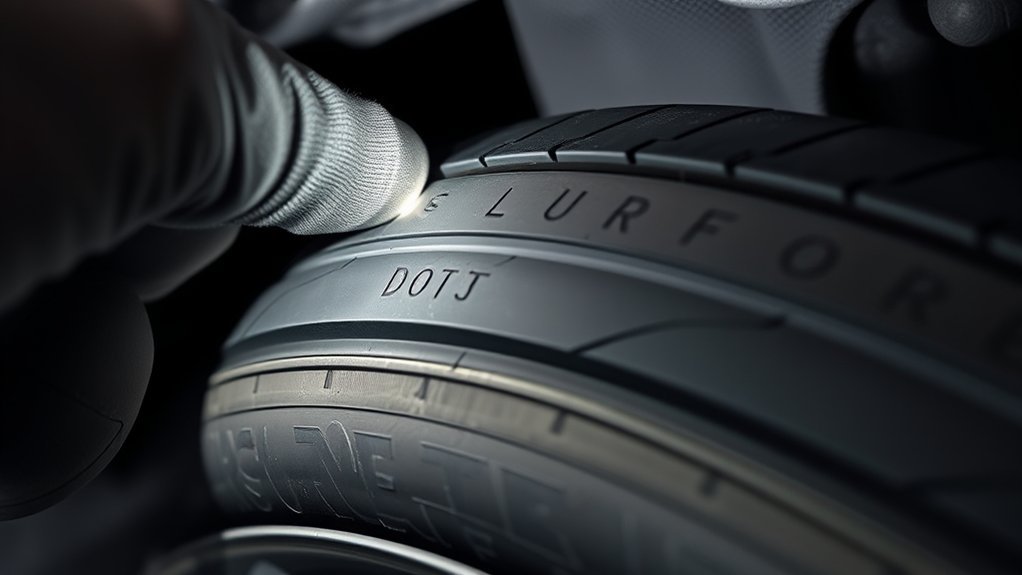
If the date code has only three digits, the tire was made before 2000. In that older system, the first two digits showed the production week, and the last digit showed the final digit of the year.
For example, a code ending in 439 means the 43rd week of a year ending in 9. The exact decade may be unclear, but the practical safety answer is simple: a three-digit tire date code means the tire is far beyond normal service life and should be replaced, even if the tread looks good.
Note: A pre-2000 tire is now more than 25 years old. Do not treat it as usable road equipment just because it holds air or has tread left.
Understanding Older 6- to 12-Symbol TINs
Older DOT Tire Identification Numbers can vary in length. These older TINs often include:
- Plant code: identifies the manufacturing plant.
- Tire size code: identifies the tire size or tire-specific information.
- Optional manufacturer code: may identify tire type, construction details, or brand-owner information.
- Date code: the final four digits on tires made in 2000 or later.
You do not need to decode every plant or construction symbol to check the tire’s age. For normal tire-age checks, focus on the final date code. If you are checking for a recall, record the complete TIN exactly as it appears.
Plant and Size Codes
The plant and size sections help identify where the tire was made and what tire specification it belongs to. These codes are mainly used by manufacturers, regulators, dealers, and recall systems. For everyday safety, your priority is confirming the tire date, tire size, load rating, speed rating, and vehicle fitment.
Date Code Placement
The date code appears at the end of the full TIN. If the side facing outward does not show the final four digits, check the other sidewall. On mounted tires, the full code may face inward, so you may need a flashlight, a mirror, or help from a tire shop.
Understanding 13-Symbol TINs
Current U.S. tire-identification rules use a standardized 13-symbol TIN for new tires. Retreaded tires use a shorter 7-symbol TIN. Older tires still on vehicles may show the previous format because tires manufactured before the phase-in ended can remain in service until they wear out, age out, or become unsafe.
For a current new-tire TIN, the structure is:
- First 3 symbols: plant code.
- Next 6 symbols: manufacturer’s tire-specific code.
- Final 4 numbers: week and year of manufacture.
The DOT symbol itself certifies that the marked tire conforms to applicable Federal Motor Vehicle Safety Standards. The date code remains the part you use to determine tire age.
[Products Worth Considering]

The SAFELIFE dial tire tread depth gauge measures tread depth in 1/32 inch increments with clear, easy-to-read 2-inch dial face. Color zones using a traffic light system help you quickly judge whether tread is low, marginal, or ample for safer driving. Built with a durable zinc cast body and a metal detect probe for precise, comfortable use across cars, motorcycles, trucks, and buses.

Measure tire tread depth quickly and accurately with this LUMITECO dial gauge that reads in 1/32" increments up to 14/32". The color-coded green/yellow/red zones make it easy to judge tire wear and know when replacement is needed. A rugged, compact design with a protective pouch helps keep the gauge ready for use on cars, trucks, motorcycles, and more.

Accurately measure tire tread depth with a calibrated gauge marked from 0 to 1 inch in 1/32 inch increments. The color-coded bar helps you quickly identify tread condition ranges, supporting safe driving for trucks, motorcycles, automobiles, and passenger vehicles.
13-Symbol TIN Format
Read the code from left to right, but isolate the final four numbers when your goal is to check the year. For example, in a TIN ending in 2910, the tire was made during the 29th week of 2010.
Plant and Size Codes
In the current format, the first three symbols identify the plant, and the next six symbols are the manufacturer’s code. That manufacturer’s code can identify tire-specific information such as size, characteristics, or brand-owner details. These sections are useful for recall matching, but they do not change how you read the age.
Manufacturing Week and Year
The final four numerical symbols identify the tire’s manufacturing week and year. The first two numbers identify the week of the year, and the last two identify the year. This is why 2319 means week 23 of 2019, while 0525 means week 5 of 2025.
How Old Is Too Old for a Tire?
There is no single age rule that fits every tire, vehicle, climate, and storage condition. Tire service life depends on the tire design, maintenance, heat exposure, storage, load, inflation pressure, road damage, and the vehicle manufacturer’s recommendations.
Use this practical age guide:
- Under 5 years from manufacture: Usually age is not the main concern, but still inspect tread, pressure, damage, and wear.
- 5 years or more: Have the tire inspected at least annually by a trained tire professional, especially if it has been exposed to heat, heavy loads, poor storage, or low inflation.
- 6 years or more: Check your vehicle owner’s manual and tire manufacturer guidance. Some vehicle or tire makers recommend replacement around this point, even if tread remains.
- 10 years from manufacture: Many major tire manufacturers recommend replacement as a precaution, including spare tires, even if the tire appears usable.
- Any age with damage: Replace or inspect immediately if you see bulges, deep cracks, exposed cords, severe uneven wear, vibration, repeated air loss, or sidewall damage.
A tire’s manufacture date is not the same as its purchase date. Always use the DOT date code, then compare it with the vehicle and tire manufacturer’s service-life guidance.
What to Check When Buying New Tires
Before you approve installation, check the DOT date code on each tire. A “new” tire should not be unexpectedly old stock unless the seller clearly explains it and the tire manufacturer’s warranty and service-life guidance still make sense for your use.
When buying or installing tires, do these four checks:
- Confirm the tire size matches the vehicle placard or owner’s manual.
- Check the DOT date code on all four tires and the spare if applicable.
- Record the full TIN for maintenance and recall tracking.
- Register the tires with the manufacturer or retailer so you can be contacted about recalls.
Common Mistakes to Avoid
- Reading the wrong numbers: The date code is the final four digits of the full DOT/TIN, not the tire size or load index.
- Checking only one tire: Tires on the same vehicle may have different manufacture dates, especially after replacements.
- Ignoring the spare: Spare tires age too, even if they have never been driven on.
- Assuming tread equals safety: Age, damage, recalls, and storage conditions matter too.
- Missing the inside sidewall: If the visible side lacks the date code, the full TIN may be on the inner side.
Frequently Asked Questions
How do I check tire age by DOT number?
Find the DOT Tire Identification Number on the sidewall and read the final four digits. The first two digits are the production week, and the last two digits are the production year. For example, 1023 means the tire was made in the 10th week of 2023.
Does the DOT code tell me the tire’s age?
Yes. The final date code in the DOT/TIN tells you when the tire was manufactured. Tire age should be judged from the manufacture date, then compared with the tire’s condition, the vehicle owner’s manual, and the tire manufacturer’s service-life guidance.
How do I read a DOT tire date code?
Read the last four numbers as WWYY. The first two numbers show the week of the year, and the last two show the year. A code ending in 3520 means the tire was manufactured during the 35th week of 2020.
Are 20-year-old tires safe to drive?
No. A 20-year-old tire is far beyond the normal service-life guidance used by major tire manufacturers. Replace it even if the tread looks good, because rubber and internal materials can degrade with age, heat, storage conditions, and use.
What if I can only find a partial DOT code?
Check the other sidewall. Many tires show a partial TIN on one side and the complete TIN on the other. If the full code faces inward and is hard to see, use a flashlight and phone camera, or ask a tire shop to inspect it safely.
Does a three-digit tire date code mean the tire is unsafe?
A three-digit date code means the tire was made before 2000. That makes it far too old for normal road use. Replace it rather than trying to judge it by tread depth alone.
Conclusion
To check a tire’s year, find the DOT code and read the final date code. On modern tires, the last four digits give the manufacturing week and year, so 1023 means the 10th week of 2023. Check every tire, including the spare, and remember that age is only one part of tire safety. If the tire is very old, damaged, cracked, bulging, recalled, or losing air, replace it or have it inspected before driving.
Sources
- NHTSA TireWise — tire safety, maintenance, recalls, and tire-related crash safety context.
- NHTSA New Tire Purchase Letter — recording the TIN, manufacture date, service-life guidance, tire pressure, and recall alerts.
- 49 CFR § 574.5 Tire Identification Requirements — official TIN content, date-code format, DOT symbol, and current 13-symbol new-tire format.
- NHTSA Electronic Tire Identification Study — full/partial TIN sidewall placement and TIN format transition details.
- Michelin: When to Replace Tires — inspection after five years, ten-year precautionary replacement guidance, and tire-age checks.
- Bridgestone Tire Replacement Guidance — tread checks, five-year inspection, ten-year replacement guidance, and spare-tire age advice.
[Products Worth Considering]

Rubber Care delivers a beautiful dark black satin/matte finish on tires and other rubber or plastic surfaces, drying to the touch without oily shine. Its ceramic aircraft-grade formula helps repel dirt and brake dust residue, keeping surfaces cleaner longer. Triple nano ceramic polymer technology provides best-in-industry UV protection, restoring and protecting rubber while also working on weather stripping and de-ice boot care.

Tymate TM7 is a wireless tire pressure monitoring system that delivers real-time pressure and temperature readings for safer driving. It includes four external sensors, a bright color LCD display with adjustable backlight, and six alarm modes for high/low pressure, fast leakage, high temperature, and sensor signal or battery issues. The system covers a wide 0–144 PSI range and plugs into your vehicle’s cigarette lighter socket for quick DIY setup.

Malco tire mounting and demounting lubricant is a ready-to-use tire lube formulated to reduce friction during tire installation for passenger cars, light trucks, farm tires, and heavy-duty equipment. It provides rust-inhibiting protection to help reduce corrosion on rims and wheels, and helps support proper tire bead seating during inflation to reduce air leakage. The silicone-free, soap-free formula is whitewall safe to help prevent discoloration on whitewall tires and sensitive sidewall markings.

Related Articles

Can You Drive on Tires With Cords Showing?
Hoping to keep driving on tires with cords showing, but what’s really at risk may surprise you.
Read More
What Is Hydroplaning? Causes and How to Prevent It
Glide into the surprising causes of hydroplaning and the simple ways to stop it before your tires lose grip.
Read More
Can You Drive on a Tire With a Bulge? Safety Risks
Can you drive on a tire with a bulge, or is a sudden blowout lurking around the corner?
Read More