
What Does Tire Learning Active Mean? TPMS Calibration Guide

“Tire Learning Active” usually means the Tire Pressure Monitoring System is in a sensor-matching mode. The message is commonly found on GM vehicles after a tire rotation, wheel change or TPMS sensor service. It does not automatically mean a tire is low or a sensor has failed. The correct next step depends on your vehicle’s year, model and TPMS type.
Quick Answer
“Tire Learning Active” means the vehicle is trying to identify each TPMS sensor and assign it to the correct wheel position. Complete the relearn procedure listed in your model-year owner’s manual. Some vehicles use a handheld activation tool, while others use a menu reset or automatic drive cycle.
Key Takeaways
- “Tire Learning Active” is commonly a GM message showing that TPMS sensor matching is in progress.
- The relearn procedure is vehicle-specific; do not assume that every vehicle needs a drive cycle or the same wheel order.
- Set every cold tire to the pressure on the vehicle placard, not the maximum pressure molded into the tire sidewall.
- A solid TPMS light usually points to low pressure, while a light that flashes for about a minute and then stays on indicates a system malfunction.
- A sensor that will not respond may be incompatible, damaged or operating with a depleted internal battery.
At a Glance
| Time Required | About 5 minutes for many stationary GM-style relearns; automatic drive-cycle systems may take longer |
| Difficulty | Easy to moderate, depending on the required relearn method |
| Tools Needed | Accurate tire-pressure gauge, air source, owner’s manual and a compatible TPMS activation or scan tool if required |
| Cost | No added cost when the vehicle supports a built-in reset; tool and professional-service costs vary by vehicle |
Warning: Do not begin a relearn to hide a low-pressure warning. Check every tire with a gauge first. If a tire is visibly damaged, rapidly losing air or unsafe to drive on, install the proper spare or arrange roadside service.
What Does Tire Learning Active Mean?
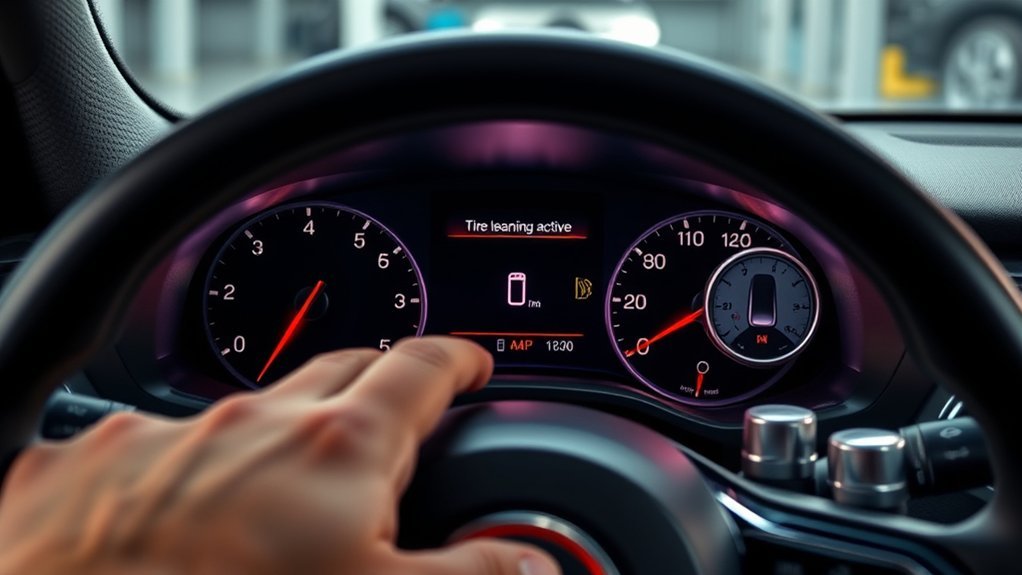
“Tire Learning Active” means the vehicle has entered a mode used to identify TPMS sensors or assign their identification codes to wheel positions. The wording appears in a number of Chevrolet, Buick, GMC and Cadillac owner’s manuals. For example, GM documentation explains that the message may appear while the system is relearning wheel positions after tire rotation or sensor service.
The message itself is not the same as a low-pressure warning. It may appear because someone intentionally started the matching process through the Driver Information Center, a key-fob sequence or a scan tool. The message should disappear when the final sensor is accepted or when the relearn session is cancelled.
Direct TPMS uses battery-powered pressure sensors in the wheels. Indirect TPMS does not use pressure sensors in each wheel; it estimates pressure loss from wheel-speed and related vehicle data. Because those systems work differently, their reset procedures are not interchangeable. A useful overview of the two designs is available from Bridgestone’s TPMS guide.
Federal TPMS requirements are designed to warn when one or more tires become significantly underinflated. The system does not replace regular pressure checks with an accurate gauge.
[Products Worth Considering]
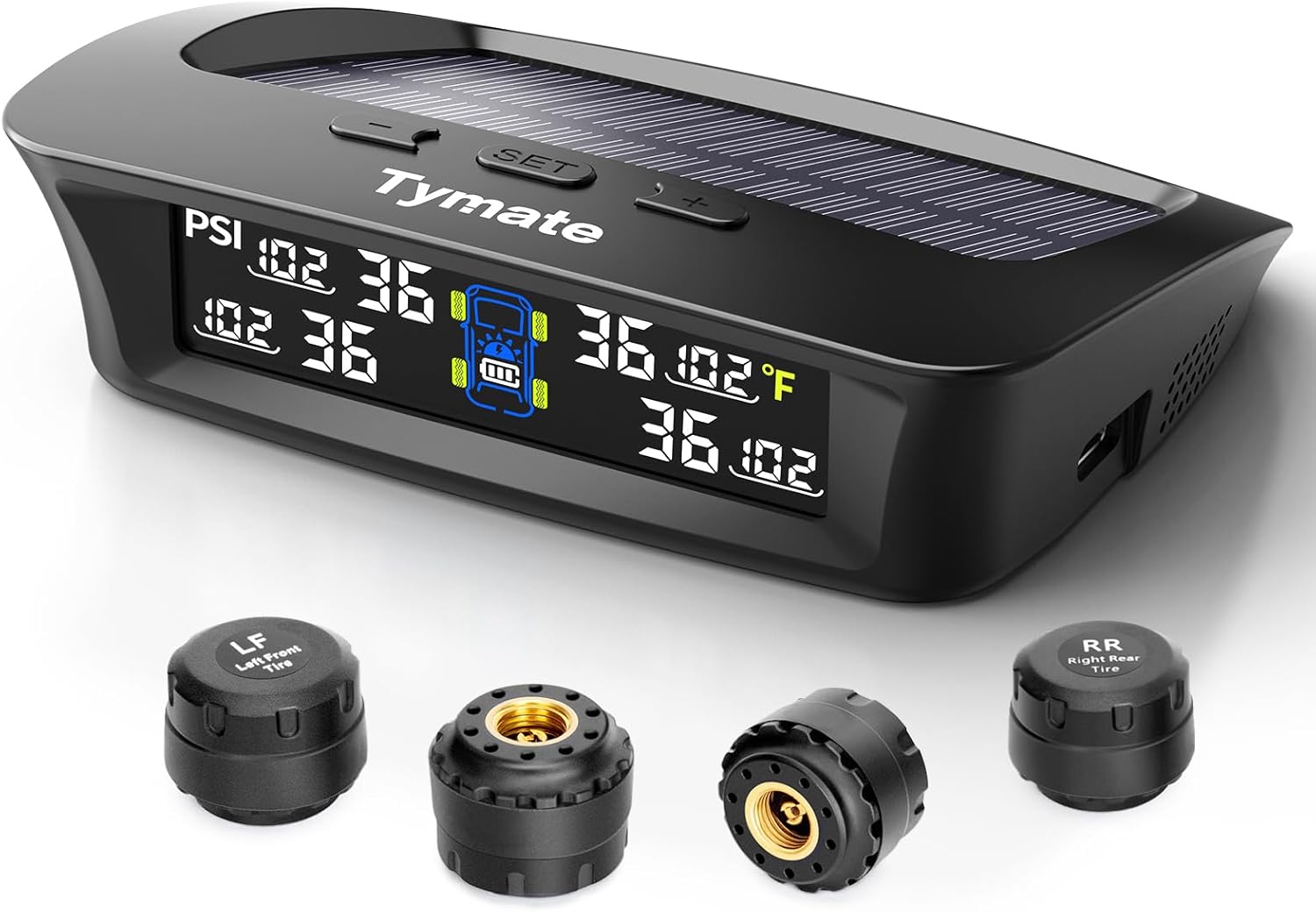
The Tymate TM3 RV TPMS delivers real-time tire pressure monitoring from 0 to 144 PSI with accurate readings and dependable wireless communication. It includes four external sensors with pre-pairing, six alarm modes for rapid leak, pressure extremes, temperature, and signal loss, plus an easy-reference setup for alert thresholds. Solar and USB-C charging help keep the display powered, while the color LCD and adaptive backlight improve visibility for safer driving and towing.
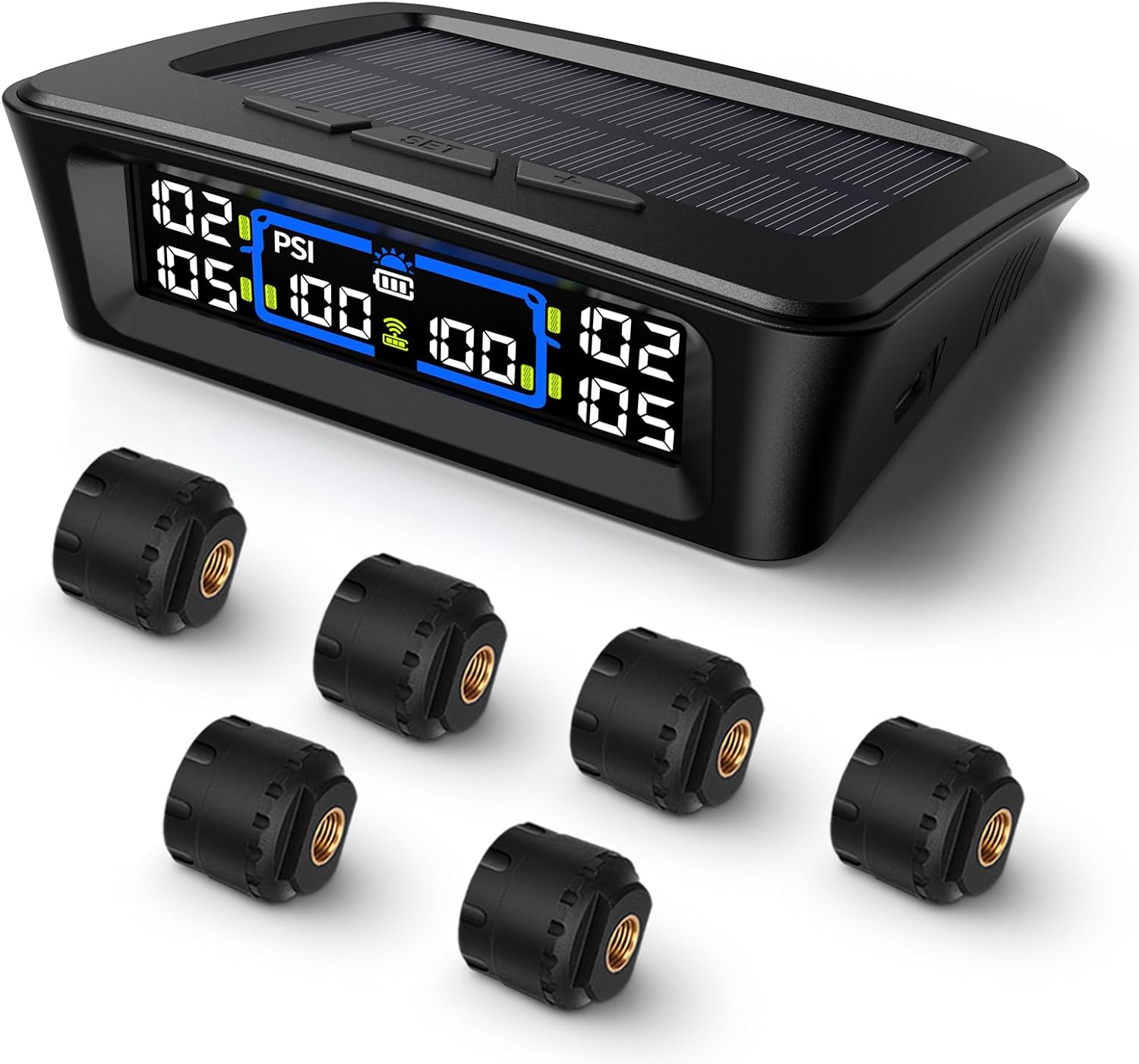
The Tymate TM12 RV TPMS delivers real-time tire pressure and temperature monitoring with a stable 433Hz display for safer long-distance driving. It supports simultaneous monitoring across vehicle and trailer zones, includes six alarm modes for pressure, temperature, leakage, battery, and signal loss, and features easy DIY installation with auto calibration. Power is supplied via USB-C charging or solar recharging, with a wide 0–144 PSI range and up to 50 ft signal coverage for RVs and towable trailers.
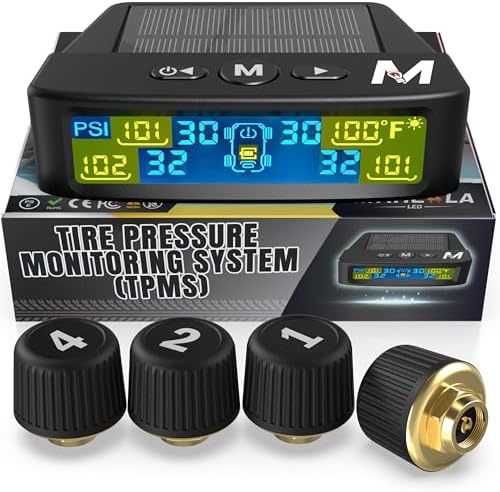
Marcala’s TPMS set of four sensors helps you monitor tire pressure and temperature in real time while driving, with updates every second. The bright color LCD uses auto-dimming for easy viewing, powered by dual solar and USB charging, and offers six alarm modes. Built for trailers, RVs, campers, trucks, and towing setups, the sensors support monitoring 1-4 wheels up to 98 PSI with IP67 waterproof protection.
Identify the Correct TPMS Relearn Method
Before pressing buttons or activating sensors, look up the procedure for the exact year, make, model and equipment package. Two vehicles from the same manufacturer may use different menus, tools or drive conditions.
| Relearn Type | How It Works | Typical Requirement |
|---|---|---|
| Stationary activation | The vehicle enters learn mode while parked, and each wheel sensor is activated in a specified order. | Compatible handheld TPMS activation tool |
| Automatic relearn | The vehicle learns sensor IDs while driven under conditions listed in the manual. | Model-specific speed, time and road conditions |
| OBD relearn | A compatible tool reads the sensor IDs and writes them to the vehicle through the diagnostic connector. | OBD-capable TPMS or diagnostic tool |
| Indirect reset | The driver stores a new pressure baseline after setting all tires correctly. | Dashboard menu, infotainment setting or reset button |
Note: Check the model-year owner’s manual rather than relying only on a generic online sequence. Also confirm whether the spare tire has a monitored sensor. Many compact spares are not monitored, while some full-size spares are.
Why the TPMS Light Stays On After Rotation
A tire rotation does not change the actual pressure inside a tire, but it can change which sensor is installed at each wheel position. On vehicles that display individual tire locations, the system may need to remap those sensors after the rotation.
Use the warning light’s behavior to separate a pressure problem from a system problem:
- Solid TPMS light: Check all tires with a gauge. At least one may be significantly underinflated.
- Light flashes for about one minute and then remains on: The TPMS has detected a malfunction and may not warn correctly about low pressure.
- “Tire Learning Active” message: A relearn session is open or still waiting for one or more sensors.
- “Service Tire Monitor System” message: A sensor, receiver, compatibility issue or incomplete matching process may require diagnosis.
The National Highway Traffic Safety Administration recommends checking the tires promptly when the low-pressure symbol appears. A tire can also be below the placard pressure before the warning threshold is reached.
Incorrect Sensor Positioning
Each direct TPMS sensor transmits a unique identification code. After a rotation, the vehicle may still associate a code with the sensor’s former wheel position. The pressure reading itself may be correct, but the dashboard can label the wrong tire as left-front, right-front, left-rear or right-rear.
Incorrect position mapping does not always turn on a steady low-pressure light. More often, it causes the displayed wheel location to be wrong or leaves the matching process incomplete. Complete the approved relearn before diagnosing the pressure display as a failed sensor.
Relearn Procedure Needed
A relearn is commonly required after a rotation on vehicles that track each sensor by location. It may also be required after replacing a sensor, installing another wheel set or returning a monitored road tire to service after using a spare.
Some newer systems identify positions automatically. Others require a handheld tool. Do not start a generic horn-chirp sequence unless your owner’s manual lists that method.
Air Pressure Mismatch
Set each tire to the cold pressure listed for that axle on the Tire and Loading Information label, usually found on the driver-side door or door frame. Front and rear placard pressures may differ, so do not assume that all four tires use the same PSI.
Pressure changes with temperature and driving heat. Check the tires before driving or after the vehicle has been parked long enough for the tires to cool. If a warning appeared after a cold night, manually verify the pressure rather than waiting for the tires to warm up.
How to Reset TPMS by Relearning Sensor Positions
Use this safe general sequence before moving to the model-specific instructions:
- Park in a safe location and inspect every tire for visible damage.
- Check all cold tire pressures against the vehicle placard.
- Identify whether the vehicle uses stationary activation, automatic, OBD or indirect relearning.
- Enter relearn or calibration mode exactly as described in the owner’s manual.
- Activate, register or calibrate the wheels in the listed order.
- Confirm that the learning message ends and that no malfunction warning returns at the next start.
Do not add a drive cycle after a stationary relearn unless the manual specifically calls for one. Likewise, do not assume that driving will complete a system that requires sensor activation or OBD programming.
GM-Style TPMS Relearn: Representative Sequence
The following is a representative sequence used by some GM vehicles. It is not a universal Chevrolet, Buick, GMC or Cadillac procedure. Verify every control, time limit and ignition instruction in the manual for your vehicle.
- Park the vehicle, set the parking brake and place the ignition in the required ON/RUN mode without starting the engine, if the manual instructs you to do so.
- Open the Tire Pressure screen in the Driver Information Center and select the sensor-relearn function.
- Confirm the request. Two horn sounds may indicate that the receiver has entered relearn mode and the “Tire Learning Active” message may appear.
- Hold a compatible activation tool against the tire sidewall near the driver-front valve stem. Activate the sensor and wait for one horn chirp.
- Repeat at the passenger-front tire.
- Repeat at the passenger-rear tire.
- Repeat at the driver-rear tire. On the representative procedure, two horn sounds after the final wheel confirm that matching is complete.
- Turn the ignition off and check every tire against the placard pressure again.
One official GM example allows two minutes to match the first wheel and five minutes to match all four. If that time expires, the process stops and must be restarted. Other models may use different limits. See the 2014 Buick Encore owner’s manual for the representative procedure.
Pro Tip: Write the required wheel order on a note before entering relearn mode. Keep the activation tool ready at the driver-front tire so the first time limit does not expire while you search through the manual.
What Tire Pressure to Set First?

There is no universal “first” tire for inflation. Check and adjust all four road tires to the cold placard values before calibration. Include the spare only when the vehicle manual says it is monitored.
The driver-front tire is often first in a GM sensor-activation sequence, but that does not mean it must be inflated before the others. Pressure setting and sensor matching are separate tasks.
Warning: Do not inflate a tire to the maximum PSI molded into its sidewall unless that pressure also happens to be the vehicle manufacturer’s specified value. The sidewall marking is not the normal operating-pressure recommendation for the vehicle.
[Products Worth Considering]

This roadside assistance kit helps drivers and passengers in urgent situations after an accident or breakdown, providing practical support while waiting for help. It includes...
How to Use a TPMS Tool for Calibration
A basic TPMS activation tool sends a low-frequency signal that wakes the sensor. It is normally held against the tire sidewall close to the valve stem. It may not plug into the vehicle at all.
An OBD-capable TPMS tool performs a different job. Depending on the vehicle and tool, it may collect each sensor ID and transfer those IDs to the vehicle through the diagnostic connector. Some professional tools can also read TPMS fault codes and display sensor battery or signal information.
For a stationary activation procedure:
- Select the correct year, make and model on the tool, if required.
- Put the vehicle into relearn mode.
- Place the tool near the valve stem of the first specified wheel.
- Press the activation button and wait for the vehicle or tool to confirm the sensor.
- Move through the remaining wheels in the exact listed order.
- Verify that the final confirmation occurs and that the learning message disappears.
If a sensor does not respond, test it again with the tool positioned closer to the valve stem. Move removed wheels and unused programmed sensors away from the vehicle so their signals do not interfere with the relearn.
Why TPMS Relearns Fail
| Cause | What You May Notice | Next Step |
|---|---|---|
| Wrong procedure for the model year | Learn mode will not start or no confirmation occurs | Verify the VIN/model-year manual |
| Incorrect wheel order | Process stops or locations display incorrectly | Cancel and restart in the listed order |
| Relearn time expires | The next sensor is not accepted | Restart with the tool ready at the first wheel |
| Incompatible or unprogrammed replacement sensor | Sensor transmits but the vehicle will not accept it | Confirm frequency, protocol and programming |
| Depleted sensor battery or damaged sensor | No sensor response or an intermittent signal | Test and replace the failed sensor |
| Nearby removed wheel or duplicate sensor | Wrong sensor ID is captured | Move unused wheels and sensors away |
Faulty Sensor Timing
A relearn session accepts sensors only during a limited window. A weak or damaged sensor may respond too slowly or not respond at all. Before repeating the procedure several times, use a compatible diagnostic tool to confirm that every sensor transmits an ID, pressure reading and usable signal.
Direct TPMS sensors contain sealed batteries. Many last for roughly a decade, but actual life depends on the sensor design, driving conditions and transmission activity. The battery is normally not serviced separately; the complete sensor is replaced when the battery is depleted.
Incorrect Relearn Steps
Skipping a confirmation prompt, using the wrong wheel order, turning the ignition off early or allowing the timer to expire can leave the relearn incomplete. The vehicle may then show “Tire Learning Active,” display the wrong wheel locations or set a system fault.
Do not repeatedly clear faults without finding the cause. A fault that immediately returns may indicate an incompatible sensor, missing sensor, receiver problem or stored identification code that was not updated correctly.
When to Replace a TPMS Sensor
Replace a direct TPMS sensor when it no longer transmits reliably, has a depleted battery, is physically damaged, leaks at the valve assembly or is incompatible with the vehicle. A sensor may also need replacement after corrosion or improper tire service damages the stem or housing.
You can often replace one failed sensor rather than all four. However, when several original sensors are the same age, testing all of them during tire service can reduce repeat labor. The replacement sensor may need programming before installation and relearning afterward.
Parts, programming and labor costs vary widely by vehicle, sensor design and shop. Request a diagnosis that identifies the failed wheel and confirms whether the quote includes the sensor, valve-service parts, installation, balancing and relearning.
Dashboard Troubleshooting Guide
| What You See | Likely Meaning | What to Do |
|---|---|---|
| Tire Learning Active with no warning light | Relearn mode is open | Complete or cancel the model-specific procedure |
| Solid low-pressure symbol | One or more tires may be significantly low | Inspect and gauge every cold tire |
| Symbol flashes for about one minute, then stays on | TPMS malfunction | Check pressures manually and have the system diagnosed |
| Correct pressures shown at the wrong wheels | Sensor positions were not remapped | Perform the correct position relearn |
| Service Tire Monitor System | Sensor, receiver or matching fault | Scan for codes and test each sensor |
Frequently Asked Questions
How long does Tire Learning Active take?
A stationary GM-style matching process may be completed in about five minutes because some models impose a five-minute overall limit. Automatic relearn systems may require a longer drive. Use the time and conditions listed for the exact vehicle.
What should I do when the dashboard says Tire Learning Active?
Check all tire pressures, identify the required relearn method and finish the owner-manual sequence. If the message appeared accidentally, follow the manual’s cancellation instructions or cycle the ignition as directed. Do not assume that driving will complete a stationary tool-based relearn.
What does Tyre Learning Active mean on my car?
It means the pressure-monitoring system is learning sensor IDs or wheel positions. “Tyre” and “tire” refer to the same system. The exact procedure depends on the vehicle’s direct or indirect TPMS design.
Can I relearn TPMS myself?
Often, yes. Some vehicles have a built-in menu reset, while others need an inexpensive activation tool or an automatic drive cycle. OBD programming, sensor diagnosis and tire removal are better handled by a properly equipped technician when the required tools are unavailable.
Is it safe to drive while Tire Learning Active is displayed?
The learning message alone does not normally indicate a flat tire, but you should verify every tire with a gauge before driving. If the TPMS light flashes and then stays on, the system may not provide reliable low-pressure warnings until it is repaired.
Can a dead TPMS sensor battery stop the relearn?
Yes. A direct sensor with a depleted internal battery may not transmit its identification code, so the vehicle cannot match that wheel. Test the sensor with a compatible TPMS tool before replacing it.
Conclusion
“Tire Learning Active” normally means a TPMS relearn session is underway, not that every sensor has failed. Start by checking all cold tire pressures, then identify the procedure for the exact vehicle. Complete the listed sensor order, menu reset, OBD transfer or drive cycle without mixing methods. If the warning light flashes before staying on, a sensor will not respond or the service message returns, have the TPMS tested professionally.
Sources
- 2014 Buick Encore Owner’s Manual — representative GM sensor-matching order, confirmation chirps and time limits
- 2017 Chevrolet Tahoe/Suburban Owner’s Manual — meaning of the “Tire Learning Active” message
- NHTSA TireWise — tire-pressure warning response and routine tire-safety guidance
- NHTSA FMVSS No. 138 TPMS Summary — federal significant-underinflation warning requirements
- Bridgestone TPMS Guide — direct and indirect TPMS operation and typical sensor-battery life

Related Articles

How to Pass Your Driving Test the First Time
Uncover simple driving test strategies that boost your chances of passing first time, and discover the one mistake most learners overlook.
Read More
How Long Can You Drive a Car Continuously?
Pushing your limits, discover how long you can really drive continuously before fatigue, vehicle stress, and safety risks change the answer.
Read More
Tire Tread Depth: How It Affects Grip and Safety
Tire tread depth shapes grip, braking, and wet-road safety, but the real warning signs and replacement timing may surprise you.
Read More