
How Crawl Control Works With Your 4Runner Tires
Toyota 4Runner Crawl Control helps you maintain a slow, controlled pace over rough off-road terrain by automatically managing drive force and braking. It reduces the pedal work needed while you steer around rocks, ruts, loose gravel, mud, or uneven ground. However, it cannot create traction, choose a safe route, or overcome the physical limits of your tires and vehicle.
Quick Answer
4Runner Crawl Control acts like low-speed off-road cruise control. It regulates drive output and individual-wheel braking so you can concentrate on steering. All-terrain tires may improve grip on loose surfaces, but correct tire pressure, tread condition, vehicle placement, and a suitable speed setting remain essential.
Key Takeaways
- Crawl Control manages low-speed acceleration and braking, but you remain responsible for steering, route selection, and stopping.
- Controls and operating conditions differ between the fifth-generation 2010–2024 4Runner and the redesigned 2025–2026 models.
- All-terrain tires can provide useful grip, but they do not make the vehicle immune to sliding, high-centering, rollover, or tire damage.
- Use the lowest crawl setting that maintains smooth progress and increase it only when soft or loose terrain requires more momentum.
- Follow the owner’s manual for your exact model year whenever its instructions differ from general guidance.
Note: The 2024 4Runner belongs to the fifth generation, while the 2025 redesign introduced Toyota’s next-generation Crawl Control. Button layouts, displays, activation conditions, available grades, and cancellation behavior may differ between generations.
How Crawl Control Maximizes Tire Traction on Uneven Terrain
Toyota describes fifth-generation Crawl Control as a system that regulates engine output and braking force while the transfer case is in low range. The vehicle moves forward or backward at one of five selectable low-speed settings, allowing you to concentrate more closely on steering.
A technical paper published by Toyota and Advics engineers explains that the system integrates drive-torque and brake-torque control to help maintain a slow, steady speed. Instead of relying on one fixed throttle opening, it continually responds to changes in resistance at the wheels.
When one tire crosses a rock while another enters a loose rut, the amount of grip available at each contact patch changes. Crawl Control can reduce unnecessary acceleration and apply braking control to stabilize the vehicle’s pace. This may reduce sudden surges, digging, or excessive wheelspin, but it does not guarantee uninterrupted traction.
Crawl Control manages vehicle speed; it cannot create grip where the tires, terrain, or vehicle position provide none.
Your steering inputs still matter. Look ahead, place the tires on stable surfaces where possible, and avoid driving directly onto an obstacle that exceeds your ground clearance or approach, breakover, or departure angle.
[Products Worth Considering]
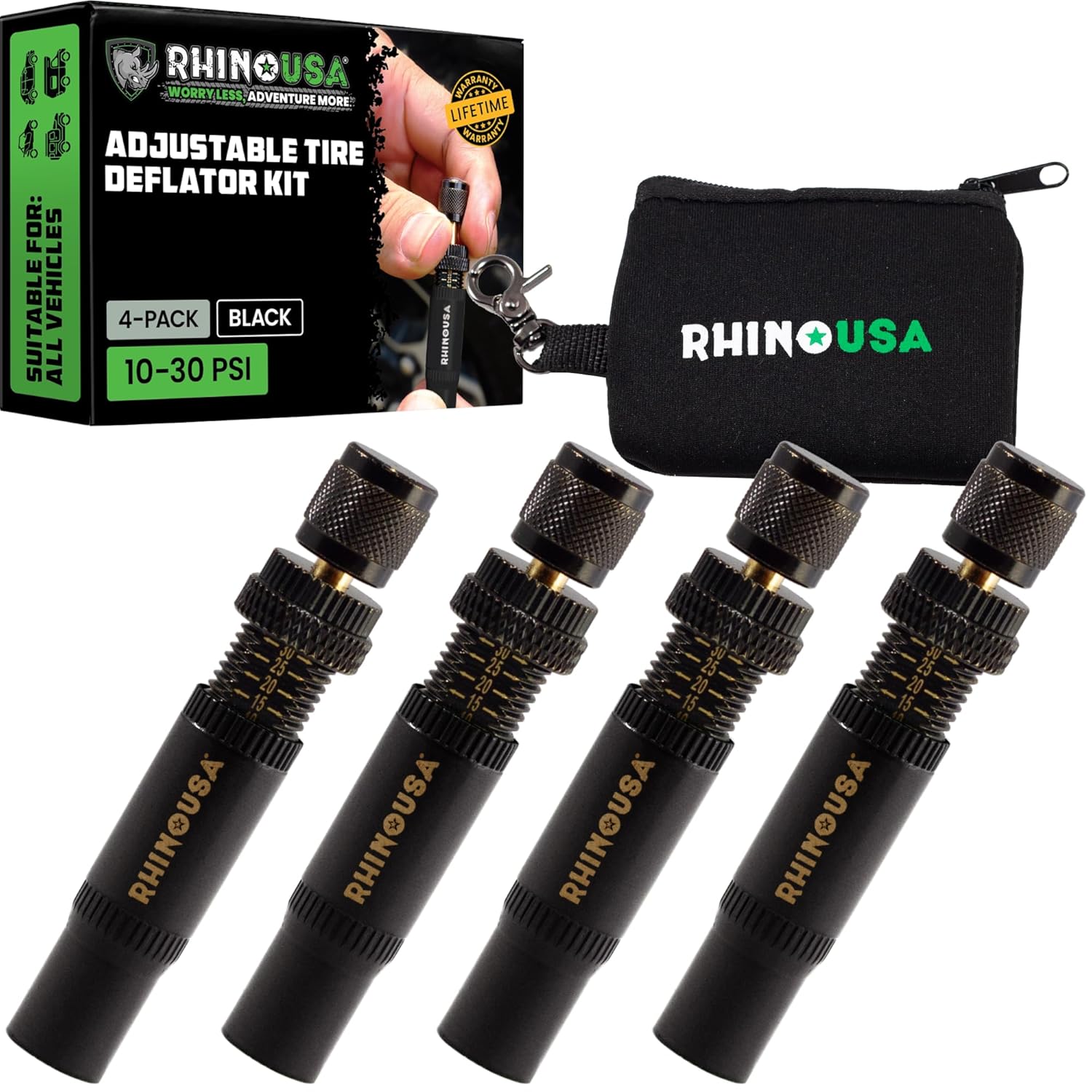
Use the Rhino USA adjustable tire deflators to air down all four tires at once by screwing one deflator onto each valve stem, letting you step away while the tires reach your preset pressure. Each deflator independently adjusts across a 10–30 PSI range with laser-etched indicators for quick setup and verification, making it ideal for beach, sand, and rocky off-road trails.

Camco’s RV wheel chocks with an attached rope help keep your travel trailer securely in place for safer unhitching or parking. This 2-pack is compatible with wheels up to 26-inch diameter and features durable UV-resistant construction for reliable outdoor performance. The rope enables quick, safe removal so you can prepare for your next trip with less hassle.

Keep RV, trailer, or truck dual-axle tires protected with waterproof, UV-resistant covers that help guard against sunlight, snow, rust, and dirt. The dual tire covers are easy to install with a rope/bungee fastener for a stable fit that won’t easily slip. Designed for 27–30 inch diameter wheels, they help maintain tire condition through harsh weather.
How Crawl Control Uses Braking to Limit Wheel Slip
Crawl Control can apply and release braking force as it works to maintain the selected low speed. If a tire begins rotating too quickly on a loose surface, controlled braking can reduce that wheel’s speed while the drivetrain continues trying to move the vehicle.
The system’s main functions include:
- Monitoring wheel-speed and other vehicle-control data
- Adjusting drive torque to avoid abrupt power delivery
- Applying controlled braking to help manage wheelspin and vehicle speed
- Repeating those adjustments as terrain resistance changes
You may hear mechanical or motor-like sounds and feel vibration through the body, brake pedal area, or steering wheel. These effects can be normal while the brake-control hardware is operating. However, a warning message, persistent warning light, unusual burning smell, or loss of braking performance requires immediate attention.
Warning: Never rely solely on Crawl Control. Inspect the route first, maintain space to stop, wear seat belts, and be prepared to take over. The system may not maintain the selected speed on extremely steep, deeply uneven, snow-covered, icy, or otherwise low-friction terrain.
Which Toyota 4Runners Have Crawl Control?
Crawl Control is not standard on every 4Runner. Availability depends on model year, grade, drivetrain, and market. Confirm the equipment on your vehicle instead of relying only on the trim badge.
| Model Years | General Availability | Important Difference |
|---|---|---|
| 2010–2024 | Available on selected off-road-oriented 4WD grades. The 2024 TRD Off-Road and TRD Pro include Crawl Control. | Fifth-generation versions use five low-speed positions and normally require the transfer case to be in L4. |
| 2025–2026 | Toyota offers next-generation Crawl Control on selected sixth-generation off-road grades. The 2026 TRD Off-Road includes Multi-Terrain Select, Crawl Control, and 33-inch all-terrain tires. | The redesigned system, displays, transfer-case controls, and operating rules may differ from the fifth-generation version. |
Use Toyota’s manual and warranty portal to select your exact model year and review the controls installed in your vehicle.
How to Engage Crawl Control Safely
The following sequence reflects common fifth-generation 4Runner operation. Check your exact owner’s manual before using it because the 2025–2026 next-generation system may use different controls or conditions.
- Inspect the obstacle. Walk the route when it is safe, identify holes and loose edges, and use a spotter when you cannot see the tires or drop-offs.
- Stop in a stable location. Engage the required four-wheel-drive low-range setting according to your manual.
- Confirm the prerequisites. On many fifth-generation models, the engine must be running, the transmission must be outside Park and Neutral, the transfer case must be in L4, and the driver’s door must be closed.
- Switch on Crawl Control. Verify that the correct indicator remains illuminated. A flashing indicator may mean that the vehicle is not under active Crawl Control.
- Select a low starting position. Begin with the slowest suitable setting so the tires can climb rather than strike the obstacle.
- Steer smoothly. Keep your thumbs outside the steering-wheel spokes because rocks and ruts can force the wheel to turn suddenly.
- Increase the setting only when needed. Soft sand, mud, snow, or loose uphill gravel may require more momentum than exposed rock.
- Deactivate the system after the obstacle. Return to the appropriate normal driving mode before entering dry pavement or increasing speed.
On referenced fifth-generation models, exceeding approximately 15 mph temporarily cancels Crawl Control until speed falls again. Do not treat that threshold as a target operating speed or assume it applies identically to a 2025–2026 model.
How All-Terrain Tires Affect Crawl Control Performance
All-terrain tires can complement Crawl Control because their open tread blocks, stronger shoulders, and off-road-oriented construction may improve grip in dirt, gravel, shallow mud, and rocky conditions. They give the electronic system a more suitable contact surface to work with, but they do not change how the Crawl Control computer operates.
A highway tire with adequate tread may still work on a mild trail, while an aggressive all-terrain tire can still slip on wet rock, packed snow, clay, or loose side slopes. Tread design is only one part of the traction equation.
Before entering a trail, check:
- Correct size: Use the original size or another size approved for your vehicle and wheel combination.
- Load and speed ratings: Make sure replacement tires meet the vehicle manufacturer’s requirements.
- Cold inflation pressure: Start with the pressure on the driver-side tire-information label or in the owner’s manual.
- Tread condition: Look for severe wear, missing tread blocks, embedded objects, and uneven shoulder wear.
- Sidewalls: Do not enter rough terrain with exposed cords, bubbles, deep cuts, or impact damage.
- Matching tires: Significant differences in size, circumference, or wear can affect four-wheel-drive and traction-control operation.
- Spare and recovery equipment: Carry a serviceable spare, suitable jack, tire-repair equipment, and rated recovery gear.
Pro Tip: Check pressure when the tires are cold and use the vehicle’s door-jamb label, not the maximum pressure molded into the tire sidewall. NHTSA also recommends checking tire pressure and tread regularly rather than waiting for the tire-pressure warning light.
Some experienced off-road drivers reduce pressure for specific low-speed terrain, but the appropriate amount depends on tire construction, wheel size, load, speed, and the risk of losing the bead or damaging the sidewall. Do not use a generic pressure number for every 4Runner and every tire.
Which Crawl Speed Setting to Choose for Each Terrain Type
The five positions are relative crawl-speed settings, not a published sequence of exactly 1, 2, 3, 4, and 5 mph. The table below summarizes the terrain examples found in fifth-generation 4Runner guidance.
| Setting | Toyota’s Fifth-Generation Terrain Examples | How to Use It |
|---|---|---|
| L | Rock, downhill moguls, and downhill gravel | Use maximum control when careful tire placement matters more than momentum. |
| Between L and M | Uphill moguls | Adds limited momentum while keeping the pace controlled over repeated bumps. |
| M | Snow, mud, uphill gravel, sand, dirt, uphill moguls, and grass | A balanced starting point when some momentum is needed to avoid digging in. |
| Between M and H | The same loose or soft surfaces when the medium setting does not maintain progress | Increase gradually and watch for excessive wheelspin, bouncing, or loss of steering control. |
| H | Loose or soft terrain where the highest available crawl pace is appropriate | Use only when the route is visible and additional momentum is safer than a slower approach. |
These are reference examples, not guarantees. Incline, tire type, surface depth, vehicle load, and obstacle shape can make another setting more suitable. Start low and move upward one position at a time.
Note: A Crawl Control speed position is not the same as a Multi-Terrain Select surface mode. One manages low-speed vehicle movement, while the other changes traction-control responses for a selected surface.
[Products Worth Considering]

This portable cordless tire inflator delivers fast, efficient inflation for cars, motorcycles, bikes, and sports balls with a digital pressure gauge. Use the one-click PSI preset with auto shut-off for accurate, hands-free topping to your target pressure up to 150 PSI. It’s compact and rechargeable with a built-in emergency LED light plus valve adapters and accessories for quick, ready-to-go use.

EVOULTES heavy duty tire inflator with an integrated gauge delivers accurate pressure readings from 10–120 PSI, helping you inflate, deflate, and check tires in one tool. The 16.5-inch extended dual-head air chuck with swivel base reaches hard-to-access dual wheel valves on trucks and RVs. A brass trigger core and side-mounted air release valve make operation smooth, with standard 1/4" NPT threading and quick-connect compatibility for easy setup.
Crawl Control vs. A-TRAC, Multi-Terrain Select, and the Rear Locker
| System | Primary Job | What the Driver Controls |
|---|---|---|
| Crawl Control | Maintains a selected low off-road speed using drive and brake control. | Steering, route choice, and crawl-speed selection. |
| A-TRAC | Uses brake intervention to reduce spinning and help direct usable drive force to wheels with grip. | Throttle and braking normally remain under driver control when Crawl Control is not active. |
| Multi-Terrain Select | Adjusts wheel-slip and power-control responses for surfaces such as mud, dirt, sand, rock, or moguls. | The driver chooses the surface mode and normally controls speed. |
| Electronic Rear Differential Lock | Locks both rear axle shafts together so the rear wheels rotate at the same rate. | The driver engages it only under permitted low-speed conditions. |
| Downhill Assist Control | Helps limit vehicle speed on descents. | The driver steers and remains ready to brake or stop. |
The exact combinations allowed at one time depend on your model year. A dashboard message may ask you to change the transfer-case position or deactivate another system before the requested feature can operate.
When to Turn Off Crawl Control and Drive Manually
Crawl Control is intended for controlled off-road movement, not ordinary pavement driving or every difficult obstacle. Switch it off when direct pedal control offers a safer or more predictable response.
| Scenario | Recommended Response | Reason |
|---|---|---|
| Dry pavement or a parking area | Turn Crawl Control off and select the correct normal-driving transfer mode. | The feature is designed for low-speed off-road use. |
| You need immediate acceleration, braking, or a rapid change of direction | Take direct control and deactivate the system when safe. | A fixed crawl pace may not match a fast-changing hazard. |
| The indicator flashes instead of showing normal operation | Do not assume the system is controlling speed. Stop safely and check the displayed message. | An activation condition may not be satisfied, or the system may have temporarily canceled. |
| The vehicle cannot hold its selected pace | Stop, inspect the route, reposition, use a spotter, or retreat. | The terrain may exceed available traction, clearance, or system capability. |
| A brake-temperature or system warning appears | Follow the dashboard instructions and allow the system to cool if directed. | Continuous brake intervention can generate heat. |
| A warning light remains on after restarting | Avoid depending on the feature and arrange diagnosis by a qualified technician or Toyota dealer. | A related brake, wheel-speed, four-wheel-drive, or control-system fault may be present. |
A steep climb or descent alone is not an automatic reason to switch Crawl Control off. The feature is designed for many low-speed uphill and downhill obstacles. The key question is whether the tires remain controllable and the vehicle can maintain a safe line and pace.
Troubleshooting Common Crawl Control Problems
Crawl Control Will Not Engage
Stop in a safe location and check the conditions listed in your manual. On many fifth-generation 4Runners, common causes include the transfer case not being in L4, the transmission being in Park or Neutral, an open driver’s door, excessive vehicle speed, or another incompatible off-road system being active.
The Crawl Control Indicator Flashes
A flashing indicator can mean the requested operating conditions are not satisfied or that the system has temporarily canceled. Read the multi-information display, reduce speed, confirm the transfer-case position, and verify that the driver’s door is fully closed. Do not continue under the assumption that Crawl Control is managing the vehicle.
The Vehicle Makes Grinding, Clicking, or Motor Sounds
Repeated brake-actuator sounds and vibration can be normal during operation. Stop and inspect the vehicle if the sound is accompanied by a warning message, a burning smell, fluid leakage, a change in brake-pedal feel, or poor braking.
The System Stops During Extended Use
Protective logic may interrupt an off-road control feature when related components become too hot. Stop in a safe location, keep the vehicle away from dry vegetation if components are hot, and follow the dashboard instructions. Do not repeatedly reactivate the system while a heat or fault warning remains displayed.
Crawl Control Works Poorly After Installing Tires
Confirm that all four tires have compatible sizes, similar wear, suitable load ratings, and correct cold pressure. Also check for damaged wheel-speed sensor wiring, abnormal wheel bearings, and dashboard warning lights. Oversized tires can change effective gearing, clearance, indicated speed, and the load placed on steering and driveline parts.
Frequently Asked Questions
Does Crawl Control work without all-terrain tires?
Yes. Crawl Control is an electronic drive-and-brake control feature, not a function built into the tire. However, the tires determine how much physical grip is available. Street-oriented tires may offer less traction or damage resistance on loose, muddy, or rocky trails.
Can you use 4Runner Crawl Control on pavement?
Crawl Control is intended for low-speed off-road conditions. Deactivate it and select the proper normal-driving transfer mode before driving on dry, high-traction pavement. Follow the four-wheel-drive instructions for your exact model.
Is Crawl Control the same as Multi-Terrain Select?
No. Crawl Control manages low-speed vehicle movement using drive and braking control. Multi-Terrain Select changes traction-control responses to suit selected surfaces such as mud, dirt, sand, rock, or moguls. Availability and permitted combinations vary by model year.
Why does Crawl Control make pulsing or grinding sounds?
The brake actuator may apply and release pressure repeatedly while controlling wheel speed. This can produce vibration, clicking, motor sounds, or a grinding-like sensation. Check the dashboard and stop if the sound comes with a warning, burning smell, fluid leak, or reduced braking.
Does pressing the brake automatically turn Crawl Control off?
Do not rely on brake-pedal input as a universal shutdown method. Cancellation and override behavior may differ by generation and model year. Use the Crawl Control switch and follow the instructions in your vehicle’s owner’s manual.
Is there a Toyota 4Runner lawsuit specifically about Crawl Control?
No authoritative source reviewed for this article established a Crawl-Control-specific 4Runner lawsuit involving the previously claimed sudden acceleration and braking defects. Historical Toyota unintended-acceleration litigation involved different facts and systems. Check your VIN through the official NHTSA recall lookup and consult a qualified attorney for advice about a specific incident.
Conclusion
Crawl Control can make technical off-road driving easier by maintaining a slow pace while you focus on steering and tire placement. Its value depends on using the correct model-year procedure, selecting a sensible speed position, and giving the system tires with adequate pressure, tread, and condition.
Treat it as assistance rather than an automatic path through every obstacle. Inspect the route, respect the 4Runner’s clearance and stability limits, and switch to manual control whenever the system cannot maintain a safe line or predictable speed.
Sources
- Toyota USA: 2024 Toyota 4Runner Rugged Capability — fifth-generation Crawl Control availability and operation.
- Toyota USA: 2026 Toyota 4Runner Engineered for Exploration — current next-generation Crawl Control and off-road grade information.
- Toyota Owners: 4Runner Manuals and Warranties — model-specific operating instructions and warnings.
- SAE International: Development of Crawl Control — technical explanation of drive-torque and brake-torque modulation.
- NHTSA TireWise — official tire-size, pressure, tread, and maintenance guidance.
- NHTSA Recall Lookup — official vehicle and equipment recall search by VIN.

Related Articles

When to Switch From All-Season to Winter Tires on a 4Runner
Ineffective all-season tires in cold weather can jeopardize your safety—discover when to make the crucial switch for better traction and handling.
Read More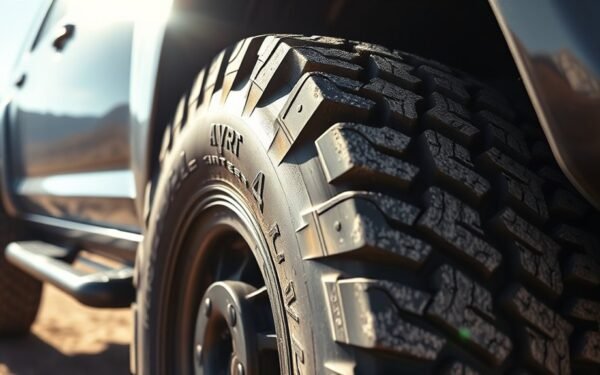
4Runner Tire Mileage: How Many Miles Should They Last
Curious about how long your 4Runner tires should last? Discover essential tips and factors that influence tire longevity.
Read More
How Long Do Toyota 4Runner Tires Typically Last
How long do Toyota 4Runner tires typically last? Discover the factors that influence tire longevity and essential tips for maintenance.
Read More