
How to Book a Costco Tire Center Appointment
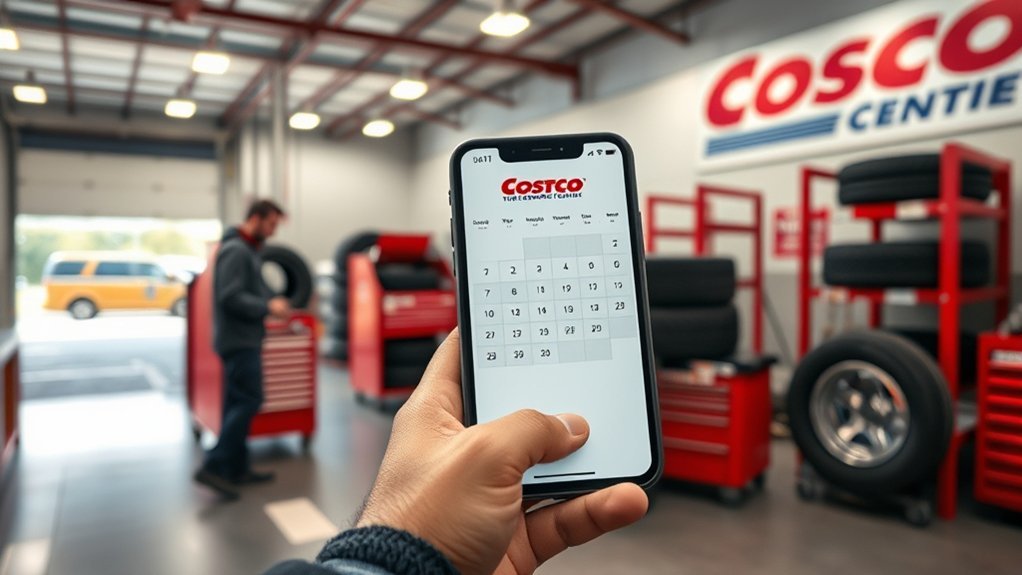
To book a Costco Tire Center appointment, you sign in to your Costco account, then open the Tire Center booking page. You’ll need your membership number, vehicle make, model, year, tire size, contact info, and often payment details. Next, choose your service type, select your warehouse, and pick an available date and time. Review the summary, submit the request, and save the confirmation. If anything looks off, you can fix it before your visit.
Key Takeaways
- Sign in to your Costco account and open the Tire Center to start booking an appointment online.
- Enter your membership number, vehicle details, tire size, contact information, and current mileage.
- Choose the correct tire service, warehouse location, and an available date and time.
- Review pricing, installation options, TPMS compatibility, and appointment details before submitting.
- Save the confirmation email or text, and bring any needed documentation to your appointment.
[Products Worth Considering]
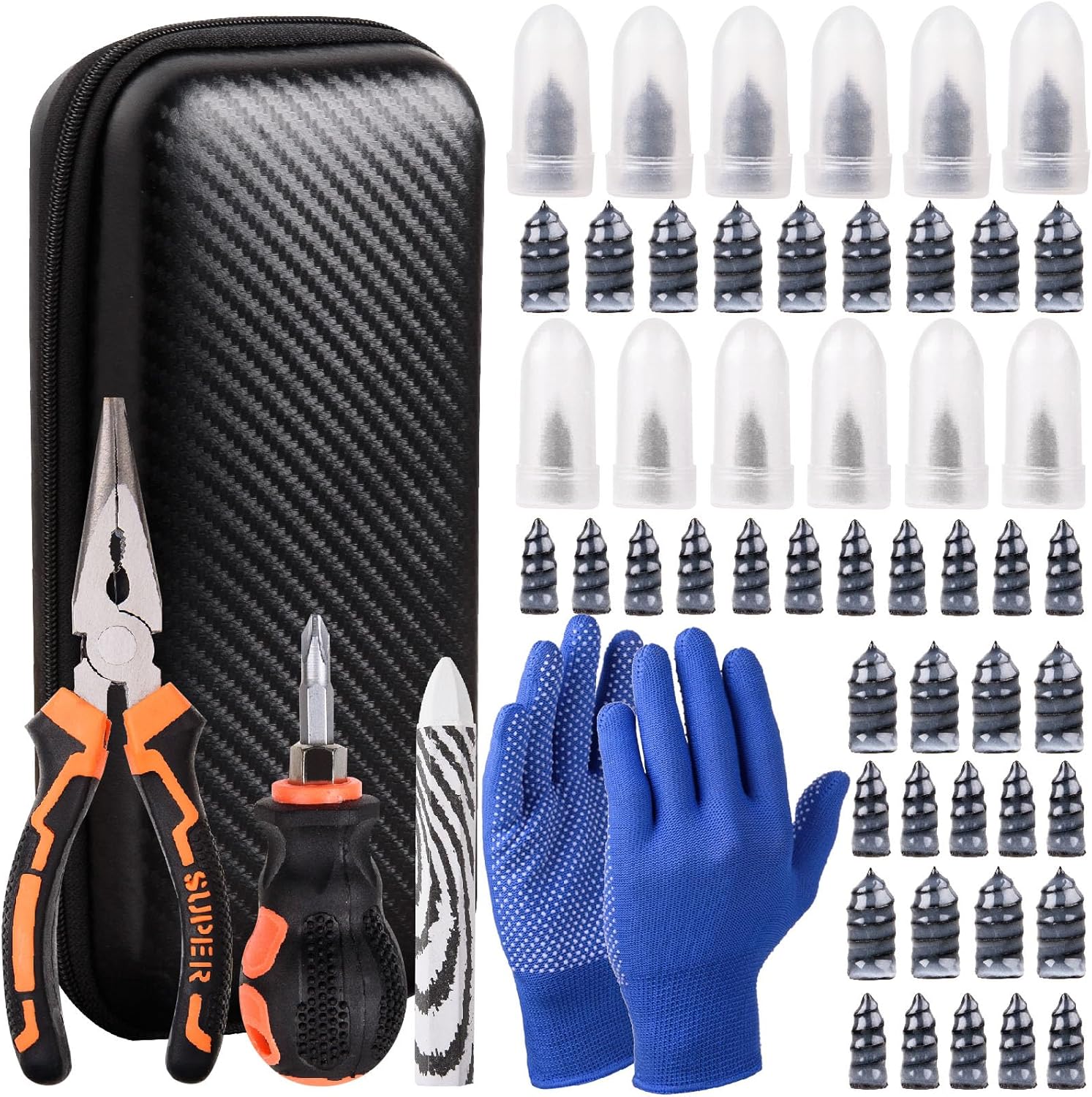
This tire sidewall puncture repair kit fixes flats fast without removing the tire, helping you get back on the road in minutes. It includes self-tapping repair nails, essential tools, gloves, and a portable storage bag for convenient roadside use. Designed for tubeless tires, it helps create a tight, leak-resistant seal for cars, motorcycles, trucks, SUVs, and ATVs.

Make hard-to-reach areas easier to access with the MAXXHAUL truck tire service step featuring an adjustable width and height. The foldable design stores compactly, while the serrated non-slip platform provides secure footing for tire-related maintenance. It fits most stock tire sizes up to 31-inch diameter with a 300-lb capacity.

This Dr.Roc tire valve stem puller tools set helps install or remove snap-in tubeless valve stems safely and efficiently. It includes ozone-resistant EPDM snap-in valve stems, a valve stem installer, and a valve core remover for quick core removal or installation during tire service. Designed for reliable tubeless tire repair on motorcycles, ATVs, lawn equipment, cars, and trucks.
What You Need to Book

To book a Costco tire appointment, you’ll need your Costco membership number, vehicle details, and preferred service location, along with a valid phone number and email address for confirmation.
Have your membership card ready, since Costco membership benefits can affect access, pricing, and service eligibility.
Have your membership card ready, since Costco membership benefits can affect access, pricing, and service eligibility.
You should also know your vehicle’s make, model, year, and tire size, because these details help you match the correct fit and load rating.
Keep your current mileage and any tire concerns on hand, too; this supports accurate service notes.
If you’ve already reviewed tire maintenance tips, you can also identify whether you need rotation, balancing, or installation.
Bring payment information if required, and confirm that your contact details are current.
Accurate information reduces delays, prevents scheduling errors, and helps the tire center prepare the right service for your vehicle.
How to Book a Costco Tire Appointment
With your membership number, vehicle details, and contact information ready, you can book a Costco tire appointment online through the Costco Tire Center website.
Sign in to your Costco account, then select your warehouse’s Tire Center from the service locator. Enter your vehicle year, make, model, and tire size, then choose an available date and time. Review the appointment summary carefully before you submit it. You’ll receive a confirmation email or text with the service details and check-in instructions.
If your plans change, use the confirmation link to modify or cancel the booking.
Online scheduling helps you use Costco membership benefits efficiently, since you can compare availability and manage service without calling.
Before your visit, note basic tire maintenance tips, such as checking tread depth and air pressure, so you can discuss any concerns with the technician. Keep your confirmation handy and arrive on time to avoid delays.
Choose Your Tire Service
You’ll need to choose the tire service that matches your vehicle’s needs, whether you’re scheduling new tire installation or a basic service visit.
Costco’s options typically cover tire installation, repair, and rotation, so you can select the exact service before booking.
This step helps you confirm the correct appointment type and avoid delays at the service center.
Tire Installation Options
After you pick your tires, select the installation package that matches your vehicle and service needs, since Costco offers standard tire installation plus optional add-ons for TPMS, road hazard protection, and other tire services.
Use tire selection tips to confirm fitment, load rating, and speed index before you pay. Compare installation benefits by checking what’s included with mounting, balancing, valve stems, and disposal fees.
Then choose only the services you actually need.
- Verify tire size and vehicle specs
- Match TPMS compatibility
- Review road hazard coverage
- Confirm appointment pricing and totals
This keeps your order accurate and your visit efficient.
If your vehicle has special requirements, note them before scheduling so the center can prepare the right parts and labor.
Repair And Rotation
If you need a flat repair or routine rotation, pick the tire service that matches the work your vehicle actually needs.
For a repair, you’re asking the center to inspect the puncture, confirm the tire’s internal condition, and patch or plug it only if it’s safe.
For a rotation, you’re scheduling wheel movement to balance wear across all four tires and extend tread life.
Check tire pressure before you arrive, because incorrect inflation can affect wear patterns and service recommendations.
If you’re already handling seasonal maintenance, rotation is often the right choice.
Tell the advisor about any vibration, uneven wear, or recent damage so they can set the correct appointment and avoid delays.
Choose Your Store and Appointment Time
Select your Costco warehouse and an available service time through the tire appointment scheduler. Use your store location to filter nearby tire centers, then compare openings that match your service window.
You’ll see appointment flexibility vary by warehouse, so check alternate dates if your preferred slot is full. For the best result, narrow your choice by weekday, morning, or afternoon availability.
- Pick the correct store location.
- Review open service times.
- Select the slot that fits your schedule.
- Save your chosen appointment.
Choose a time that leaves room for check-in and vehicle movement, since tire service runs on shop capacity.
If you need a quicker visit, prioritize earlier openings or less busy days. If your schedule is tight, use appointment flexibility to secure a backup time before moving on. This step keeps your booking efficient and reduces delays at the counter.
[Products Worth Considering]

Steelman white tire marking crayons provide high-contrast, semi-permanent marks for repairing and inspecting tires and equipment. They write on wet or dry, smooth or coarse surfaces including rubber, metal, glass, and wood, making them ideal for puncture location and damage outlining. The lead- and zinc-free crayons resist weather and fading yet wipe away when you no longer need the marks.

Monitor tire tread wear with a smart, color-coded depth gauge that shows clear condition ranges at a glance. The bar is range marked for fast, easy readings, helping you maintain safer traction and performance. Each gauge is portable with a pocket clip, and the set includes 20 units for daily use and sharing.

AUTOWN’s 68-piece tire repair kit helps you fix punctures and plug flats quickly and effectively. It includes a T-handle and spiral probe tool for easy insertion, while the steel patch and plug materials are designed for strong adhesion and long-lasting airtight performance. The compact case makes it convenient for roadside repairs across a wide range of vehicles.
Confirm Your Appointment Details
Before you submit the booking, review the appointment summary for the warehouse, date, time, and service type. Check that your tire installation, rotation, or inspection matches what you selected.
Verify the contact phone number and email so you’ll receive the appointment confirmation without delay. If your Costco account lists multiple vehicles, make sure the correct one appears in the order details.
Verify the contact phone number and email so you receive the confirmation promptly.
Read the notes field for any special instructions or limits tied to the service. If anything looks off, go back and edit it now; small errors can create check-in delays later.
Use these scheduling tips: confirm the location name exactly, compare the selected time with your calendar, and save the confirmation number after submission.
Once the summary is accurate, place the booking and wait for the confirmation screen. That final check helps you avoid rework and keeps the process efficient.
Get Ready for Your Visit
Once your booking is confirmed, prepare the vehicle and paperwork so check-in goes smoothly. Use a pre-appointment checklist to verify your Costco membership card, vehicle make and model, tire size, and payment method.
Remove wheel locks, cargo, and anything that blocks tire access. Check tire pressure, tread depth, and visible damage before you arrive; these tire maintenance tips help you discuss service needs clearly.
- Confirm the appointment time and service type.
- Gather keys, membership, and vehicle documents.
- Clear the trunk and cabin of loose items.
- Inspect tires for wear, leaks, or abnormal noise.
Arrive a few minutes early and park where staff can inspect the vehicle easily. Keep your phone available for updates.
If you’re requesting rotation, installation, or balancing, note the current mileage and any concerns so the technician can document them quickly.
Fix Costco Tire Appointment Problems
If your Costco tire appointment doesn’t show up, is booked for the wrong service, or conflicts with your schedule, contact the Tire Center right away to confirm the details and request a correction.
Give them your membership number, vehicle information, appointment date, and confirmation code so they can verify the record fast. If the system shows a mismatch, ask them to cancel and rebook the slot.
Give them your membership number, vehicle information, appointment date, and confirmation code to verify the record quickly.
You should also check your email and Costco account for duplicate confirmations, missing service notes, or time-zone errors. These troubleshooting tips help you resolve common appointment issues before you arrive.
If you can’t reach the Tire Center, use Costco’s website or call member support for escalation.
Keep screenshots of your booking and any messages you receive. That documentation makes it easier to prove the error and get a corrected appointment without delay.
Frequently Asked Questions
Can I Book a Costco Tire Appointment Without a Costco Membership?
No, you can’t book Costco tire appointments without a membership. You’ll need a Costco membership to access Costco membership benefits and view Tire service pricing, then schedule your service through your account or local warehouse.
Does Costco Install Tires Purchased Elsewhere?
No, Costco usually won’t install tires you bought elsewhere; their tire installation policies favor tires sold through them. Like a locked toolbox, membership benefits guide access, so you’ll need Costco-purchased tires for service.
How Long Does a Typical Costco Tire Installation Take?
You’ll usually wait 1.5 to 2.5 hours for tire installation duration, depending on bay traffic and wheel condition. For better appointment scheduling tips, book early, arrive on time, and confirm tire size beforehand.
Are Walk-In Tire Services Available at Costco Tire Center?
Usually not: you’ll find Costco Tire Center works mostly by appointment, with only limited walk-in support. In fact, many centers schedule 95%+ of tire work. You should check tire service options and appointment flexibility locally.
Can I Reschedule My Costco Tire Appointment Online?
Yes, you can usually use Costco’s online scheduling tools for appointment flexibility and online rescheduling. You’ll need your confirmation details, then choose a new time that fits. If online options aren’t available, call your tire center.
Conclusion
Now you’re set to book your Costco Tire Center appointment with confidence. You’ve got what you need, know how to pick your service, select a store and time, and confirm the details. Before you go, double-check your vehicle info and arrival time so you don’t miss a beat. If you run into problems, follow the fix steps and keep moving. With a little prep, you’ll breeze through the process and get back on the road.
[Products Worth Considering]

The SAFELIFE dial tire tread depth gauge measures tread depth in 1/32 inch increments with clear, easy-to-read 2-inch dial face. Color zones using a traffic light system help you quickly judge whether tread is low, marginal, or ample for safer driving. Built with a durable zinc cast body and a metal detect probe for precise, comfortable use across cars, motorcycles, trucks, and buses.

Measure tire tread depth quickly and accurately with this LUMITECO dial gauge that reads in 1/32" increments up to 14/32". The color-coded green/yellow/red zones make it easy to judge tire wear and know when replacement is needed. A rugged, compact design with a protective pouch helps keep the gauge ready for use on cars, trucks, motorcycles, and more.
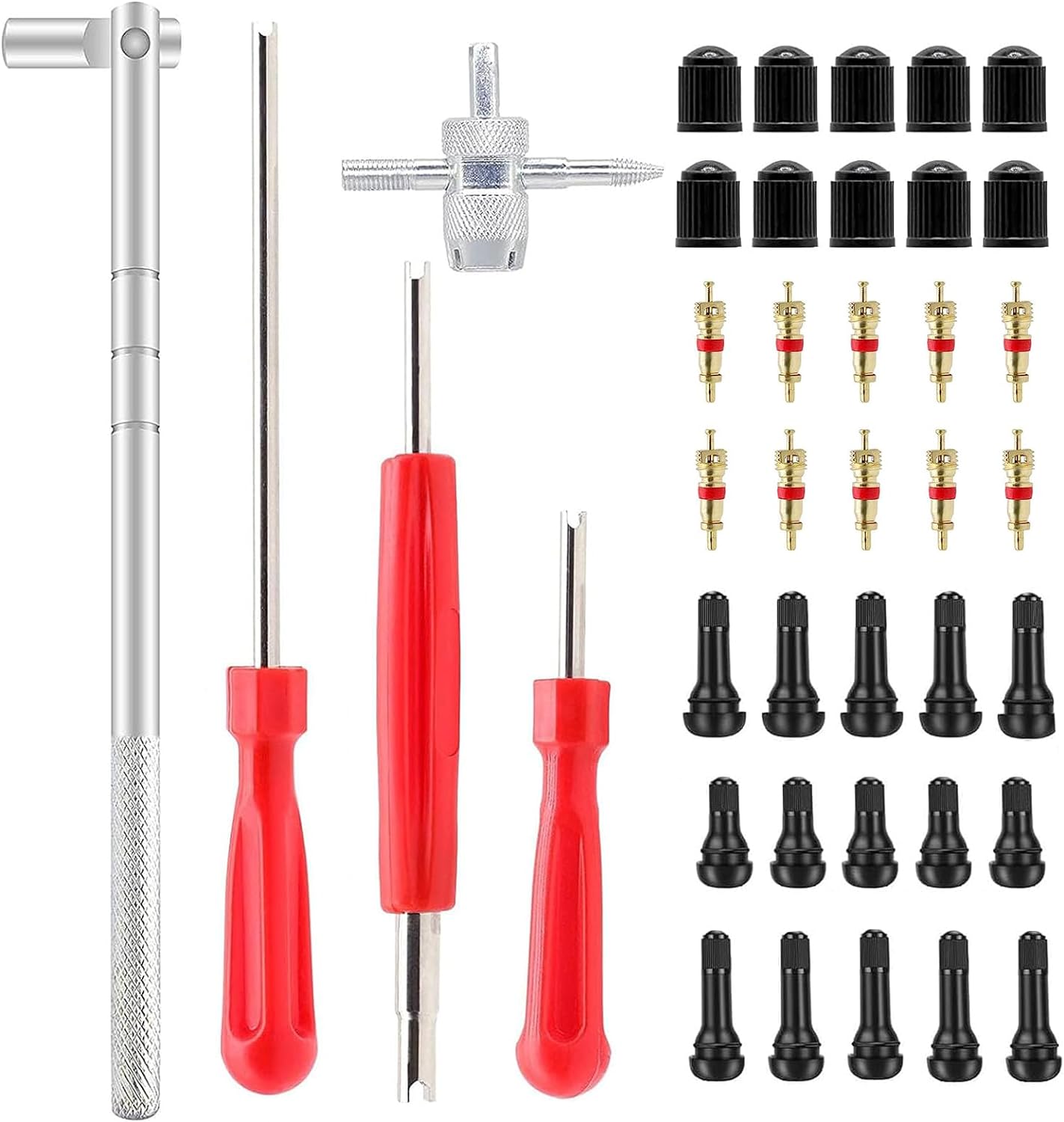
This ZHSMS valve stem puller and installer tool set makes it easy to remove and install tire valve stems without damaging wheels or valves. It uses a leverage design to save effort and includes valve stem tools plus removable valve core functionality for quick tire repairs. Compatible with tubeless tires for passenger cars, motorcycles, ATVs, off-road vehicles, and trucks.

Related Articles

How to Use Costco Tire Inflation: Step-by-Step
Never overinflate at Costco—learn the exact steps, tools, and tips to fill your tires safely and leave with confidence.
Read More
How to Book a Tire Appointment at Walmart
Mysterious steps make booking a Walmart tire appointment simpler than you think, but one crucial detail could save you time and money.
Read More
How to Book a Tire Appointment at Discount Tire
Online or by phone, booking a Discount Tire appointment is easy—just gather a few details first and discover the fastest way to get in.
Read More