
How to Register Hyundai Sonata Tires for Recall Notices

Locate your Sonata’s 17-character VIN (dash jamb or dashboard), then go to SaferCar.gov, enter the VIN under Recalls, and register for email alerts so you’ll get automated tire-recall notices. Download the SaferCar app, create an account, add the VIN for push notifications, and set alert preferences. Also give the VIN to your Hyundai dealer to authorize free recall repairs and get written proof. Follow up biannually to confirm status and learn how to schedule service.
Find Your Hyundai Sonata VIN Fast

Need your Sonata’s VIN fast? You’ll find it on the driver’s side dashboard near the windshield or inside the driver door jamb; both are standard dashboard location points for immediate retrieval. The VIN is a unique 17-character code used for VIN decoding and precise identification, so transcribe each character exactly. You can also pull the VIN from your vehicle title (pink slip) or insurance card when the car isn’t accessible.
When you use online recall tools, enter the VIN without spaces or errors to guarantee accurate match results. Registering this exact VIN lets systems push targeted recall alerts and email notifications tied to your vehicle’s build data. Make checking your VIN for recalls a routine — at least twice yearly — since recall statuses can change. Keep the VIN recorded in a secure, accessible place so you can act quickly and maintain autonomy over your vehicle’s safety updates.
Check Hyundai Sonata Tire Recalls on SaferCar.gov (Step-by-Step)
Start at SaferCar.gov and click the “Recalls” tab to begin a targeted search for Hyundai Sonata tire recalls. Enter your Sonata’s 17-digit VIN to retrieve precise NHTSA records; the VIN is the primary identifier that ties manufacturer actions to your specific vehicle configuration. Review listed actions for tire safety issues—look for defect descriptions, affected model years, and recommended remedies. Note the campaign number and service instructions so you can verify dealer compliance. If no active tire recall appears, document the check date and repeat the search biannually; new tire safety campaigns can be issued at any time. Use the site’s details to coordinate Hyundai maintenance or approved tire replacement through an authorized dealer, ensuring labor and parts are covered when applicable. This methodical routine empowers you to maintain control over vehicle integrity and liberates you from avoidable hazards by keeping recall status current.
Register Your Sonata VIN for Email Recall Alerts on SaferCar
Registering your Sonata’s 17‑digit VIN on SaferCar.gov lets you receive email alerts the moment NHTSA posts a new recall that applies to your vehicle. Go to SaferCar.gov > Recalls, enter your VIN, and confirm the vehicle details. Opt into email alerts to get targeted notifications about tire or safety recalls; this is one of the clearest VIN registration tips to keep control of your safety.
| Freedom | Clarity | Control |
|---|---|---|
| Know issues | Quick notice | Act fast |
| Reduce risk | Confirm VIN | Stay legal |
| Protect family | Timely fix | Maintain value |
| Reject uncertainty | Twice‑yearly check | Empowered choice |
You’ll get precise email alerts tied to that VIN, not generic notices. Registering is technical, simple, and liberating: it removes delay between NHTSA action and your response. Do it now and check again at least twice a year to uphold safety and compliance.
Use the SaferCar App for Hyundai Sonata Recall Push Notifications

While you might already track recalls by email, the SaferCar mobile app gives you instant push notifications about Hyundai Sonata tire recalls when you add your 17‑digit VIN and enable alerts. Download the free SaferCar app from your device’s app store, create an account, and input your Sonata’s VIN to tie alerts to your vehicle. This setup is the core of SaferCar app benefits: targeted, immediate recall intelligence tied to your unique identifier.
Go to Push notification settings and set preferences for recall severity and delivery. Enable immediate alerts for tire-related campaigns so you don’t wait for periodic emails. The app aggregates hundreds of annual recalls, so regular checks keep you ahead of updates. By controlling notification thresholds and account access, you maintain autonomy over safety data and response options. Use the app to confirm recalls, follow OEM instructions, and schedule corrective service without bureaucratic delay.
If SaferCar Says “Not a Hyundai or Genesis”: Quick Fixes
If SaferCar returns “Not a Hyundai or Genesis” after you’ve added your VIN, don’t assume the app is wrong—first verify the 17‑character VIN against the dash, driver‑side door jamb, and your insurance card to rule out transcription errors or smudged characters. Confirm VIN accuracy by comparing every character; zero and letter O, one and letter I often get swapped. Next, confirm the vehicle’s brand: cross‑reference the VIN with manufacturer decoding resources to guarantee it maps to Hyundai models and not an OEM‑rebadged vehicle.
If the VIN decodes to a non‑Hyundai, you’ll need to register under the correct make. If it decodes to Hyundai but SaferCar still rejects it, document the VIN and error, then contact your Hyundai dealer for technical assistance; they can validate manufacturer records and advise registration paths. Keep checking SaferCar.gov periodically for recalls—timely registration protects you and supports collective safety and liberation from preventable risk.
Troubleshoot VIN Errors and Verify VIN Accuracy
Stand close to the license plate and driver’s side dashboard or door jamb to read the 17-character VIN accurately, and cross-check it with your insurance card. If the VIN tool returns a read error or “not a Hyundai/Genesis,” confirm make and re-enter the exact characters (watch for I/1, O/0, and Q mistakes). Promptly address any persistent errors—contact your dealer or use the VIN search tool to verify history and recall eligibility before registering.
Check VIN Location
Where can you find your Hyundai Sonata’s 17-character VIN? Look at the driver’s side dashboard near the windshield and the driver door jamb; those fixed plate locations prevent VIN Misinterpretation and underscore VIN Importance. Get close, use good light, and read each character; selfies or reflections can introduce errors.
Also check your title (pink slip) and insurance card—these authoritative records let you cross-verify without crawling under the car. Regularly confirm the VIN at least twice a year so recall notices reach you and service history matches your vehicle. You’re reclaiming control by validating the identifier that links safety actions to your Sonata; precise VIN capture is a small technical habit with outsized protective impact.
Resolve VIN Read Errors
Having confirmed the VIN locations on your Sonata, you’ll next troubleshoot read errors by getting close to the license plate and re-scanning for a clearer capture; poor distance or lighting often causes misreads. Position yourself at the driver’s side dashboard or inside the door jamb to verify the VIN visually. If scanning still fails, confirm the vehicle is a Hyundai or Genesis—unsupported makes trigger persistent errors. Use the VIN search tool to validate the 17-character VIN and check recalls. Prompt action matters if an error message appears; it may indicate a safety issue.
- Re-scan close, adjust lighting, retry VIN scanning.
- Manually verify characters, confirm 17-char uniqueness.
- Escalate to dealer or support for error resolution.
How Dealers Verify VINs and Do Free Recall Tire Repairs
You’ll provide the VIN — the 17-character code from the driver’s dash or door jamb — so the dealer can run a VIN search against Hyundai’s recall and service campaign database. They’ll confirm eligibility, explain the specific tire defect and prescribed remedy, and schedule the no-cost repair. Using the dealer guarantees the recall work is performed to manufacturer standards and documented for your vehicle’s service history.
VIN Verification Steps
Because dealers match the unique 17-character VIN—found on the driver’s side dashboard or inside the door jamb—against their databases, they can quickly determine recall eligibility and required tire remedies. You’ll see VIN importance immediately: it’s the single key that links your Sonata to recall safety records back to 08/20/1986. When you contact a dealer or use their VIN search tool, expect fast verification and clear next steps for service.
- Provide the 17-character VIN from the dash or door jamb.
- Dealer runs the VIN through their database to reveal active recalls and campaigns.
- If tires are impacted, the dealer schedules remedial action and documents the repair at no charge.
Check your VIN twice yearly to stay liberated from unknown risks.
Free Dealer Tire Repairs
1 clear step starts the free dealer tire repair process: provide your Sonata’s 17-character VIN (from the dash or door jamb) so the dealer can run it through Hyundai’s recall database, confirm eligibility, and authorize at no charge any required tire remedy. You’ll schedule online or by phone; preferred Hyundai dealers handle recall repairs under tire warranty and complete work free, reducing cost and downtime. Dealers verify VIN on the dashboard and door jamb, then log results in the VIN search tool that tracks recalls back to 1986. Maintain clear dealer communication: get an authorization number, appointment time, and repair summary. You keep control—use authorized channels to guarantee safety, documentation, and a liberated vehicle ownership experience.
| Step | Action |
|---|---|
| 1 | Provide VIN |
| 2 | Dealer check |
| 3 | Authorize repair |
| 4 | Complete free fix |
Schedule a Dealer Appointment for Your Tire Recall Service
Schedule your dealer appointment for tire recall service through Hyundai’s official website or by calling your preferred dealer, and have your vehicle’s 17-digit VIN on hand for verification. You’ll confirm eligibility, book a slot, and receive instructions; recall repairs are completed free by authorized dealers, so act without delay. Use tire maintenance tips to keep your vehicle safe while waiting and reference NHTSA’s SaferCar.gov for outstanding recall checks.
- Visit Hyundai’s site or call your dealer, provide VIN, and request recall service.
- Choose an available appointment time; online scheduling minimizes downtime.
- Note dealer communication strategies: get a contact name, confirmation number, and estimated service duration.
You’ll empower yourself by controlling scheduling and documentation flow. Be direct with the dealer, insist on clarity about parts and timelines, and maintain records of communications. This technical, liberation-focused approach reduces friction and guarantees prompt, no-cost remediation of your recalled tires.
Confirm Your Recall Repair and Get It Documented
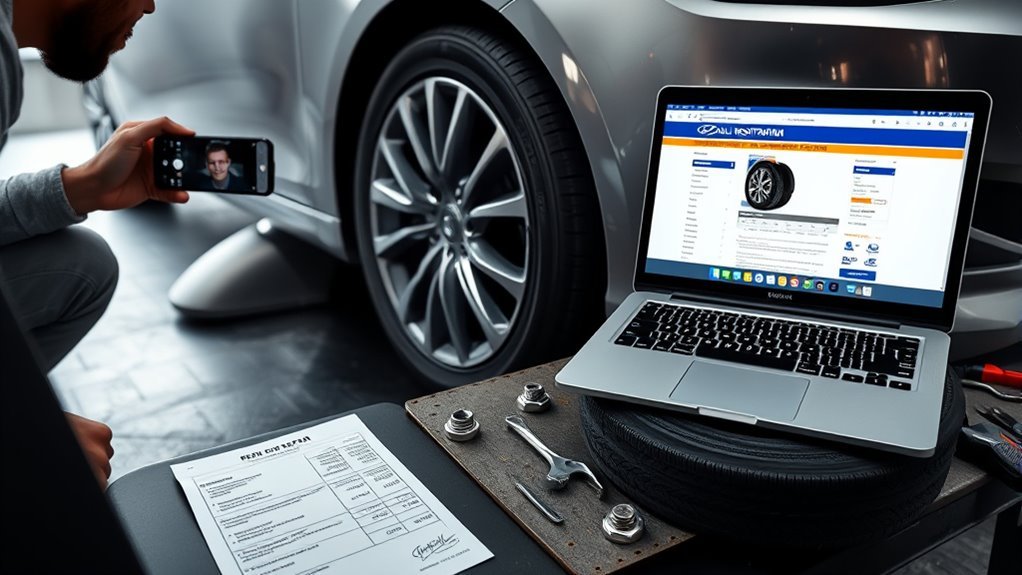
After the dealer completes the recall service, verify the repair order against your Vehicle Identification Number (VIN) to confirm the correct work was performed. Request written proof of the repair—an official service record or repair order copy—for your files. Update your vehicle records and log the VIN-verified repair, then periodically recheck SaferCar.gov for any additional recalls.
Verify Repair Order
When you confirm a Hyundai Sonata tire recall, have your 17‑digit VIN ready and contact your preferred dealer to guarantee the recall repair was completed and entered into their system at no charge; request and keep a copy of the repair order as documented proof for future inspections or resale. Verify repair order entries by using the VIN search tool and comparing timestamps, work codes, and parts used against the recall bulletin. Maintain clear repair documentation and insist on direct dealer communication to prevent obfuscation.
- Call dealer, provide VIN, ask for repair order number and completion date.
- Use VIN search tool to confirm the repair is logged and matches the order.
- Retain digital and paper copies; revisit dealer or NHTSA for updates.
Obtain Written Proof
Because recall repairs are provided at no cost, make sure you get a detailed, written receipt from your Hyundai dealer that includes your 17‑digit VIN, the specific tire repair or replacement performed, the recall campaign number, date of service, and any parts or work codes used—this document is the definitive proof that the safety issue was resolved. You’ll request and retain that record to confirm tire safety and to assert the repair importance if needed.
| Item | Required Field | Purpose |
|---|---|---|
| VIN | 17‑digit number | Identifies vehicle |
| Service | Repair/replacement details | Documents correction |
| Campaign | Recall number & date | Verifies compliance |
Keep copies free, technical, and accessible to protect your freedom to sell or operate safely.
Update Vehicle Records
Now that you’ve secured written proof of the tire repair, update your vehicle records by confirming the 17‑digit VIN (found on the driver’s dash or door jamb) and asking the dealer to log the recall repair in Hyundai’s system. You’ll guarantee the work is searchable and linked to your car’s history.
- Confirm VIN and present written proof to the dealer for entry into Hyundai’s VIN lookup and recall database.
- Request a printed or electronic repair completion record; store it with service logs and vehicle maintenance documents.
- Verify entry via Hyundai’s VIN search tool and recheck recall status semiannually, aligning with safety inspections and NHTSA guidance.
Documented repairs protect safety, support resale freedom, and complete your vehicle’s official maintenance trail.
Other Ways to Get Hyundai Sonata Recall Notices (DMV, Insurer, NHTSA)
Want to make certain you don’t miss a Hyundai Sonata tire recall? Use multiple channels to lock in tire safety and recall awareness. First, register your Sonata with the DMV so recall information can be appended to registration renewals; this creates an official, state-level contact point. Next, contact your insurer and confirm they send policyholder recall alerts—insurers often push safety notices and can flag tire-related advisories tied to your VIN. Then leverage federal tools: go to NHTSA’s SaferCar.gov, enter your VIN, and check for outstanding recalls; sign up for email alerts there to get automated notices about new tire defects. For mobile-first monitoring, download the free SaferCar app to receive push notifications the moment a recall posts. Combine these methods: DMV record, insurer updates, SaferCar VIN checks, email alerts, and app notifications. That redundancy guarantees fast, reliable notification so you can act and reclaim control over your vehicle’s safety.
Frequently Asked Questions
Will Hyundai Fix Recalls for Free?
Yes — you’ll get free repairs for safety recalls. Hyundai’s recall process covers tire safety issues, they’ll notify you, and you can schedule no-cost fixes through a dealer so you’re protected and empowered to act.
How to Use VIN to Check for Recalls?
Think of your VIN as a lighthouse: you enter it on SaferCar.gov, check tire maintenance and recall importance alerts, and register for email updates so you’re freed from surprises and can act quickly and decisively.
How Do I Find Out if My Hyundai Sonata Has a Recall?
Check your Hyundai Sonata for recalls by entering your 17-digit VIN on NHTSA’s SaferCar.gov; you’ll get recall importance alerts and tire safety notices, you can enroll for email updates, and dealers handle free repairs.
How Do I Check My Hyundai Settlement by VIN Number?
You’ll instantly access VIN verification and recall history on SaferCar.gov—enter your 17-digit VIN, view settlement details, and sign up for alerts; dealers provide free remedies, and you’ll reclaim vehicle safety with empowered clarity.
Conclusion
You’re steering safety, not luck. Lock in your Sonata’s VIN, sign up on SaferCar.gov or the app, and expect dealer-covered tire fixes when recalls hit. If the site misidentifies your vehicle, correct the VIN or call Hyundai; dealers will verify and repair free. Document every step—appointment, service order, and repaired status—so your record’s airtight. Treat recall alerts like a dashboard warning: respond immediately to keep you and your passengers safe.

Related Articles
Hyundai Sonata Tire Bead Leak: Causes, Symptoms & Solutions
A tire bead leak in your Hyundai Sonata can lead to serious issues; discover the causes, symptoms, and solutions to ensure your safety and performance.
Read More
Hyundai Sonata Tires in Freezing Temperatures: What You Need to Know
Maximize your Hyundai Sonata's winter performance with the right tires; discover essential tips for navigating freezing temperatures safely and effectively. What should you consider?
Read More
Hyundai Sonata Tire Leaking From Valve Stem: How to Fix It
How to resolve a leaking valve stem in your Hyundai Sonata and ensure your tires are safe and reliable—discover the essential steps to fix it!
Read More